
Floaty
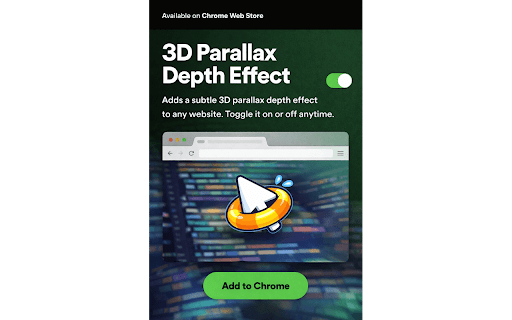
Adds a subtle 3D parallax depth effect to any website. Toggle it on or off anytime.
As of June 2026, Floaty has — users in the Functionality & UI category.
Usersno change0%
—
—
Ratingno change0%
—
— reviews
Reviewsno change0%
—
Version
1.0.0
Manifest V3
History
5 snapshotsTracking since Apr 8, 2026.
Not enough history yet for this metric — the chart fills in as we collect more snapshots.
View as table
| Date | Users | Rating | Reviews | Version |
|---|---|---|---|---|
| Apr 8, 2026 | — | — | — | 1.0.0 |
| Apr 19, 2026 | — | — | — | 1.0.0 |
| Apr 25, 2026 | — | — | — | 1.0.0 |
| May 9, 2026 | — | — | — | 1.0.0 |
| May 13, 2026 | 1 | — | — | 1.0.0 |
| Now | — | — | — | 1.0.0 |
Permissions & access
- Permissions
- storage
- Host access
- <all_urls>
Screenshots
About
Floaty adds a cinematic 3D parallax depth effect to every website you visit — making the web feel physical, layered, and alive.

As you move your mouse, different parts of the page respond at different depths. Headers and navigation gently recede into the background. Main content holds steady as your anchor. Forms, search bars, and interactive elements float softly toward you. The result is a sense of real depth that turns any flat webpage into something that feels like it exists in space.

Leave your mouse still for 10 seconds and Floaty switches to ambient drift mode — a slow, sinusoidal breathing motion that keeps your workspace feeling alive even when you're reading or thinking.

━━━━━━━━━━━━━━━━━━━━━━

HOW IT WORKS

Floaty uses hardware-accelerated CSS transforms to create three distinct depth layers on any page:

🔹 Background layer — headers, navigation bars, and sidebars recede gently away
🔹 Midground layer — your main content stays grounded as the reference point
🔹 Foreground layer — search bars, forms, and input areas float toward you

All movement is smoothed with a lerp (linear interpolation) function for a fluid, cinematic feel — never janky or mechanical.

━━━━━━━━━━━━━━━━━━━━━━

WORKS ALMOST EVERYWHERE

Floaty works on basically any website automatically. It uses semantic HTML elements (header, main, form, nav) that are standard across the web, so there's nothing to configure. Just install and browse.

It also has hand-tuned configurations for popular sites including:

♟ Chess.com and Lichess — depth effect tuned so the board floats above the interface without interfering with gameplay
📰 NYT Games — Wordle tiles, Connections cards, and Strands grids all get individual depth
🌍 GeoGuessr — the UI chrome layers above the map for a cockpit-style feel
🤖 Claude, ChatGPT, Gemini — sidebar, chat, and input composer sit at distinct depths

━━━━━━━━━━━━━━━━━━━━━━

CONTROLS

The extension shows a small "Floaty on" chip when you first land on a page. It fades to a tiny green dot after a few seconds — hover it to bring the chip back, or click it to toggle the effect on or off instantly.

You can also toggle and adjust intensity from the extension popup by clicking the Floaty icon in your toolbar.

━━━━━━━━━━━━━━━━━━━━━━

PERFORMANCE & PRIVACY

Floaty is lightweight by design. It injects a single CSS style tag and runs one requestAnimationFrame loop per tab — the same technique used by professional web animations. It automatically pauses when you switch away from a tab and resumes when you return, so it never burns resources in the background.

Floaty collects zero data. It does not track your browsing, read page content, send anything to any server, or require an account. Everything runs locally in your browser.

━━━━━━━━━━━━━━━━━━━━━━

RESPECTS YOUR PREFERENCES

If you have "Reduce Motion" enabled in your operating system accessibility settings, Floaty automatically disables all animation to respect your preference.
Technical
- Version
- 1.0.0
- Manifest
- V3
- Size
- 9.22KiB
- Min Chrome
- 88
- Languages
- 1
- Featured
- No
Metadata
- ID
- jlinfekdcoeggdckhkipmhnfbchfjabp
- Developer ID
- u97332778122b995c1a066156ec8286e6
- Developer Email
- [email protected]
- Created
- Apr 8, 2026
- Last Updated (Store)
- Apr 8, 2026
- Last Scraped
- Jun 7, 2026
- Website
- —
- Support URL
- —
- Privacy Policy
- https://chumanji.github.io/Floaty/
Data sourced from the Chrome Web Store · last verified Jun 7, 2026.