
WorkSpacer
Organize tabs into different workspaces and use the pop up window to open them easily.
As of May 2026, WorkSpacer has 4 users and a 5.00/5 rating from 1 reviews in the Workflow & Planning category.
Usersdown 33.3 percent−33.3%
4
4
Ratingno change0%
5.00
1 reviews
Reviewsno change0%
1
Version
1.0
Manifest V3
History
2 snapshotsTracking since Apr 29, 2026.
View as table
| Date | Users | Rating | Reviews | Version |
|---|---|---|---|---|
| Apr 29, 2026 | 6 | 5.00 | 1 | 1.0 |
| May 26, 2026 | 5 | 5.00 | 1 | 1.0 |
| Now | 4 | 5.00 | 1 | 1.0 |
Permissions & access
- Permissions
- storagetabs
- Host access
- None declared
Screenshots


About
Organize tabs you frequently use together into workspaces then open all the tabs in a workspace simultaneously with the click of a button!

Instructions:
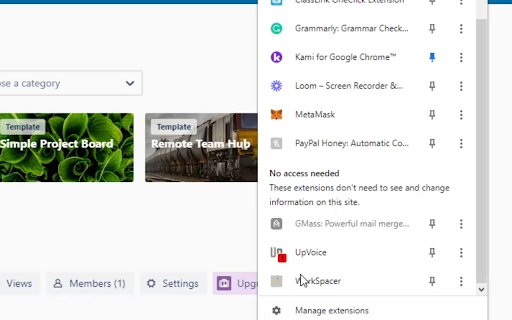
1.) Go to your extensions list.
2.) Click Workspacer.
3.) Click 'Add a workspace'.
4.) Type in the name of your workspace, work for example, then list the urls of the websites you need for it. Leave a comma and a space between each url.
5.) Click 'Create Workspace'.

Congratulations, your done!

Now whenever you want to open those tabs. Just click the extension and click the name of your workspace, BAM, they're all open.
Technical
- Version
- 1.0
- Manifest
- V3
- Size
- 14.16KiB
- Min Chrome
- 88
- Languages
- 1
- Featured
- No
Metadata
- ID
- jkhlnehhcbheblfbemmblpmnllocamnf
- Developer ID
- u960b46885c4a51a1b19a2545ae011f47
- Developer Email
- [email protected]
- Created
- Dec 20, 2022
- Last Updated (Store)
- Dec 20, 2022
- Last Scraped
- May 26, 2026
- Website
- —
- Support URL
- —
- Privacy Policy
- —
Similar extensions
Alternatives to WorkSpacer, ranked by description similarity.

Tropi
Organize the tools you use for every task.
2

Group Tabs
Create named groups of URLs and open them in a click (window, tabs, or tab group).
—

YATM - Yet Another Tab Manager
A simple open-sourced chrome extension that lets you manage efficiently your tabs with workspaces
—
★ 5.0

Bill Tracker
This is a chrome extension which stores links that you regularly need to open, and gives you the option to open them all as new…
67

Spaces
Spaces is a Chrome extension that helps you organize your browsing with multiple Spaces and folders. Save, manage, and restore your…
157
★ 5.0

Tab Workspace
Active tab workspace: group tabs with tags, search within each workspace, jump back fast via the side panel. Works across windows.
2

Tab Organizer - Workspaces
Tab Organizer - Workspaces: Group tabs, save & restore, boost productivity. Ideal for students, researchers, and professionals.
369
★ 1.0

Workspace Manager
Tab Manager and Productivity Extension - save tabs as workspaces and revisit them in the future
3.0K
★ 4.5
Data sourced from the Chrome Web Store · last verified May 26, 2026.