
Lucky Salary Timer - 福袋工资计时器
Track your workday earnings in real time with a floating lucky bag and coin burst effects.
As of June 2026, Lucky Salary Timer - 福袋工资计时器 has — users in the fun category.
Usersno change0%
—
—
Ratingno change0%
—
— reviews
Reviewsno change0%
—
Version
1.0.2
Manifest V3
History
1 snapshotsTracking since Jun 22, 2026.
Not enough history yet for this metric — the chart fills in as we collect more snapshots.
View as table
| Date | Users | Rating | Reviews | Version |
|---|---|---|---|---|
| Jun 22, 2026 | — | — | — | 1.0.2 |
| Now | — | — | — | 1.0.2 |
Permissions & access
- Permissions
- storage
- Host access
- None declared
Screenshots


About
Lucky Salary Timer is a fun browser widget that shows how much money you have earned during your workday.

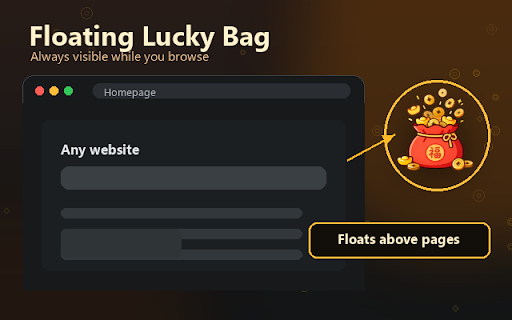
After entering your monthly salary, currency, working days, start time, and end time, the extension calculates your estimated daily pay and displays a floating lucky bag on the webpage. Once you start the timer, your earned amount increases in real time.

Features:
- Real-time salary counter
- Supports multiple currencies, including CNY, USD, EUR, GBP, JPY, HKD, TWD, and MYR
- Currency-based default working-day calculation
- Custom monthly working days
- Adjustable coin burst interval from 5 to 60 minutes
- Coin animation and sound effects
- Draggable floating lucky bag
- Local storage only; no login, no tracking, no data upload

This extension is designed for entertainment and personal motivation. Salary calculations are estimates and may not match official payroll, tax, overtime, or company-specific rules.


福袋工资计时器是一款娱乐性质的浏览器悬浮小工具,用来实时显示你今天已经赚了多少工资。

输入月薪、币种、月工作天、上班时间和下班时间后,插件会估算你的日薪,并在网页右下角显示一个可拖动的福袋。点击开始后,金额会根据工作时间实时增长。

功能包括:
- 实时工资计时
- 支持人民币、美元、欧元、英镑、日元、港币、台币、马币等币种
- 根据币种自动带出默认工作天算法
- 可自定义月工作天
- 可设置 5 到 60 分钟爆金币间隔
- 爆金币动画和声音效果
- 可拖动悬浮福袋
- 数据仅保存在本地浏览器,不登录、不追踪、不上传

本插件主要用于娱乐和自我激励,工资计算结果仅为估算,不代表正式薪资、税务、加班费或公司薪资规则。
Technical
- Version
- 1.0.2
- Manifest
- V3
- Size
- 336KiB
- Min Chrome
- 88
- Languages
- 1
- Featured
- No
Metadata
- ID
- jkcpdhdojcnbigpnfejofcmfijdlpapg
- Developer ID
- u092da65c710e3945e0a7cc8616fac183
- Developer Email
- [email protected]
- Created
- Jun 21, 2026
- Last Updated (Store)
- Jun 21, 2026
- Last Scraped
- Jun 22, 2026
- Website
- —
- Support URL
- —
- Privacy Policy
- —
Data sourced from the Chrome Web Store · last verified Jun 22, 2026.