
Notes Enhancer for TUF - textPerfect
Rich text editor for all your note section in takeuforward.org
As of June 2026, Notes Enhancer for TUF - textPerfect has 29 users and a 5.00/5 rating from 2 reviews in the Functionality & UI category.
Usersdown 3.3 percent−3.3%
29
29
Ratingno change0%
5.00
2 reviews
Reviewsno change0%
2
Version
1.1.5
History
5 snapshotsTracking since Apr 20, 2026.
View as table
| Date | Users | Rating | Reviews | Version |
|---|---|---|---|---|
| Apr 20, 2026 | 30 | 5.00 | 2 | 1.1.5 |
| May 5, 2026 | 32 | 5.00 | 2 | 1.1.5 |
| May 15, 2026 | 30 | 5.00 | 2 | 1.1.5 |
| May 28, 2026 | 31 | 5.00 | 2 | 1.1.5 |
| Jun 9, 2026 | 28 | 5.00 | 2 | 1.1.5 |
| Now | 29 | 5.00 | 2 | 1.1.5 |
Permissions & access
- Permissions
- None declared
- Host access
- None declared
Screenshots


About
TextPerfect is a browser extension designed to enhance the note-taking capabilities on TakeUForward.org. While TakeUForward serves as an excellent resource for learning data structures and algorithms, its native notes section offers limited formatting options. TextPerfect addresses this limitation by providing users with a comprehensive markdown-based editor.


Key Features:

->Seamless integration with TakeUForward's existing notes system
->Rich text formatting including bold, italics, underline, and headers (H1-H3)
->Code block support for algorithm implementations
->List formatting for structured note organization
->Markdown language compatibility for universal formatting standards

How it works:

->Download and install the TextPerfect extension
->Navigate to the TakeUForward website
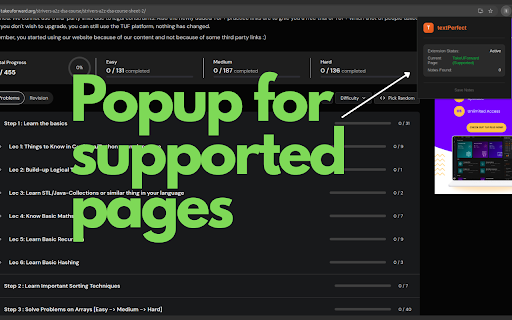
->Click on the extension to verify page compatibility (displays "supported" status)
->Access any resource and open the notes section
->Click on the notes interface to activate the enhanced editor
->Utilize TextPerfect's markdown editor with full formatting capabilities
->Notes are automatically stored in markdown format and rendered through the enhanced interface

The extension streamlines the learning process by allowing students to create well-structured, formatted notes that better reflect the complexity of data structures and algorithms concepts. By supporting markdown syntax, TextPerfect ensures that notes remain portable and can be easily shared or exported for future reference.
This tool particularly benefits learners who prefer detailed documentation of their problem-solving approaches and algorithmic thinking processes.
Technical
- Version
- 1.1.5
- Manifest
- —
- Size
- 28.05KiB
- Min Chrome
- 88
- Languages
- 1
- Featured
- No
Metadata
- ID
- jjkgdjamkciachachkfhkmjkmcicbaig
- Developer ID
- ub9d19d1f8a86715e4a6a18023cc0c090
- Developer Email
- [email protected]
- Created
- Jun 30, 2025
- Last Updated (Store)
- Jul 1, 2025
- Last Scraped
- Jun 9, 2026
- Website
- —
- Support URL
- —
- Privacy Policy
- —
Similar extensions
Alternatives to Notes Enhancer for TUF - textPerfect, ranked by description similarity.

Text Selection Enhancer
Text Selection Enhancer: Better text selection.
3

Text Cleaner & Formatter
Quickly clean and format text: trim spaces, remove blank lines, and change text case in a simple popup.
93

Markdown Previewer
Write Markdown and instantly preview it in a clean, modern popup.
11

Minimalistab
Minimalist New Tab extension for Chrome
3

ChatGPT to Notion ready Math Markdown
Adds a custom copy button to ChatGPT that converts the response into Notion ready Markdown including the math formulas.
55

Highlights Text Saver
Save selected text from any page into a simple highlights list inside the extension popup.
5

New Tab Notes
Turn your New Tab into a clean, distraction-free notepad with rich text formatting, task lists, shortcuts, auto-sync, and more.
2.0K
★ 4.7

PDF Converter & Editor (Basic)
Convert the current page to PDF, highlight text, and add sticky notes before saving.
1
Data sourced from the Chrome Web Store · last verified Jun 9, 2026.