
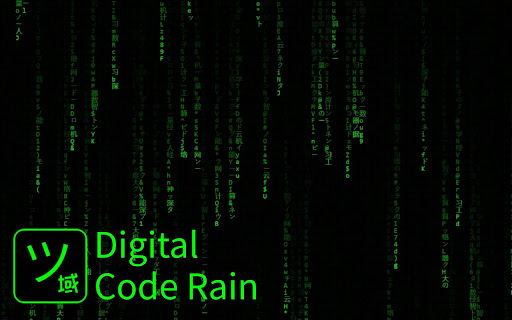
Digital Code Rain
Customizable Matrix-style digital rain animation. Enter fullscreen with double-click.
As of June 2026, Digital Code Rain has 156 users and a 5.00/5 rating from 2 reviews in the fun category.
Usersup 16.4 percent+16.4%
156
156
Ratingno change0%
5.00
2 reviews
Reviewsno change0%
2
Version
2.2
Manifest V3
90-day change · In the last 90 days this extension 1 version update, changed permissions.
History
3 snapshotsTracking since Apr 20, 2026.
View as table
| Date | Users | Rating | Reviews | Version |
|---|---|---|---|---|
| Apr 20, 2026 | 134 | 5.00 | 2 | 1.0 |
| May 11, 2026 | 147 | 5.00 | 2 | 1.0 |
| Jun 6, 2026 | 143 | 5.00 | 2 | 1.0 |
| Now | 156 | 5.00 | 2 | 2.2 |
Changelog
- Jun 6, 2026description
Bring the iconic digital rain to life with Digital Code Rain – a fully customizable matrix-style animation for your browser.

Features:
• 🎨 Choose your font color, font size, fade, and drop speed
• 🧠 Enter your own custom characters (supports English, Chinese, Japanese, symbols)
• 📊 Built-in presets: Binary, Alphabets, Numbers, All
• 🖱️ Click Start to open the digital rain in a new tab
• 🖥️ Double-click inside the animation tab to toggle Fullscreen
• 💾 Settings are automatically saved when changed — no need to reconfigure every time

How to Use:
1. Click the extension icon
2. Adjust the settings to your liking
3. Press "Start" to open the digital rain in a new tab
4. Double-click🖱️anywhere on the animation to toggle Fullscreen

🔐 Works 100% offline. No ads. No tracking.

Perfect for tech lovers, aesthetic setups, or anyone who loves that Matrix energy. Customize it, launch it, let it rain.
Bring the iconic digital rain to life with Digital Code Rain — a fully
customizable, interactive Matrix-style animation for your browser.
Tweak it, type into it, click on it, or let it run as an ambient fullscreen screensaver.


CORE FEATURES
─────────────
• 🎨 Customize font color, font size, fade rate, drop speed, and refresh rate
• 🧠 Use your own characters or messages, with support for English, Chinese, Japanese, and symbols
• 📊 Built-in presets: Binary, Alphabets, Numbers, All
• 🖥️ Double-click the rain to enter or exit fullscreen
• 🌙 Screensaver Mode launches fullscreen rain when you're idle
• 💬 Wake Words periodically drop custom phrases into the rain, each with its own color
• 🖱️ Interactive effects: Mouse Repel, Click Burst, Spawn New Stream on Click
• 🌈 Color Modes: Solid, Gradient, Rainbow, Multi
• ✨ Visual effects: Head Character Glow, Per-Character Brightness, Bloom, Glitch Flashes
• 📝 Custom Messages mode turns each line of text into readable falling messages
• 🌊 Stream Density controls sparse Matrix rain or dense waterfall rain
• ↔ Text Alignment: Left, Center, Right
• 📥 Import / Export full settings as JSON
• ⌨️ Keyboard shortcuts for pause, color cycling, effects, speed, speed reset, and help
• 💾 Settings auto-save and persist between sessions
• 🔐 Works 100% offline. No ads. No tracking. No data collection.


HOW TO USE
─────────────
1. Click the extension icon to open the settings
2. Configure colors, characters, effects, interactions, and screensaver options
3. Press "Start" to open the digital rain
4. Double-click the normal rain page to enter or exit fullscreen
5. Press "?" on the rain page to show or hide keyboard shortcuts
6. In Screensaver Mode, double-click the fullscreen rain to close the screensaver popup

Perfect for tech lovers, aesthetic desktops, ambient productivity backgrounds,
or anyone who loves that Matrix energy. Customize it, launch it, let it rain.
- Jun 6, 2026permissions
tabs, storage
storage, idle
Permissions & access
- Permissions
- storageidle
- Host access
- None declared
Screenshots


About
Bring the iconic digital rain to life with Digital Code Rain — a fully
customizable, interactive Matrix-style animation for your browser.
Tweak it, type into it, click on it, or let it run as an ambient fullscreen screensaver.


CORE FEATURES
─────────────
• 🎨 Customize font color, font size, fade rate, drop speed, and refresh rate
• 🧠 Use your own characters or messages, with support for English, Chinese, Japanese, and symbols
• 📊 Built-in presets: Binary, Alphabets, Numbers, All
• 🖥️ Double-click the rain to enter or exit fullscreen
• 🌙 Screensaver Mode launches fullscreen rain when you're idle
• 💬 Wake Words periodically drop custom phrases into the rain, each with its own color
• 🖱️ Interactive effects: Mouse Repel, Click Burst, Spawn New Stream on Click
• 🌈 Color Modes: Solid, Gradient, Rainbow, Multi
• ✨ Visual effects: Head Character Glow, Per-Character Brightness, Bloom, Glitch Flashes
• 📝 Custom Messages mode turns each line of text into readable falling messages
• 🌊 Stream Density controls sparse Matrix rain or dense waterfall rain
• ↔ Text Alignment: Left, Center, Right
• 📥 Import / Export full settings as JSON
• ⌨️ Keyboard shortcuts for pause, color cycling, effects, speed, speed reset, and help
• 💾 Settings auto-save and persist between sessions
• 🔐 Works 100% offline. No ads. No tracking. No data collection.


HOW TO USE
─────────────
1. Click the extension icon to open the settings
2. Configure colors, characters, effects, interactions, and screensaver options
3. Press "Start" to open the digital rain
4. Double-click the normal rain page to enter or exit fullscreen
5. Press "?" on the rain page to show or hide keyboard shortcuts
6. In Screensaver Mode, double-click the fullscreen rain to close the screensaver popup

Perfect for tech lovers, aesthetic desktops, ambient productivity backgrounds,
or anyone who loves that Matrix energy. Customize it, launch it, let it rain.
Technical
- Version
- 2.2
- Manifest
- V3
- Size
- 44.98KiB
- Min Chrome
- 88
- Languages
- 1
- Featured
- No
Metadata
- ID
- jigljgpbihcimamebpmhhmlnfdmoognd
- Developer ID
- u66e34a605006343d9ee531f8a795203e
- Developer Email
- [email protected]
- Created
- Apr 1, 2025
- Last Updated (Store)
- May 26, 2026
- Last Scraped
- Jun 6, 2026
- Website
- mywebfix.com
- Support URL
- https://mywebfix.com/
- Privacy Policy
- —
Similar extensions
Alternatives to Digital Code Rain, ranked by description similarity.

MatrixRain
Fullscreen Matrix Rain overlay. Stylish cinematic effect for browser. Select your language and colors.
10
★ 1.0
The Matrix Dynamic Background
Chrome's first dynamic 'The Matrix' digital rain background.
3.0K
★ 4.5

Make it Rain - Emoji & Confetti Rain on Websites
Make it rain on any site—drop hearts, emoji, leaves, snow or memes. Turn pages into a mini party with fun, lightweight effects.
1.0K
★ 4.0

Snow and Rain for Chrome: Immersive Weather Effects
Add snow, rain, and sakura effects to any webpage.
18

Toyota Supra Neon Rainy Tokyo Live Wallpaper
Immerse yourself in the electric streets of Tokyo with the Toyota Supra Neon Rainy Tokyo Live Wallpaper! 🚗🌧️
132

Cash Rainfall
Make money rain on any webpage with cloud cursor and multiple levels. Fun cash animation by AIO.com.ai
4

Emoji rain
Emoji rain
152
★ 5.0

Cyber Hacker: Digital Infiltration Live Wallpaper
Unveil the mysteries of Dark Coding with this immersive experience, exploring the eerie side of programming.
573
★ 5.0
Data sourced from the Chrome Web Store · last verified Jun 6, 2026.