
Autoclick
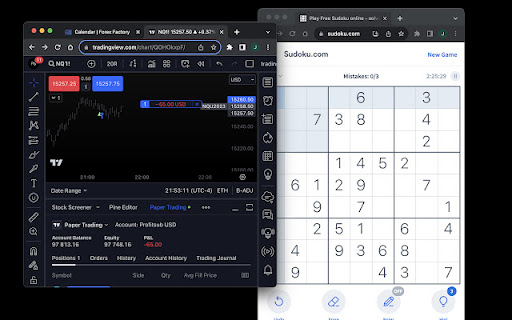
A Chrome extension to automate buy, sell, or close actions on TradingView based on alerts.
As of May 2026, Autoclick has 342 users and a 1.00/5 rating from 2 reviews in the Workflow & Planning category.
Usersdown 4.7 percent−4.7%
342
342
Ratingno change0%
1.00
2 reviews
Reviewsno change0%
2
Version
2.1
Manifest V3
History
2 snapshotsTracking since Apr 29, 2026.
View as table
| Date | Users | Rating | Reviews | Version |
|---|---|---|---|---|
| Apr 29, 2026 | 359 | 1.00 | 2 | 2.1 |
| May 26, 2026 | 351 | 1.00 | 2 | 2.1 |
| Now | 342 | 1.00 | 2 | 2.1 |
Permissions & access
- Permissions
- activeTabtabs
- Host access
- None declared
Screenshots
About
Special Offer: Free for a Limited Time

Don't want to mess with webhooks and APIs? Run a simple strategy on a single instrument with an integrated broker? Autoclick is for you. Automate your trades directly from TradingView alert pop-ups with Autoclick. Exclusive to TradingView users.

How Autoclick Works:

Setup:
-- Install Autoclick.
-- If prompted, enter the license key from your receipt email.
-- Toggle 'on' to start automation or 'off' to pause without stopping alerts.

In TradingView:
-- Select the chart where you plan to execute trades.

Alert Configuration:
-- Use the provided syntax to format your alert message.
-- Make sure 'Show pop-up' in Notifications is enabled.

Trading Settings:
-- Right-click on the chart to access settings.
-- Enable 'buy' and 'sell' options.
-- Choose 'instant order placement.'
-- Set your desired order size at the top left.

Broker Connection:
-- Connect your broker via the trading panel.
-- Paper trading option also available.

Autoclick allows you to automate trades even if your monitor is off. Toggle alerts on and off using your mobile for versatile strategies.

For advanced trading scripts, visit profitsub.com and explore Superscript.

Autoclick 2.0 Syntax Guide:

Commands:
-- "Buy"
-- "Sell"
-- "Close"
-- "Close Buy" (Reverses Sell)
-- "Close Sell" (Reverses Buy)

Modifications:
-- Add these elements for control:
--- Quantity: q=integer, oq=integer, cq=integer
--- Take Profit: tp=price
--- Stop Loss: sl=price

Get a License: Visit profitsub.gumroad.com/l/autoclick
Note: Autoclick is free for a limited time.
Technical
- Version
- 2.1
- Manifest
- V3
- Size
- 10.66KiB
- Min Chrome
- 88
- Languages
- 1
- Featured
- No
Metadata
- ID
- jhodlohkfkffmmbgeppchmbnbbcmnkeh
- Developer ID
- u4f4f75eb2cabdbb60322caed51c60c7c
- Developer Email
- [email protected]
- Created
- Aug 15, 2023
- Last Updated (Store)
- Oct 15, 2023
- Last Scraped
- May 26, 2026
- Website
- profitsub.com
- Support URL
- —
- Privacy Policy
- —
Similar extensions
Alternatives to Autoclick, ranked by description similarity.

Autoview.com Trading Extension
Trading automation using webhooks and more.
3.0K
★ 3.2

TradingView Magic Indicator
Fetches and formats the Magic Indicator script for TradingView.
—

TradingView Magical Keyboard Shortcuts
Additional, custom, magical keyboard shortcuts for TradingView
289
★ 4.3

UMTrader - Tradingview Automator
An automated trader and forward tester for Tradingview
www.ultramegatrader.com
36
★ 5.0

Algosys Tradingview Extention
Send automated & Manual Alerts to ALGOSYS
110
★ 5.0

AI Trade Assistant for TradingView
Professional AI overlay with glassmorphism UI, scenario analysis, and canvas drawing engine.
50

Swing Action: US & IND Stock Monitoring & Alerts
Monitor US & Indian stocks and receive automatic alerts for trading opportunities.
65
★ 5.0

TradeBuddy
Automatically connect TradingView to MT5. One click = Instant trade execution with Stop Loss and Take Profit.
47
★ 5.0
Data sourced from the Chrome Web Store · last verified May 26, 2026.