
Text To Speech Downloader
Download Studio-Quality Audio (48kHz, 24bit) directly from the Google Cloud Text-to-Speech page in uncompressed .MP3 & .WAV files.
As of May 2026, Text To Speech Downloader has 35 users in the Workflow & Planning category.
Usersup 16.7 percent+16.7%
35
35
Ratingno change0%
—
— reviews
Reviewsno change0%
—
Version
2.1
Manifest V3
History
5 snapshotsTracking since Apr 1, 2026.
View as table
| Date | Users | Rating | Reviews | Version |
|---|---|---|---|---|
| Apr 1, 2026 | 30 | — | — | 2.1 |
| Apr 20, 2026 | 36 | — | — | 2.1 |
| May 6, 2026 | 41 | — | — | 2.1 |
| May 17, 2026 | 33 | — | — | 2.1 |
| May 30, 2026 | 37 | — | — | 2.1 |
| Now | 35 | — | — | 2.1 |
Permissions & access
- Permissions
- storage
- Host access
- https://filmfreebies.com/*, https://www.gstatic.com/cloud-site-ux/text_to_speech/*
Screenshots


About
TTS Downloader is the ultimate tool for download studio-quality audio directly from Google's Cloud Text-to-Speech page. Transform any text into pristine audio files with just one click, perfect for professional and creative projects.

Google Text To Speech Page:
https://www.gstatic.com/cloud-site-ux/text_to_speech/text_to_speech.min.html

Key Features:
🎙️ One-Click Downloads: Instantly save generated audio without complex recording setups.
🎧 Studio-Quality WAV: Get uncompressed, crystal-clear WAV audio at 48,000 Hz / 24-bit.
🎵 High-Bitrate MP3: Download universally compatible MP3 files at a crisp 320 kbps.
🚀 Unlimited Downloads: Premium users can download as many audio files as they need.

Free Trial Highlights:
✅ Full Access: Enjoy all premium features for a 5-day Trial Period after signing up for a (https://filmfreebies.com/register.php) account.
✅ Formats: Download in both studio-quality WAV (24-bit / 48,000 Hz) and high-bitrate MP3 (320 kbps).
✅ Source: Works exclusively with the Google Cloud Text-to-Speech page to download perfect digital audio.

Premium Plan Features:
✅ Unlimited Downloads: No limits on the number of files you can save.
✅ Uncompressed WAV Audio: Perfect for professional productions requiring the highest fidelity (48,000 Hz, 24-bit).
✅ High-Quality MP3: Save audio in a high-bitrate, universally supported format (320 kbps) for easy sharing and use.
✅ Ongoing Access: Continue using the tool for as long as your premium plan is active.

How To Use
✅ Install the extension.
✅ Navigate to the Google Cloud Text-to-Speech page. A small downloader widget will appear.
✅ Click "Sign in" on the widget and log into your (https://filmfreebies.com/login.php) account to activate your trial or premium plan.
✅ After signing in, click the "⟳" refresh button on the widget to update your session status.
✅ Enter your text on the page and generate the audio as you normally would.
✅ The "Download MP3" and "Download WAV" buttons will activate. Click your desired format to save the file directly to your device!

Important Usage Guidelines & Fair Use
~ To ensure a smooth and uninterrupted experience, please use this tool responsibly. The Google Cloud Text-to-Speech page is a public service and is monitored for unusual activity.

⚠️ Do Not Spam Audio Generation:
~ Avoid generating audio too frequently or in rapid succession (like a bot). This can trigger Google's automated abuse-prevention systems.

Potential Consequences of High-Volume Use:
✅ Temporary Blocks: The TTS page may become temporarily disabled for your network.
✅ IP Address Blocking: Your IP address could be blocked from accessing the service.
✅ Account Scrutiny: Your Google account may be flagged for unusual activity.

Best Practices:
✅ Work at a Human Pace: Use the tool as a person would, not as an automated script.
✅ Finalize Text First: Prepare your full text in the text box before clicking the "Speak It" button to minimize repeated requests.
✅ Space Out Requests: If you need to create multiple audio files, please leave a short pause between each generation.
✅ Respect the Service: This extension is designed for creating high-quality individual audio clips, not for bulk processing or spamming.

By following these guidelines, you can ensure continued access to this valuable tool and respect the terms of the service it enhances.

Who Is It For?
👥 Perfect For:
✅ Content Creators: Generate high-quality voiceovers for videos, reels, and tutorials.
✅ E-Learning Developers: Create clear audio for online courses and educational materials.
✅ Marketers: Produce professional voiceovers for promotional ads and marketing content.
✅ Developers & Hobbyists: Save audio clips for projects, presentations, and prototypes.

Privacy First
🔐 Privacy First:
Your privacy is our priority. This extension only uses the storage permission to cache your https://www.FilmFreebies.com session status locally on your device. This speeds up verification and improves your experience. We do not collect, track, or share any of your personal data.  https://filmfreebies.com/privacy.php

Why Choose TTS Downloader?
TTS Downloader is purpose-built to download digital output from Google's advanced audio. It avoids recording system sounds or background noise, ensuring you get a perfect, studio-grade file every time. It's the most efficient way to get high-fidelity WAV and MP3 files from one of the world's best text-to-speech engines.

👉 Install TTS Downloader today and elevate your audio projects!
Technical
- Version
- 2.1
- Manifest
- V3
- Size
- 167KiB
- Min Chrome
- 88
- Languages
- 1
- Featured
- No
Metadata
- ID
- jhbdaafbijiefmdeoehfkeanofcbmpih
- Developer ID
- u451c8326861b0b307fa6928f47ce0fc0
- Developer Email
- [email protected]
- Created
- Aug 23, 2025
- Last Updated (Store)
- Aug 31, 2025
- Last Scraped
- May 30, 2026
- Website
- filmfreebies.com
- Support URL
- https://filmfreebies.com/contact.php
- Privacy Policy
- https://filmfreebies.com/privacy.php
Similar extensions
Alternatives to Text To Speech Downloader, ranked by description similarity.

TTS Audio Recorder Pro
Captures Studio-Quality Text-to-Speech Audio for Tutorials, Projects, Presentations, & Video Editing.
143
Wavenet for Chrome
Text-to-Speech (TTS) extension that transforms highlighted text into high-quality natural sounding audio using Google Cloud's…
10.0K
★ 4.5

Audio to Text Converter
Audio to text converter is designed to effortlessly transcribe audio to text. Convert audio to text with the latest ai transcription
10.0K
★ 4.4
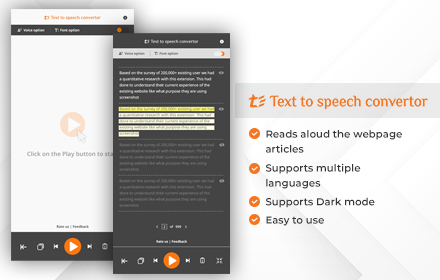
Speech my text
Text to voice converter is a professional Chrome extension that can convert any text into speech. A Text-to-speech voice converter…
408
★ 4.4

Audio & Screen Recorder Pro
Capture Crystal-Clear 4k Video (3840 X 2160) and Professional Studio Quality Audio for Tutorials, Presentations, & Video Editing.
50
Substack Video & Audio Downloader
Download Substack Videos & Audio
6.0K
★ 3.8

Audio Recorder
This voice and audio recorder is a smart and seamless app to record voice online or capture audio from the browser in one click.
6.0K
★ 4.6

Voice Remaker - Free AI Voice
Let Voice Remaker be your most powerful assistant for AI voice generator & realistic text to speech (TTS) .
10.0K
★ 4.1
Data sourced from the Chrome Web Store · last verified May 30, 2026.