
WAX - Sell more and serve better on WhatsApp with automation.
WAX is an automated CRM for WhatsApp Web. With contact management and bulk messaging.
As of June 2026, WAX - Sell more and serve better on WhatsApp with automation. has 760 users and a 4.86/5 rating from 7 reviews in the Workflow & Planning category.
Usersdown 24.0 percent−24.0%
760
760
Ratingup 1.3 percent+1.3%
4.86
7 reviews
Reviewsup 40.0 percent+40.0%
7
Version
11.3.0.1
Manifest V3
90-day change · In the last 90 days this extension 8 version updates, changed permissions.
History
10 snapshotsTracking since Apr 9, 2026.
View as table
| Date | Users | Rating | Reviews | Version |
|---|---|---|---|---|
| Apr 9, 2026 | 1.0K | 4.80 | 5 | 8.1.0.3 |
| Apr 20, 2026 | 967 | 4.80 | 5 | 8.1.0.3 |
| Apr 26, 2026 | 987 | 4.80 | 5 | 10.0.0.0 |
| May 4, 2026 | 979 | 4.80 | 5 | 10.0.2.1 |
| May 9, 2026 | 977 | 4.80 | 5 | 11.0.0.1 |
| May 14, 2026 | 962 | 4.80 | 5 | 11.2.0.1 |
| May 20, 2026 | 979 | 4.80 | 5 | 11.2.0.3 |
| May 27, 2026 | 889 | 4.83 | 6 | 11.2.0.6 |
| Jun 3, 2026 | 839 | 4.83 | 6 | 11.2.0.6 |
| Jun 9, 2026 | 798 | 4.86 | 7 | 11.3.0.0 |
| Now | 760 | 4.86 | 7 | 11.3.0.1 |
Changelog
- Jun 3, 2026description
🚀 WADaemonX - Superpowers for WhatsApp Web Transform your WhatsApp Web into a professional tool with advanced scheduling, bulk messaging, and contact management features! ✨ Main Features 📱 Smart Scheduling • ⏰ Schedule messages for specific times • 🔄 Recurring sends (daily, weekly, monthly) • 📊 Complete control over scheduling status • 🚫 Real-time cancellation of in-progress sends 📊 Group Management • 👥 Create and organize contact groups • 📁 CSV import with intelligent column mapping • 🌍 International support for country codes (DDI) • 🏷️ Custom fields for dynamic messaging • 📤 Direct sending to WhatsApp groups • 💾 Automatic saving of groups with unique IDs • 🔍 Advanced search and filter for groups • 📋 Individual or bulk sending to multiple groups • 🔄 Automatic synchronization with WhatsApp Web 📎 Advanced File Sending • 🖼️ Complete support: images, audio, PDFs and more • ⚡ Order control: file before or after text • 📱 Realistic message preview before sending • 💾 Optimized limit: 1 file up to 10MB per message 📈 Reports and History • 📊 Detailed sending statistics • ✅ Status tracking (sent, failed, cancelled) • 📋 Complete history of all activities • 📅 Reports by period and group 💼 Complete CRM System • 📱 Native integration with WhatsApp Web • 📋 Customizable Kanban pipeline for sales and support • 🎴 Complete card management with notes and tags • ➕ Dynamic creation of custom columns • ✏️ Complete pipeline editing and reorganization • 🔄 Real-time synchronization with WhatsApp conversations • 📊 Dashboard with advanced statistics (pipeline, conversion, leads) • 💾 Secure local storage of all data • 🎨 Modern and responsive interface with drag-and-drop 🤖 Automatic Chatbot (BETA) • ⚡ Automatic responses based on configurable rules • 📝 Create custom rules with trigger patterns and responses • ⏰ Configure operating hours (24/7 or specific times) • 🏢 Personalization with dynamic variables ({company}) • 🔄 Intelligent cooldown system to prevent spam • 🚫 Anti-spam and anti-duplication protection • 💾 Persistent configuration and real-time synchronization • 🌐 Fully internationalized (12 languages) • 👑 Available for Trial and Paid plans • ⚙️ Intuitive interface with advanced rule management 🔄 Revolutionary CSV Import • 🎯 Intelligent automatic column mapping • 🌐 International country code support • 👀 Real-time preview of first 5 rows • 🎨 Total flexibility: ignore columns or rename as needed 🚫 Smart Cancellation System • ⏹️ Stop in-progress sends instantly • 📊 Detailed reports: sent vs. cancelled • 🔍 Complete visibility of what was processed • 💡 Total control over your campaigns 🎨 Enhanced Interface • 📱 Realistic smartphone-style message preview • 🎛️ Control over attachment and text order • 🎨 Modern and responsive design • 🌍 Complete support for multiple languages 📱 CRM: WhatsApp Web Integration • 💬 "CRM" button in each individual conversation header • 🚀 Quick-Add: Save contacts directly from WhatsApp • 📸 Automatic data: contact name, phone, and photo • 🎯 Linked cards with green identifier badge • ⚡ Quick return: button to go back to WhatsApp conversation 🧠 AI Studio (Trial / Paid) • ✨ Help drafting and improving messages with AI • 🎛️ Tone and style options to match your use case • 🔒 Uses local/assistant processing (see in-app settings) ⚡ Quick replies • 📝 Create categories, names, and saved message text • 💬 Open and insert from WhatsApp Web without leaving the thread • 🔢 Free plan: up to 5 quick replies 📌 Pinned chats • 📌 Pin up to 10 important conversations for quick access • 🧷 Pin control in the chat header (next to CRM) • ⬆️ Reorder and manage the pinned list 💼 Use Cases 👨💼 Freelance Professionals • 📅 Appointment reminders and scheduling • 📞 Automatic follow-ups with clients • 📋 Time confirmation 🛒 E-commerce • 📦 Order notifications • 🎉 Promotions and special offers • 📱 Delivery status updates 🎓 Education • 👨👩👧👦 Parent communication • 📚 Task and event reminders • 🏫 Institutional information 🏢 Businesses and Services • 📊 Segmented marketing campaigns • 📞 Automated customer service • 📈 Performance reports • 💼 Complete sales pipeline management with CRM • 📋 Lead and opportunity organization in Kanban • 📊 Conversion tracking and business metrics • 🎯 Support and service management with cards 🚀 Getting Started 1. Install the extension from Chrome Web Store 2. Open WhatsApp Web in your browser 3. Click the extension icon to access the dashboard 4. Create your first contact group 5. Schedule your first message and watch the magic happen! 6. 💼 Use CRM: Click the "CRM" button in any conversation to save contacts to the Kanban pipeline 7. 📤 Send to groups: Use the group sending feature to send messages directly to WhatsApp groups 8. 🤖 Configure Chatbot: Access the Chatbot section to create automatic response rules (available for Trial and Paid) 9. 🧠 Try AI Studio: Open AI Studio in the extension to set up and use message assistance (available for Trial and Paid) 10. ⚡ Set up Quick replies: Go to the Quick Reply section to create saved replies for WhatsApp Web 11. 📌 Pin chats: In a conversation, use the pin control in the header to keep up to 10 chats at hand 💰 Plans and Pricing 🆓 Free Version • ✅ Up to 10 contacts per group • ✅ Up to 10 schedules per month • ✅ Up to 10 CRM cards per month • ✅ Up to 5 quick replies • ✅ Basic scheduling features • ✅ Email support 💎 Premium Version - US$ 4.99/month • 🚀 Unlimited: contacts and schedules • ⚡ Priority: faster processing • 📊 Advanced reports and analytics • 🎨 Custom templates • 🔒 Automatic backup of data • 📧 Priority support • 💼 Complete CRM system with Kanban pipeline • 📈 Metrics dashboard and conversion rate • 🏷️ Advanced card management with tags and notes • 📤 Sending to WhatsApp groups (individual and bulk) • 🤖 Automatic chatbot with intelligent responses (BETA) 🔧 Technical Requirements • 🌐 Google Chrome 88+ • 📱 Active WhatsApp Web • 💾 Stable internet connection • 🔐 Active Google account 🛡️ Security and Privacy • 🔒 Local data: your information stays in your browser • 🚫 No access: we don't have access to your messages • 🔐 Encryption: data protected with security standards • 📋 Compliance: we follow WhatsApp Inc. policies ⚠️ Important We do not support bulk messaging and anything which is against the policies of WhatsApp Inc. Kindly do not use for SPAMMING or BULK Marketing which are strictly prohibited. This software is developed only for personal use / official business usage and not for any kind of bulk messaging. 🛡️ Legal Disclaimer • This Chrome plugin is not endorsed or certified by WhatsApp Inc. • This is an unofficial enhancement tool. • This software should not be used against WhatsApp Inc. policies in any manner. 📞 Support • 📧 Email: [email protected] • 🌐 Website: www.wadaemonx.com • 📱 Chrome Web Store: Ratings and reviews • 💬 Documentation: Complete guides and tutorials 🌟 Why Choose WADaemonX? • 🚀 Active development and constant updates • 💡 Intuitive interface for users of all levels • 🔧 Robust features for professional use • 🌍 Multilingual support for global users • 💰 Fair pricing for premium features • 📊 Proven results by thousands of users --- Transform your WhatsApp Web into a professional tool today! 🚀 WADaemonX - Revolutionizing digital communication, one message at a time.🚀 WAX - Superpowers for WhatsApp Web Transform your WhatsApp Web into a professional tool with advanced scheduling, bulk messaging, and contact management features! ✨ Main Features 📱 Smart Scheduling • ⏰ Schedule messages for specific times • 🔄 Recurring sends (daily, weekly, monthly) • 📊 Complete control over scheduling status • 🚫 Real-time cancellation of in-progress sends 📊 Group Management • 👥 Create and organize contact groups • 📁 CSV import with intelligent column mapping • 🌍 International support for country codes (DDI) • 🏷️ Custom fields for dynamic messaging • 📤 Direct sending to WhatsApp groups • 💾 Automatic saving of groups with unique IDs • 🔍 Advanced search and filter for groups • 📋 Individual or bulk sending to multiple groups • 🔄 Automatic synchronization with WhatsApp Web 📎 Advanced File Sending • 🖼️ Complete support: images, audio, PDFs and more • ⚡ Order control: file before or after text • 📱 Realistic message preview before sending • 💾 Optimized limit: 1 file up to 10MB per message 📈 Reports and History • 📊 Detailed sending statistics • ✅ Status tracking (sent, failed, cancelled) • 📋 Complete history of all activities • 📅 Reports by period and group 💼 Complete CRM System • 📱 Native integration with WhatsApp Web • 📋 Customizable Kanban pipeline for sales and support • 🎴 Complete card management with notes and tags • ➕ Dynamic creation of custom columns • ✏️ Complete pipeline editing and reorganization • 🔄 Real-time synchronization with WhatsApp conversations • 📊 Dashboard with advanced statistics (pipeline, conversion, leads) • 💾 Secure local storage of all data • 🎨 Modern and responsive interface with drag-and-drop 🤖 Automatic Chatbot (BETA) • ⚡ Automatic responses based on configurable rules • 📝 Create custom rules with trigger patterns and responses • ⏰ Configure operating hours (24/7 or specific times) • 🏢 Personalization with dynamic variables ({company}) • 🔄 Intelligent cooldown system to prevent spam • 🚫 Anti-spam and anti-duplication protection • 💾 Persistent configuration and real-time synchronization • 🌐 Fully internationalized (12 languages) • 👑 Available for Trial and Paid plans • ⚙️ Intuitive interface with advanced rule management 🔄 Revolutionary CSV Import • 🎯 Intelligent automatic column mapping • 🌐 International country code support • 👀 Real-time preview of first 5 rows • 🎨 Total flexibility: ignore columns or rename as needed 🚫 Smart Cancellation System • ⏹️ Stop in-progress sends instantly • 📊 Detailed reports: sent vs. cancelled • 🔍 Complete visibility of what was processed • 💡 Total control over your campaigns 🎨 Enhanced Interface • 📱 Realistic smartphone-style message preview • 🎛️ Control over attachment and text order • 🎨 Modern and responsive design • 🌍 Complete support for multiple languages 📱 CRM: WhatsApp Web Integration • 💬 "CRM" button in each individual conversation header • 🚀 Quick-Add: Save contacts directly from WhatsApp • 📸 Automatic data: contact name, phone, and photo • 🎯 Linked cards with green identifier badge • ⚡ Quick return: button to go back to WhatsApp conversation 🧠 AI Studio (Trial / Paid) • ✨ Help drafting and improving messages with AI • 🎛️ Tone and style options to match your use case • 🔒 Uses local/assistant processing (see in-app settings) ⚡ Quick replies • 📝 Create categories, names, and saved message text • 💬 Open and insert from WhatsApp Web without leaving the thread • 🔢 Free plan: up to 5 quick replies 📌 Pinned chats • 📌 Pin up to 10 important conversations for quick access • 🧷 Pin control in the chat header (next to CRM) • ⬆️ Reorder and manage the pinned list 💼 Use Cases 👨💼 Freelance Professionals • 📅 Appointment reminders and scheduling • 📞 Automatic follow-ups with clients • 📋 Time confirmation 🛒 E-commerce • 📦 Order notifications • 🎉 Promotions and special offers • 📱 Delivery status updates 🎓 Education • 👨👩👧👦 Parent communication • 📚 Task and event reminders • 🏫 Institutional information 🏢 Businesses and Services • 📊 Segmented marketing campaigns • 📞 Automated customer service • 📈 Performance reports • 💼 Complete sales pipeline management with CRM • 📋 Lead and opportunity organization in Kanban • 📊 Conversion tracking and business metrics • 🎯 Support and service management with cards 🚀 Getting Started 1. Install the extension from Chrome Web Store 2. Open WhatsApp Web in your browser 3. Click the extension icon to access the dashboard 4. Create your first contact group 5. Schedule your first message and watch the magic happen! 6. 💼 Use CRM: Click the "CRM" button in any conversation to save contacts to the Kanban pipeline 7. 📤 Send to groups: Use the group sending feature to send messages directly to WhatsApp groups 8. 🤖 Configure Chatbot: Access the Chatbot section to create automatic response rules (available for Trial and Paid) 9. 🧠 Try AI Studio: Open AI Studio in the extension to set up and use message assistance (available for Trial and Paid) 10. ⚡ Set up Quick replies: Go to the Quick Reply section to create saved replies for WhatsApp Web 11. 📌 Pin chats: In a conversation, use the pin control in the header to keep up to 10 chats at hand 💰 Plans and Pricing 🆓 Free Version • ✅ Up to 10 contacts per group • ✅ Up to 10 schedules per month • ✅ Up to 10 CRM cards per month • ✅ Up to 5 quick replies • ✅ Basic scheduling features • ✅ Email support 💎 Premium Version - US$ 4.99/month • 🚀 Unlimited: contacts and schedules • ⚡ Priority: faster processing • 📊 Advanced reports and analytics • 🎨 Custom templates • 🔒 Automatic backup of data • 📧 Priority support • 💼 Complete CRM system with Kanban pipeline • 📈 Metrics dashboard and conversion rate • 🏷️ Advanced card management with tags and notes • 📤 Sending to WhatsApp groups (individual and bulk) • 🤖 Automatic chatbot with intelligent responses (BETA) 🔧 Technical Requirements • 🌐 Google Chrome 88+ • 📱 Active WhatsApp Web • 💾 Stable internet connection • 🔐 Active Google account 🛡️ Security and Privacy • 🔒 Local data: your information stays in your browser • 🚫 No access: we don't have access to your messages • 🔐 Encryption: data protected with security standards • 📋 Compliance: we follow WhatsApp Inc. policies ⚠️ Important We do not support bulk messaging and anything which is against the policies of WhatsApp Inc. Kindly do not use for SPAMMING or BULK Marketing which are strictly prohibited. This software is developed only for personal use / official business usage and not for any kind of bulk messaging. 🛡️ Legal Disclaimer • This Chrome plugin is not endorsed or certified by WhatsApp Inc. • This is an unofficial enhancement tool. • This software should not be used against WhatsApp Inc. policies in any manner. 📞 Support • 📧 Email: [email protected] • 🌐 Website: www.wax.com • 📱 Chrome Web Store: Ratings and reviews • 💬 Documentation: Complete guides and tutorials 🌟 Why Choose WAX? • 🚀 Active development and constant updates • 💡 Intuitive interface for users of all levels • 🔧 Robust features for professional use • 🌍 Multilingual support for global users • 💰 Fair pricing for premium features • 📊 Proven results by thousands of users --- Transform your WhatsApp Web into a professional tool today! 🚀 WAX - Revolutionizing digital communication, one message at a time. - Jun 3, 2026short_description
WADaemonX is an automated CRM for WhatsApp Web. With contact management and bulk messaging.
WAX is an automated CRM for WhatsApp Web. With contact management and bulk messaging.
- Jun 3, 2026name
WADaemonX - Sell more and serve better on WhatsApp with automation.
WAX - Sell more and serve better on WhatsApp with automation.
- May 9, 2026host_permissions
*://web.whatsapp.com/*, *://henckel.com.br/*, *://*.web.app/*, *://*.firebaseio.com/*, *://*.firebaseapp.com/*, https://extensionpay.com/*, https://extension-back-cd38c426a3c9.herokuapp.com/*
*://web.whatsapp.com/*, *://henckel.com.br/*, *://*.web.app/*, *://*.firebaseio.com/*, *://*.firebaseapp.com/*, https://extensionpay.com/*, https://extension-back-cd38c426a3c9.herokuapp.com/*, *://*.vivareal.com.br/*, *://*.olx.com.br/*, *://*.zapimoveis.com.br/*
- Apr 26, 2026description
🚀 WADaemonX 2.0 - Superpowers for WhatsApp Web Transform your WhatsApp Web into a professional tool with advanced scheduling, bulk messaging, and contact management features! ✨ Main Features 📱 Smart Scheduling • ⏰ Schedule messages for specific times • 🔄 Recurring sends (daily, weekly, monthly) • 📊 Complete control over scheduling status • 🚫 Real-time cancellation of in-progress sends 📊 Group Management • 👥 Create and organize contact groups • 📁 CSV import with intelligent column mapping • 🌍 International support for country codes (DDI) • 🏷️ Custom fields for dynamic messaging • 📤 Direct sending to WhatsApp groups • 💾 Automatic saving of groups with unique IDs • 🔍 Advanced search and filter for groups • 📋 Individual or bulk sending to multiple groups • 🔄 Automatic synchronization with WhatsApp Web 📎 Advanced File Sending • 🖼️ Complete support: images, audio, PDFs and more • ⚡ Order control: file before or after text • 📱 Realistic message preview before sending • 💾 Optimized limit: 1 file up to 10MB per message 📈 Reports and History • 📊 Detailed sending statistics • ✅ Status tracking (sent, failed, cancelled) • 📋 Complete history of all activities • 📅 Reports by period and group 💼 Complete CRM System • 📱 Native integration with WhatsApp Web • 📋 Customizable Kanban pipeline for sales and support • 🎴 Complete card management with notes and tags • ➕ Dynamic creation of custom columns • ✏️ Complete pipeline editing and reorganization • 🔄 Real-time synchronization with WhatsApp conversations • 📊 Dashboard with advanced statistics (pipeline, conversion, leads) • 💾 Secure local storage of all data • 🎨 Modern and responsive interface with drag-and-drop 🤖 Automatic Chatbot (BETA) • ⚡ Automatic responses based on configurable rules • 📝 Create custom rules with trigger patterns and responses • ⏰ Configure operating hours (24/7 or specific times) • 🏢 Personalization with dynamic variables ({company}) • 🔄 Intelligent cooldown system to prevent spam • 🚫 Anti-spam and anti-duplication protection • 💾 Persistent configuration and real-time synchronization • 🌐 Fully internationalized (12 languages) • 👑 Available for Trial and Paid plans • ⚙️ Intuitive interface with advanced rule management 🔄 Revolutionary CSV Import • 🎯 Intelligent automatic column mapping • 🌐 International country code support • 👀 Real-time preview of first 5 rows • 🎨 Total flexibility: ignore columns or rename as needed 🚫 Smart Cancellation System • ⏹️ Stop in-progress sends instantly • 📊 Detailed reports: sent vs. cancelled • 🔍 Complete visibility of what was processed • 💡 Total control over your campaigns 🎨 Enhanced Interface • 📱 Realistic smartphone-style message preview • 🎛️ Control over attachment and text order • 🎨 Modern and responsive design • 🌍 Complete support for multiple languages 📱 CRM: WhatsApp Web Integration • 💬 "CRM" button in each individual conversation header • 🚀 Quick-Add: Save contacts directly from WhatsApp • 📸 Automatic data: contact name, phone, and photo • 🎯 Linked cards with green identifier badge • ⚡ Quick return: button to go back to WhatsApp conversation 💼 Use Cases 👨💼 Freelance Professionals • 📅 Appointment reminders and scheduling • 📞 Automatic follow-ups with clients • 📋 Time confirmation 🛒 E-commerce • 📦 Order notifications • 🎉 Promotions and special offers • 📱 Delivery status updates 🎓 Education • 👨👩👧👦 Parent communication • 📚 Task and event reminders • 🏫 Institutional information 🏢 Businesses and Services • 📊 Segmented marketing campaigns • 📞 Automated customer service • 📈 Performance reports • 💼 Complete sales pipeline management with CRM • 📋 Lead and opportunity organization in Kanban • 📊 Conversion tracking and business metrics • 🎯 Support and service management with cards 🚀 Getting Started 1. Install the extension from Chrome Web Store 2. Open WhatsApp Web in your browser 3. Click the extension icon to access the dashboard 4. Create your first contact group 5. Schedule your first message and watch the magic happen! 6. 💼 Use CRM: Click the "CRM" button in any conversation to save contacts to the Kanban pipeline 7. 📤 Send to groups: Use the group sending feature to send messages directly to WhatsApp groups 8. 🤖 Configure Chatbot: Access the Chatbot section to create automatic response rules (available for Trial and Paid) 💰 Plans and Pricing 🆓 Free Version • ✅ Up to 10 contacts per group • ✅ Up to 10 schedules per month • ✅ Up to 10 CRM cards per month • ✅ Basic scheduling features • ✅ Email support 💎 Premium Version - $2.99/month • 🚀 Unlimited: contacts and schedules • ⚡ Priority: faster processing • 📊 Advanced reports and analytics • 🎨 Custom templates • 🔒 Automatic backup of data • 📧 Priority support • 💼 Complete CRM system with Kanban pipeline • 📈 Metrics dashboard and conversion rate • 🏷️ Advanced card management with tags and notes • 📤 Sending to WhatsApp groups (individual and bulk) • 🤖 Automatic chatbot with intelligent responses (BETA) 🔧 Technical Requirements • 🌐 Google Chrome 88+ • 📱 Active WhatsApp Web • 💾 Stable internet connection • 🔐 Active Google account 🛡️ Security and Privacy • 🔒 Local data: your information stays in your browser • 🚫 No access: we don't have access to your messages • 🔐 Encryption: data protected with security standards • 📋 Compliance: we follow WhatsApp Inc. policies ⚠️ Important We do not support bulk messaging and anything which is against the policies of WhatsApp Inc. Kindly do not use for SPAMMING or BULK Marketing which are strictly prohibited. This software is developed only for personal use / official business usage and not for any kind of bulk messaging. 🛡️ Legal Disclaimer • This Chrome plugin is not endorsed or certified by WhatsApp Inc. • This is an unofficial enhancement tool. • This software should not be used against WhatsApp Inc. policies in any manner. 📞 Support • 📧 Email: [email protected] • 🌐 Website: www.wadaemonx.com • 📱 Chrome Web Store: Ratings and reviews • 💬 Documentation: Complete guides and tutorials 🌟 Why Choose WADaemonX? • 🚀 Active development and constant updates • 💡 Intuitive interface for users of all levels • 🔧 Robust features for professional use • 🌍 Multilingual support for global users • 💰 Fair pricing for premium features • 📊 Proven results by thousands of users --- Transform your WhatsApp Web into a professional tool today! 🚀 WADaemonX - Revolutionizing digital communication, one message at a time.🚀 WADaemonX - Superpowers for WhatsApp Web Transform your WhatsApp Web into a professional tool with advanced scheduling, bulk messaging, and contact management features! ✨ Main Features 📱 Smart Scheduling • ⏰ Schedule messages for specific times • 🔄 Recurring sends (daily, weekly, monthly) • 📊 Complete control over scheduling status • 🚫 Real-time cancellation of in-progress sends 📊 Group Management • 👥 Create and organize contact groups • 📁 CSV import with intelligent column mapping • 🌍 International support for country codes (DDI) • 🏷️ Custom fields for dynamic messaging • 📤 Direct sending to WhatsApp groups • 💾 Automatic saving of groups with unique IDs • 🔍 Advanced search and filter for groups • 📋 Individual or bulk sending to multiple groups • 🔄 Automatic synchronization with WhatsApp Web 📎 Advanced File Sending • 🖼️ Complete support: images, audio, PDFs and more • ⚡ Order control: file before or after text • 📱 Realistic message preview before sending • 💾 Optimized limit: 1 file up to 10MB per message 📈 Reports and History • 📊 Detailed sending statistics • ✅ Status tracking (sent, failed, cancelled) • 📋 Complete history of all activities • 📅 Reports by period and group 💼 Complete CRM System • 📱 Native integration with WhatsApp Web • 📋 Customizable Kanban pipeline for sales and support • 🎴 Complete card management with notes and tags • ➕ Dynamic creation of custom columns • ✏️ Complete pipeline editing and reorganization • 🔄 Real-time synchronization with WhatsApp conversations • 📊 Dashboard with advanced statistics (pipeline, conversion, leads) • 💾 Secure local storage of all data • 🎨 Modern and responsive interface with drag-and-drop 🤖 Automatic Chatbot (BETA) • ⚡ Automatic responses based on configurable rules • 📝 Create custom rules with trigger patterns and responses • ⏰ Configure operating hours (24/7 or specific times) • 🏢 Personalization with dynamic variables ({company}) • 🔄 Intelligent cooldown system to prevent spam • 🚫 Anti-spam and anti-duplication protection • 💾 Persistent configuration and real-time synchronization • 🌐 Fully internationalized (12 languages) • 👑 Available for Trial and Paid plans • ⚙️ Intuitive interface with advanced rule management 🔄 Revolutionary CSV Import • 🎯 Intelligent automatic column mapping • 🌐 International country code support • 👀 Real-time preview of first 5 rows • 🎨 Total flexibility: ignore columns or rename as needed 🚫 Smart Cancellation System • ⏹️ Stop in-progress sends instantly • 📊 Detailed reports: sent vs. cancelled • 🔍 Complete visibility of what was processed • 💡 Total control over your campaigns 🎨 Enhanced Interface • 📱 Realistic smartphone-style message preview • 🎛️ Control over attachment and text order • 🎨 Modern and responsive design • 🌍 Complete support for multiple languages 📱 CRM: WhatsApp Web Integration • 💬 "CRM" button in each individual conversation header • 🚀 Quick-Add: Save contacts directly from WhatsApp • 📸 Automatic data: contact name, phone, and photo • 🎯 Linked cards with green identifier badge • ⚡ Quick return: button to go back to WhatsApp conversation 🧠 AI Studio (Trial / Paid) • ✨ Help drafting and improving messages with AI • 🎛️ Tone and style options to match your use case • 🔒 Uses local/assistant processing (see in-app settings) ⚡ Quick replies • 📝 Create categories, names, and saved message text • 💬 Open and insert from WhatsApp Web without leaving the thread • 🔢 Free plan: up to 5 quick replies 📌 Pinned chats • 📌 Pin up to 10 important conversations for quick access • 🧷 Pin control in the chat header (next to CRM) • ⬆️ Reorder and manage the pinned list 💼 Use Cases 👨💼 Freelance Professionals • 📅 Appointment reminders and scheduling • 📞 Automatic follow-ups with clients • 📋 Time confirmation 🛒 E-commerce • 📦 Order notifications • 🎉 Promotions and special offers • 📱 Delivery status updates 🎓 Education • 👨👩👧👦 Parent communication • 📚 Task and event reminders • 🏫 Institutional information 🏢 Businesses and Services • 📊 Segmented marketing campaigns • 📞 Automated customer service • 📈 Performance reports • 💼 Complete sales pipeline management with CRM • 📋 Lead and opportunity organization in Kanban • 📊 Conversion tracking and business metrics • 🎯 Support and service management with cards 🚀 Getting Started 1. Install the extension from Chrome Web Store 2. Open WhatsApp Web in your browser 3. Click the extension icon to access the dashboard 4. Create your first contact group 5. Schedule your first message and watch the magic happen! 6. 💼 Use CRM: Click the "CRM" button in any conversation to save contacts to the Kanban pipeline 7. 📤 Send to groups: Use the group sending feature to send messages directly to WhatsApp groups 8. 🤖 Configure Chatbot: Access the Chatbot section to create automatic response rules (available for Trial and Paid) 9. 🧠 Try AI Studio: Open AI Studio in the extension to set up and use message assistance (available for Trial and Paid) 10. ⚡ Set up Quick replies: Go to the Quick Reply section to create saved replies for WhatsApp Web 11. 📌 Pin chats: In a conversation, use the pin control in the header to keep up to 10 chats at hand 💰 Plans and Pricing 🆓 Free Version • ✅ Up to 10 contacts per group • ✅ Up to 10 schedules per month • ✅ Up to 10 CRM cards per month • ✅ Up to 5 quick replies • ✅ Basic scheduling features • ✅ Email support 💎 Premium Version - US$ 4.99/month • 🚀 Unlimited: contacts and schedules • ⚡ Priority: faster processing • 📊 Advanced reports and analytics • 🎨 Custom templates • 🔒 Automatic backup of data • 📧 Priority support • 💼 Complete CRM system with Kanban pipeline • 📈 Metrics dashboard and conversion rate • 🏷️ Advanced card management with tags and notes • 📤 Sending to WhatsApp groups (individual and bulk) • 🤖 Automatic chatbot with intelligent responses (BETA) 🔧 Technical Requirements • 🌐 Google Chrome 88+ • 📱 Active WhatsApp Web • 💾 Stable internet connection • 🔐 Active Google account 🛡️ Security and Privacy • 🔒 Local data: your information stays in your browser • 🚫 No access: we don't have access to your messages • 🔐 Encryption: data protected with security standards • 📋 Compliance: we follow WhatsApp Inc. policies ⚠️ Important We do not support bulk messaging and anything which is against the policies of WhatsApp Inc. Kindly do not use for SPAMMING or BULK Marketing which are strictly prohibited. This software is developed only for personal use / official business usage and not for any kind of bulk messaging. 🛡️ Legal Disclaimer • This Chrome plugin is not endorsed or certified by WhatsApp Inc. • This is an unofficial enhancement tool. • This software should not be used against WhatsApp Inc. policies in any manner. 📞 Support • 📧 Email: [email protected] • 🌐 Website: www.wadaemonx.com • 📱 Chrome Web Store: Ratings and reviews • 💬 Documentation: Complete guides and tutorials 🌟 Why Choose WADaemonX? • 🚀 Active development and constant updates • 💡 Intuitive interface for users of all levels • 🔧 Robust features for professional use • 🌍 Multilingual support for global users • 💰 Fair pricing for premium features • 📊 Proven results by thousands of users --- Transform your WhatsApp Web into a professional tool today! 🚀 WADaemonX - Revolutionizing digital communication, one message at a time. - Apr 20, 2026permissions
activeTab, storage, tabs, unlimitedStorage, notifications, alarms
activeTab, storage, tabs, offscreen, unlimitedStorage, notifications, alarms
Permissions & access
- Permissions
- activeTabstoragetabsoffscreenunlimitedStoragenotificationsalarms
- Host access
- *://web.whatsapp.com/*, *://henckel.com.br/*, *://*.web.app/*, *://*.firebaseio.com/*, *://*.firebaseapp.com/*, https://extensionpay.com/*, https://extension-back-cd38c426a3c9.herokuapp.com/*, *://*.vivareal.com.br/*, *://*.olx.com.br/*, *://*.zapimoveis.com.br/*
Screenshots


About
🚀 WAX - Superpowers for WhatsApp Web
Transform your WhatsApp Web into a professional tool with advanced scheduling, bulk messaging, and contact management features!
✨ Main Features
📱 Smart Scheduling
• ⏰ Schedule messages for specific times
• 🔄 Recurring sends (daily, weekly, monthly)
• 📊 Complete control over scheduling status
• 🚫 Real-time cancellation of in-progress sends
📊 Group Management
• 👥 Create and organize contact groups
• 📁 CSV import with intelligent column mapping
• 🌍 International support for country codes (DDI)
• 🏷️ Custom fields for dynamic messaging
• 📤 Direct sending to WhatsApp groups
• 💾 Automatic saving of groups with unique IDs
• 🔍 Advanced search and filter for groups
• 📋 Individual or bulk sending to multiple groups
• 🔄 Automatic synchronization with WhatsApp Web
📎 Advanced File Sending
• 🖼️ Complete support: images, audio, PDFs and more
• ⚡ Order control: file before or after text
• 📱 Realistic message preview before sending
• 💾 Optimized limit: 1 file up to 10MB per message
📈 Reports and History
• 📊 Detailed sending statistics
• ✅ Status tracking (sent, failed, cancelled)
• 📋 Complete history of all activities
• 📅 Reports by period and group
💼 Complete CRM System
• 📱 Native integration with WhatsApp Web
• 📋 Customizable Kanban pipeline for sales and support
• 🎴 Complete card management with notes and tags
• ➕ Dynamic creation of custom columns
• ✏️ Complete pipeline editing and reorganization
• 🔄 Real-time synchronization with WhatsApp conversations
• 📊 Dashboard with advanced statistics (pipeline, conversion, leads)
• 💾 Secure local storage of all data
• 🎨 Modern and responsive interface with drag-and-drop
🤖 Automatic Chatbot (BETA)
• ⚡ Automatic responses based on configurable rules
• 📝 Create custom rules with trigger patterns and responses
• ⏰ Configure operating hours (24/7 or specific times)
• 🏢 Personalization with dynamic variables ({company})
• 🔄 Intelligent cooldown system to prevent spam
• 🚫 Anti-spam and anti-duplication protection
• 💾 Persistent configuration and real-time synchronization
• 🌐 Fully internationalized (12 languages)
• 👑 Available for Trial and Paid plans
• ⚙️ Intuitive interface with advanced rule management
🔄 Revolutionary CSV Import
• 🎯 Intelligent automatic column mapping
• 🌐 International country code support
• 👀 Real-time preview of first 5 rows
• 🎨 Total flexibility: ignore columns or rename as needed
🚫 Smart Cancellation System
• ⏹️ Stop in-progress sends instantly
• 📊 Detailed reports: sent vs. cancelled
• 🔍 Complete visibility of what was processed
• 💡 Total control over your campaigns
🎨 Enhanced Interface
• 📱 Realistic smartphone-style message preview
• 🎛️ Control over attachment and text order
• 🎨 Modern and responsive design
• 🌍 Complete support for multiple languages
📱 CRM: WhatsApp Web Integration
• 💬 "CRM" button in each individual conversation header
• 🚀 Quick-Add: Save contacts directly from WhatsApp
• 📸 Automatic data: contact name, phone, and photo
• 🎯 Linked cards with green identifier badge
• ⚡ Quick return: button to go back to WhatsApp conversation
🧠 AI Studio (Trial / Paid)
• ✨ Help drafting and improving messages with AI
• 🎛️ Tone and style options to match your use case
• 🔒 Uses local/assistant processing (see in-app settings)
⚡ Quick replies
• 📝 Create categories, names, and saved message text
• 💬 Open and insert from WhatsApp Web without leaving the thread
• 🔢 Free plan: up to 5 quick replies
📌 Pinned chats
• 📌 Pin up to 10 important conversations for quick access
• 🧷 Pin control in the chat header (next to CRM)
• ⬆️ Reorder and manage the pinned list
💼 Use Cases
👨💼 Freelance Professionals
• 📅 Appointment reminders and scheduling
• 📞 Automatic follow-ups with clients
• 📋 Time confirmation
🛒 E-commerce
• 📦 Order notifications
• 🎉 Promotions and special offers
• 📱 Delivery status updates
🎓 Education
• 👨👩👧👦 Parent communication
• 📚 Task and event reminders
• 🏫 Institutional information
🏢 Businesses and Services
• 📊 Segmented marketing campaigns
• 📞 Automated customer service
• 📈 Performance reports
• 💼 Complete sales pipeline management with CRM
• 📋 Lead and opportunity organization in Kanban
• 📊 Conversion tracking and business metrics
• 🎯 Support and service management with cards
🚀 Getting Started
1. Install the extension from Chrome Web Store
2. Open WhatsApp Web in your browser
3. Click the extension icon to access the dashboard
4. Create your first contact group
5. Schedule your first message and watch the magic happen!
6. 💼 Use CRM: Click the "CRM" button in any conversation to save contacts to the Kanban pipeline
7. 📤 Send to groups: Use the group sending feature to send messages directly to WhatsApp groups
8. 🤖 Configure Chatbot: Access the Chatbot section to create automatic response rules (available for Trial and Paid)
9. 🧠 Try AI Studio: Open AI Studio in the extension to set up and use message assistance (available for Trial and Paid)
10. ⚡ Set up Quick replies: Go to the Quick Reply section to create saved replies for WhatsApp Web
11. 📌 Pin chats: In a conversation, use the pin control in the header to keep up to 10 chats at hand
💰 Plans and Pricing
🆓 Free Version
• ✅ Up to 10 contacts per group
• ✅ Up to 10 schedules per month
• ✅ Up to 10 CRM cards per month
• ✅ Up to 5 quick replies
• ✅ Basic scheduling features
• ✅ Email support
💎 Premium Version - US$ 4.99/month
• 🚀 Unlimited: contacts and schedules
• ⚡ Priority: faster processing
• 📊 Advanced reports and analytics
• 🎨 Custom templates
• 🔒 Automatic backup of data
• 📧 Priority support
• 💼 Complete CRM system with Kanban pipeline
• 📈 Metrics dashboard and conversion rate
• 🏷️ Advanced card management with tags and notes
• 📤 Sending to WhatsApp groups (individual and bulk)
• 🤖 Automatic chatbot with intelligent responses (BETA)
🔧 Technical Requirements
• 🌐 Google Chrome 88+
• 📱 Active WhatsApp Web
• 💾 Stable internet connection
• 🔐 Active Google account
🛡️ Security and Privacy
• 🔒 Local data: your information stays in your browser
• 🚫 No access: we don't have access to your messages
• 🔐 Encryption: data protected with security standards
• 📋 Compliance: we follow WhatsApp Inc. policies
⚠️ Important
We do not support bulk messaging and anything which is against the policies of WhatsApp Inc. Kindly do not use for SPAMMING or BULK Marketing which are strictly prohibited. This software is developed only for personal use / official business usage and not for any kind of bulk messaging.
🛡️ Legal Disclaimer
• This Chrome plugin is not endorsed or certified by WhatsApp Inc.
• This is an unofficial enhancement tool.
• This software should not be used against WhatsApp Inc. policies in any manner.
📞 Support
• 📧 Email: [email protected]
• 🌐 Website: www.wax.com
• 📱 Chrome Web Store: Ratings and reviews
• 💬 Documentation: Complete guides and tutorials
🌟 Why Choose WAX?
• 🚀 Active development and constant updates
• 💡 Intuitive interface for users of all levels
• 🔧 Robust features for professional use
• 🌍 Multilingual support for global users
• 💰 Fair pricing for premium features
• 📊 Proven results by thousands of users
---
Transform your WhatsApp Web into a professional tool today! 🚀
WAX - Revolutionizing digital communication, one message at a time.Technical
- Version
- 11.3.0.1
- Manifest
- V3
- Size
- 50.63MiB
- Min Chrome
- 88
- Languages
- 12
- Featured
- No
Metadata
- ID
- jgjkbgpghhaeclflhffgnoefjdggepeg
- Developer ID
- ua3f3cc0e7f55abdcfd3d24179f82ac0a
- Developer Email
- [email protected]
- Created
- Oct 4, 2024
- Last Updated (Store)
- Jun 5, 2026
- Last Scraped
- Jun 9, 2026
- Website
- wadaemonx.online
- Support URL
- https://wadaemonx.online/
- Privacy Policy
- https://henckel.com.br/whatsolx.html
Similar extensions
Alternatives to WAX - Sell more and serve better on WhatsApp with automation., ranked by description similarity.
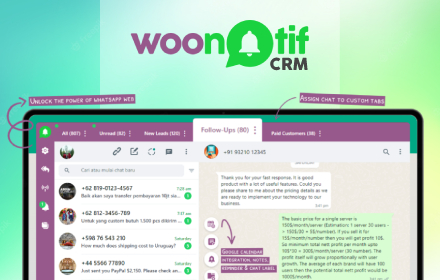
WooNotif CRM
WooNotif CRM is an extension to turn your WhatsApp Web into powerful CRM tool. Manage and organize all chats easier than before.
282
★ 3.4

WA Schedule Messages
Schedule and auto-send WhatsApp Web messages - Reminders & recurring
WA Schedule Messages lets you compose a message on WhatsApp…
2.0K
★ 3.3

WTag Manager
Add colored labels, structured notes, and export your WhatsApp Web contacts to CSV.
—
★ 5.0

WASender Free Plugin
WASender: WhatsApp bulk sender for mass messaging, automation, personalized messages, attachments & marketing.
222
★ 5.0

WhatsApp™ Bulk Message Sender - ExtBoost
🚀 Send Bulk WhatsApp™ messages (Text, Media) to Contacts, Groups, & Unsaved Numbers. Easy & Reliable WhatsApp™ Sender
379
★ 5.0
WA Bulk Sender
Boost your WhatsApp marketing efforts with WA Bulk Sender, the efficient and powerful tool for sending bulk messages.
6.0K
★ 4.7

WA CRM Sender – Smart Message Sender for Business & CRM
Use WA CRM Extension - Your most powerful assistant for Marketing & Message Sender.
30
★ 3.0

SendPro X12
Professional WhatsApp bulk messaging tool with campaign management, templates, and analytics
1.0K
★ 4.0
Data sourced from the Chrome Web Store · last verified Jun 9, 2026.