LiteCompose - Write Light, Easy on Your Tab
Write without distractions right in your browser. Stay focused with offline, private, and ad-free writing.
As of May 2026, LiteCompose - Write Light, Easy on Your Tab has 220 users and a 5.00/5 rating from 3 reviews in the Workflow & Planning category.
Usersup 6.8 percent+6.8%
220
220
Ratingno change0%
5.00
3 reviews
Reviewsno change0%
3
Version
2.0.0
Manifest V3
History
3 snapshotsTracking since Apr 1, 2026.
View as table
| Date | Users | Rating | Reviews | Version |
|---|---|---|---|---|
| Apr 1, 2026 | 206 | 5.00 | 3 | 2.0.0 |
| Apr 30, 2026 | 208 | 5.00 | 3 | 2.0.0 |
| May 28, 2026 | 221 | 5.00 | 3 | 2.0.0 |
| Now | 220 | 5.00 | 3 | 2.0.0 |
Permissions & access
- Permissions
- None declared
- Host access
- None declared
Screenshots


About
With LiteCompose, your notes are kept private and secure, securely stored directly in your browser's storage and not in the cloud.

It's incredibly easy to use, enabling you to open a new tab and start writing in an instant — no accounts or permissions required.

You can either click on the extension icon or use the keyboard shortcuts below to open it quickly:

- For Windows, press Ctrl+Shift+L
- On a Mac, use Command+Shift+L
- For Chrome OS, it's Ctrl+Shift+L
- And if you're using Linux, go for Ctrl+Shift+L

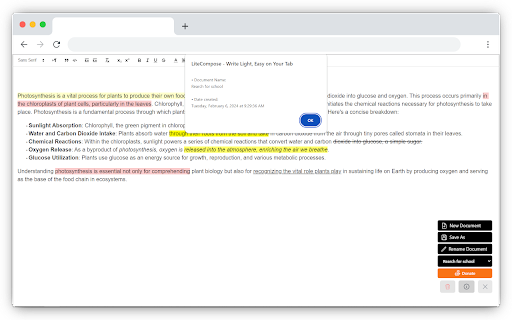
Effortlessly jot down notes, save them, rename, and delete them — all securely stored directly in your browser's Local Storage.

LiteCompose does NOT collect ANY personal data or information from its users. We do NOT track your activity, store your browsing history, or gather ANY identifiable information.

# Key Features:

- Auto-save: Your work is automatically saved as you write.

- Saved Documents: Access and manage saved documents with ease.

- Rename and Delete: Customize document names and remove unwanted documents.

- Privacy Assurance: Your data remains securely stored on your computer.

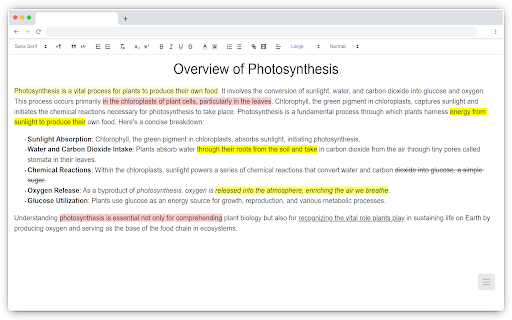
- Rich Text Editor: Enjoy text color, highlights, backgrounds, and more — like a word processor.

- Offline Mode: Access your notes anytime, even without an internet connection.

 And much more awaits you!

Try it out. You won't be disappointed.

Feel free to reach out to us at [email protected] with any concerns, feedback, or suggestions you might have.
Technical
- Version
- 2.0.0
- Manifest
- V3
- Size
- 133KiB
- Min Chrome
- 88
- Languages
- 1
- Featured
- Yes
Metadata
- ID
- jgadddgchehpdgmifhflamcgmphdlneg
- Developer ID
- u927a93cb8fd8ea6afc6d2b9449344df2
- Developer Email
- [email protected]
- Created
- Feb 6, 2024
- Last Updated (Store)
- Mar 9, 2024
- Last Scraped
- May 28, 2026
- Website
- —
- Support URL
- —
- Privacy Policy
- https://litecompose.sfer.dev/privacy
Similar extensions
Alternatives to LiteCompose - Write Light, Easy on Your Tab, ranked by description similarity.

Notes
Saving your important notes now...
15
Quick Notes
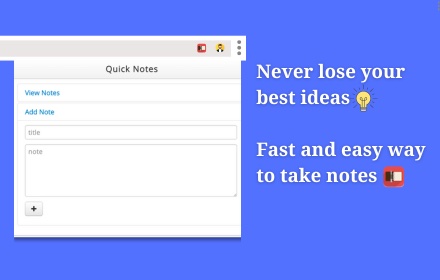
Create and check notes quickly
2.0K
★ 4.0

Notes Online
The in-page notepad for taking notes online directly on any web page. No login, autosave, 1-click install, and full privacy
5.0K
★ 4.3

Keep Notes Online
A simple notepad extension for Google Chrome with local + cloud sync via keepnotes.online.
12

Notepad Safe
Quickly write and save your notes securely in your browser with auto-save and sync features.
9

Quick Notes – Minimalist Notepad & Sticky Notes
The fastest, most private way to take notes in Chrome. Instant access, auto-save, and 100% local storage. No accounts needed.
37
★ 5.0

Super Notes
Fast, privacy-first note capture browser extension with unified multi-modal support for text and screenshots.
20

StashNote
Create and manage notes directly in your browser with Markdown support, folders, tags, and local storage.
4
★ 5.0
Data sourced from the Chrome Web Store · last verified May 28, 2026.