
ReelScribe — Video Transcription
Transcribe Instagram Reels, TikTok videos, and YouTube Shorts directly from the page.
As of June 2026, ReelScribe — Video Transcription has 22 users in the Productivity category.
Usersup 2100.0 percent+2100.0%
22
22
Ratingno change0%
—
— reviews
Reviewsno change0%
—
Version
1.0.0
Manifest V3
History
9 snapshotsTracking since Apr 16, 2026.
View as table
| Date | Users | Rating | Reviews | Version |
|---|---|---|---|---|
| Apr 16, 2026 | 1 | — | — | 1.0.0 |
| Apr 22, 2026 | 1 | — | — | 1.0.0 |
| Apr 29, 2026 | 2 | — | — | 1.0.0 |
| May 6, 2026 | 1 | — | — | 1.0.0 |
| May 17, 2026 | 3 | — | — | 1.0.0 |
| May 23, 2026 | 5 | — | — | 1.0.0 |
| May 30, 2026 | 7 | — | — | 1.0.0 |
| Jun 5, 2026 | 10 | — | — | 1.0.0 |
| Jun 13, 2026 | 13 | — | — | 1.0.0 |
| Now | 22 | — | — | 1.0.0 |
Permissions & access
- Permissions
- storageactiveTabnotificationsalarms
- Host access
- https://www.reelscribe.app/*
Screenshots



About
Transcribe Instagram Reels, TikTok videos, and YouTube Shorts — directly from the page you're already watching. One click or one hotkey. No tab-switching, no copy-pasting URLs, no waiting around.

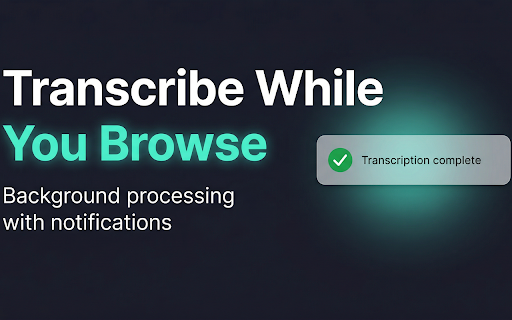
ReelScribe works in the background and notifies you the moment your transcription is ready. Just browse, transcribe, and keep scrolling.

---------------------------------------------------------------------------------------

Features

🎬 One-Click Transcription — From Any Supported Page
- Browse to any Instagram Reel, TikTok video, or YouTube Short.
- Press Alt+Shift+R or click the extension icon and paste a URL.
- Transcription starts instantly in the background — no waiting, no tab-switching.

⌨️ Keyboard Shortcut — Transcribe Without Lifting a Finger
- Alt+Shift+R triggers transcription from any supported video page.
- A confirmation dialog shows the detected URL — press Enter to confirm, Escape to cancel.
- Enable auto-transcribe mode to skip the dialog entirely.

🔔 Background Processing & Notifications
- Transcriptions process in the background while you keep browsing.
- Desktop notifications alert you when a transcription completes or fails.
- Failed transcriptions are automatically refunded — no credits lost.

📋 Auto-Copy to Clipboard
- Completed transcripts can be copied to your clipboard with one click.
- Enable auto-copy in settings to have it happen automatically.
- Perfect for repurposing content — paste directly into your editor, social post, or notes.

🌙 Light & Dark Theme
- Toggle between light and dark theme from the popup.
- The confirmation dialog matches your chosen theme.
- Follows your preference across all supported sites.

📊 Credit Dashboard
- See your remaining credits at a glance in the popup.
- View your subscription tier and recent transcription history.
- Quick access to your full dashboard at reelscribe.app.

---------------------------------------------------------------------------------------

Supported Platforms

📸 Instagram — Reels and video posts
🎵 TikTok — All video content
▶️ YouTube — Shorts, standard videos, and youtu.be links

---------------------------------------------------------------------------------------

How It Works

1️⃣ Install the extension and enter your ReelScribe API key
2️⃣ Browse to any supported video
3️⃣ Press Alt+Shift+R or paste a URL in the popup
4️⃣ Get notified when your transcription is ready

That's it. No complex setup, no external tools, no coding.

---------------------------------------------------------------------------------------

Popular Use Cases

🎯 Content Repurposing
- Transcribe viral videos and repurpose the content for blogs, newsletters, or social posts.
- Copy transcripts directly to your clipboard for fast editing workflows.

📝 Research & Note-Taking
- Save spoken content from video interviews, tutorials, and explainers.
- Build a library of transcribed content from your favorite creators.

♿ Accessibility
- Create text versions of video content for hearing-impaired audiences.
- Make short-form video content searchable and readable.

🌍 Translation Workflows
- Transcribe first, then translate — works for any language the ReelScribe API supports.
- Faster than manual transcription for multilingual content teams.

---------------------------------------------------------------------------------------

Privacy & Security

🔒 Your API key is stored locally on your device — never shared with anyone.
🔒 Video URLs are sent only to the ReelScribe API (https://www.reelscribe.app) — nowhere else.
🔒 No analytics, no tracking, no ads, no third-party scripts.
🔒 Full privacy policy: https://www.reelscribe.app/privacy

---------------------------------------------------------------------------------------

Requirements

You need a ReelScribe API key to use this extension.
🔑 Get your API key free at: https://www.reelscribe.app/api

---------------------------------------------------------------------------------------

Support

🌐 Website: https://www.reelscribe.app
📧 Email: [email protected]

---------------------------------------------------------------------------------------

Rate & Review

If ReelScribe saves you time, we'd love your support!
Leave a ⭐⭐⭐⭐⭐ review or share it with a friend.

Built with ❤️ by the ReelScribe team.
Technical
- Version
- 1.0.0
- Manifest
- V3
- Size
- 32.5KiB
- Min Chrome
- 88
- Languages
- 1
- Featured
- No
Metadata
- ID
- jfnllodfdgcliaahpklmcammmhknolch
- Developer ID
- uf938d9d167888c15fe0bac9653e8c89a
- Developer Email
- [email protected]
- Created
- Apr 14, 2026
- Last Updated (Store)
- Apr 14, 2026
- Last Scraped
- Jun 13, 2026
- Website
- reelscribe.app
- Support URL
- reelscribe.app/contact
- Privacy Policy
- https://www.reelscribe.app/privacy
Data sourced from the Chrome Web Store · last verified Jun 13, 2026.