
X Followers Exporter Pro - Export Twitter Followers to CSV
Export X (Twitter) followers & following to CSV. 20+ data fields including bio, verified status, follower counts & more.
As of June 2026, X Followers Exporter Pro - Export Twitter Followers to CSV has 53 users and a 5.00/5 rating from 5 reviews in the Workflow & Planning category.
Usersup 96.3 percent+96.3%
53
53
Ratingno change0%
5.00
5 reviews
Reviewsno change0%
5
Version
1.6.14
Manifest V3
90-day change · In the last 90 days this extension 2 version updates.
History
10 snapshotsTracking since Apr 9, 2026.
View as table
| Date | Users | Rating | Reviews | Version |
|---|---|---|---|---|
| Apr 9, 2026 | 27 | 5.00 | 5 | 1.6.8 |
| Apr 20, 2026 | 35 | 5.00 | 5 | 1.6.8 |
| Apr 26, 2026 | 42 | 5.00 | 5 | 1.6.12 |
| May 4, 2026 | 40 | 5.00 | 5 | 1.6.12 |
| May 9, 2026 | 41 | 5.00 | 5 | 1.6.12 |
| May 14, 2026 | 50 | 5.00 | 5 | 1.6.12 |
| May 20, 2026 | 51 | 5.00 | 5 | 1.6.12 |
| May 27, 2026 | 50 | 5.00 | 5 | 1.6.14 |
| Jun 3, 2026 | 55 | 5.00 | 5 | 1.6.14 |
| Jun 9, 2026 | 59 | 5.00 | 5 | 1.6.14 |
| Now | 53 | 5.00 | 5 | 1.6.14 |
Changelog
- Apr 20, 2026description
X Followers Exporter Pro by PlugMonkey

Turn any public profile's audience list into a structured CSV file with 20+ metadata fields -- no API keys, no complex setup, just one click.

WHAT IT DOES

This extension lets you export followers and following lists from any public account on X (formerly Twitter). Enter a username, choose a list type, and download a CSV with 20+ data fields including bio, verified status, counts, account age, and more. Review everything in a paginated table before saving.

Perfect for:

- Social media managers researching target audiences
- Marketers analyzing competitor audiences
- Data analysts studying social networks
- Researchers investigating online communities

HOW IT WORKS

1. Click the floating button on any X.com page
2. Enter a username (auto-filled on profile pages)
3. Choose "Followers" or "Following" and click Start
4. Review data in the table, then download your CSV

KEY FEATURES

✓ Export any public account's follower or following list to CSV
✓ 20+ fields per user: bio, location, verified status, counts, dates, and more
✓ Paginated table view to review results before downloading
✓ Auto-fill username detection on profile pages
✓ Real-time progress tracking during fetches
✓ Theme-aware button that matches dark or light mode
✓ Rate-limit-safe with automatic request pacing
✓ No API keys required -- uses your existing session
✓ All processing happens locally in your browser
✓ Works with popular spreadsheet tools and data analysis software

FREE VS PRO

Free Forever

- 3 downloads per week
- 250 records per download
- All 20+ metadata fields included
- Full table view and CSV output

PRO

- Unlimited usage, no weekly cap
- Unlimited records (even 100K+ lists)
- Priority support
- See pricing at plugmonkey.xyz/product/x-followers-exporter-pro/

GET STARTED

1. Install from the Chrome Web Store (free)
2. Visit X.com, click the floating button, enter a username, and go

ABOUT PLUGMONKEY

PlugMonkey builds tools for people who care about their online experience. Learn more at plugmonkey.xyz

LEGAL DISCLAIMER

This extension is independently developed by PlugMonkey and is not affiliated with or endorsed by any platform. All product names and brands are property of their respective owners. Users are responsible for compliance with platform terms of service and applicable privacy laws.
X Followers Exporter Pro - Export Twitter Followers to CSV

Turn any public profile's audience list into a structured CSV file with 20+ metadata fields -- no API keys, no complex setup, just one click.

WHAT IT DOES

This extension lets you export followers and following lists from any public account on X (formerly Twitter). Enter a username, choose a list type, and download a CSV with 20+ data fields including bio, verified status, counts, account age, and more. Review everything in a paginated table before saving.

Perfect for:

- Social media managers researching target audiences
- Marketers analyzing competitor audiences
- Data analysts studying social networks
- Researchers investigating online communities

HOW IT WORKS

1. Click the floating button on any X.com page
2. Enter a username (auto-filled on profile pages)
3. Choose "Followers" or "Following" and click Start
4. Review data in the table, then download your CSV

KEY FEATURES

✓ Instagram Email Finder -- extracts emails from Instagram bios and account data, included as dedicated email fields in your CSV export
✓ Export any public account's follower or following list to CSV
✓ 20+ fields per user: bio, location, verified status, counts, dates, and more
✓ Paginated table view to review results before downloading
✓ Auto-fill username detection on profile pages
✓ Real-time progress tracking during fetches
✓ Theme-aware button that matches dark or light mode
✓ Rate-limit-safe with automatic request pacing
✓ No API keys required -- uses your existing session
✓ Search and filter on the export table to find specific records instantly
✓ Clickable column sorting to organize results by any field
✓ JSON export format in addition to CSV
✓ Copy all data to clipboard with one click
✓ All processing happens locally in your browser
✓ Works with popular spreadsheet tools and data analysis software

FREE VS PRO

Free Forever

- 3 downloads per week
- 250 records per download
- All 20+ metadata fields included
- Full table view and CSV output

PRO

- Unlimited usage, no weekly cap
- Unlimited records (even 100K+ lists)
- Priority support
- See pricing at plugmonkey.xyz/product/x-followers-exporter-pro/

GET STARTED

1. Install from the Chrome Web Store (free)
2. Visit X.com, click the floating button, enter a username, and go

ABOUT PLUGMONKEY

PlugMonkey builds tools for people who care about their online experience. The popup interface may also include links to other productivity tools developed by PlugMonkey for users who want to explore additional extensions. The extension may also contain a link to the PlugMonkey affiliate program (plugmonkey.xyz/affiliates/), where users can sign up to earn a commission by promoting PlugMonkey extensions. Learn more at plugmonkey.xyz

LEGAL DISCLAIMER

This extension is independently developed by PlugMonkey and is not affiliated with or endorsed by any platform. All product names and brands are property of their respective owners. Users are responsible for compliance with platform terms of service and applicable privacy laws.
Permissions & access
- Permissions
- storagedeclarativeNetRequestcookies
- Host access
- *://*.x.com/*, *://*.twitter.com/*, https://*.plugmonkey.xyz/*, https://license.plugmonkey.xyz/*
Screenshots


About
X Followers Exporter Pro - Export Twitter Followers to CSV

Turn any public profile's audience list into a structured CSV file with 20+ metadata fields -- no API keys, no complex setup, just one click.

WHAT IT DOES

This extension lets you export followers and following lists from any public account on X (formerly Twitter). Enter a username, choose a list type, and download a CSV with 20+ data fields including bio, verified status, counts, account age, and more. Review everything in a paginated table before saving.

Perfect for:

- Social media managers researching target audiences
- Marketers analyzing competitor audiences
- Data analysts studying social networks
- Researchers investigating online communities

HOW IT WORKS

1. Click the floating button on any X.com page
2. Enter a username (auto-filled on profile pages)
3. Choose "Followers" or "Following" and click Start
4. Review data in the table, then download your CSV

KEY FEATURES

✓ Instagram Email Finder -- extracts emails from Instagram bios and account data, included as dedicated email fields in your CSV export
✓ Export any public account's follower or following list to CSV
✓ 20+ fields per user: bio, location, verified status, counts, dates, and more
✓ Paginated table view to review results before downloading
✓ Auto-fill username detection on profile pages
✓ Real-time progress tracking during fetches
✓ Theme-aware button that matches dark or light mode
✓ Rate-limit-safe with automatic request pacing
✓ No API keys required -- uses your existing session
✓ Search and filter on the export table to find specific records instantly
✓ Clickable column sorting to organize results by any field
✓ JSON export format in addition to CSV
✓ Copy all data to clipboard with one click
✓ All processing happens locally in your browser
✓ Works with popular spreadsheet tools and data analysis software

FREE VS PRO

Free Forever

- 3 downloads per week
- 250 records per download
- All 20+ metadata fields included
- Full table view and CSV output

PRO

- Unlimited usage, no weekly cap
- Unlimited records (even 100K+ lists)
- Priority support
- See pricing at plugmonkey.xyz/product/x-followers-exporter-pro/

GET STARTED

1. Install from the Chrome Web Store (free)
2. Visit X.com, click the floating button, enter a username, and go

ABOUT PLUGMONKEY

PlugMonkey builds tools for people who care about their online experience. The popup interface may also include links to other productivity tools developed by PlugMonkey for users who want to explore additional extensions. The extension may also contain a link to the PlugMonkey affiliate program (plugmonkey.xyz/affiliates/), where users can sign up to earn a commission by promoting PlugMonkey extensions. Learn more at plugmonkey.xyz

LEGAL DISCLAIMER

This extension is independently developed by PlugMonkey and is not affiliated with or endorsed by any platform. All product names and brands are property of their respective owners. Users are responsible for compliance with platform terms of service and applicable privacy laws.
Technical
- Version
- 1.6.14
- Manifest
- V3
- Size
- 651KiB
- Min Chrome
- 88
- Languages
- 25
- Featured
- No
Metadata
- ID
- jfnljbafmjnjdpebkannofdgcibcdefk
- Developer ID
- ue0e7cfb9e08b0205a769fd0677e0d30e
- Developer Email
- [email protected]
- Created
- Nov 5, 2025
- Last Updated (Store)
- May 14, 2026
- Last Scraped
- Jun 9, 2026
- Website
- plugmonkey.xyz
- Support URL
- https://plugmonkey.xyz/contact/
- Privacy Policy
- https://plugmonkey.xyz/privacy-policy/
Similar extensions
Alternatives to X Followers Exporter Pro - Export Twitter Followers to CSV, ranked by description similarity.

TwScraper - X/Twitter Follower Scraper
One click to export X/Twitter followers and following list to CSV.
1.0K
★ 3.0

TwListExport - export Twitter/X List followers and members
An automated tool to extract followers and members from Twitter/X Lists to CSV or Excel with one click.
1.0K
★ 5.0

TwList - X/Twitter List Scraper
One click to export X/Twitter list member and follower list to CSV.
246
★ 2.0

ReplyPilot: Twitter Growth Tool
Smart reply scanner and audience builder for X. Connect with targeted accounts safely and organically.
6
★ 5.0
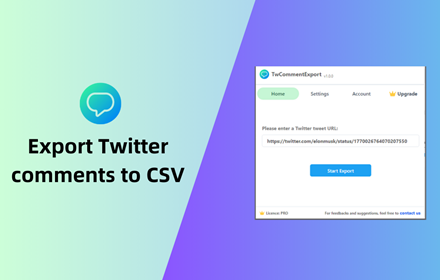
TwCommentExport - Export Twitter Comments
Export Twitter tweet comments/replies to CSV or Excel with one click. You can download comments from any tweet for analysis
1.0K
★ 5.0

TwCommunity - Export X Community Members
One click to export X/Twitter community member list to CSV.
104
★ 1.0

SkyScraper - Bluesky Follow Export Tool
Bluesky Scraper - Extract Bluesky followers and followings, Export to Excel/CSV/JSON with one click.
192
★ 3.0

RetweetsExtract - Export X/Twitter Retweets
One click to export retweets list of any x/twitter tweets to CSV.
371
★ 1.8
Data sourced from the Chrome Web Store · last verified Jun 9, 2026.