
Turn Off the Lights
The entire page will be fading to dark, so you can watch the videos as if you were in the cinema. Works for YouTube™ and beyond.
As of June 2026, Turn Off the Lights has 3,000 users and a 4.50/5 rating from 50 reviews in the Accessibility category.
Usersno change0%
3.0K
3,000
Ratingno change0%
4.50
50 reviews
Reviewsno change0%
50
Version
4.6.6
Manifest V3
Permissions & access
- Permissions
- contextMenustabsstoragewebNavigationscripting
- Host access
- <all_urls>
Screenshots


About
The Turn Off the Lights Chrome extension is a tool that allows users to dim the background of their web pages in order to focus on the video they are watching. This extension is particularly useful for users who watch a lot of videos on their browser, as it allows them to create a more cinematic viewing experience by eliminating distractions from the surrounding content.

🚧 This is the latest Turn Off the Lights Chrome extension BETA version. Experience the latest design and features for the best video and web experience in your web browser.
ℹ️ The stable version of the official Turn Off the Lights version can be found on this Chrome Web Store page:
https://chrome.google.com/webstore/detail/bfbmjmiodbnnpllbbbfblcplfjjepjdn

Please share your feedback, suggestions, and thoughts with us https://www.turnoffthelights.com/support/

🏆🥇 Turn Off the Lights Chrome extension has over 2 000 000 users from the Chrome Web Store and it has received positive reviews from users who have praised its simplicity and effectiveness in helping them focus on their browsing. The extension has also been featured on several popular websites, including Lifehacker, CNET, ZDNet, BuzzFeed, and PC World. With its growing popularity and positive feedback, it is no surprise that the Turn Off the Lights Chrome extension has become one of the most popular and trusted browser extensions in the market.

Not only does this extension enhance your browsing experience, but it also offers health benefits. The dark mode feature can reduce the strain on your eyes, making it easier to use your device for long periods of time. The screen brightness and screen shader features also help to reduce glare and eye strain. Users should install it to have a more pleasant experience while watching videos on their browser.

A few great features in this browser extension:
💡 Turn the lights back on, by clicking on it
🎞️ Support all major video websites: YouTube, Dailymotion, Vimeo, Twitch,... and more
🎬 Enhance your YouTube experience with features like:
     Auto HD: Set videos to play in HD automatically. Users can select from highres > 8K > 5K > 4K > 1080p > 720p > 480p > 360p > 240p > 144p > default
     Auto Wide: Automatically plays the video on the widest mode
     60 FPS Block: Disable YouTube 60 FPS and watch YouTube Auto HD 30 FPS video quality
     Top Layer: Place elements at the top of the dark layer, such as the number of YouTube subscribers, title, video suggestions, etc.
🖼️ Watch your video and Audio Visualisation in Picture-in-picture (PiP)
🍿 Easter Eggs:
     Shortcut key: T -> Do you like a real movie theater feeling?
▶️ Option to make the screen dark when the user clicks on the play button
✨ Option to turn on/off the fade-in and fade-out effects
⛈️ Dynamic Background: Stars, Rain, Fog
🎨 Custom solid and linear gradient colors
👓 Option for Multimedia Detection
🎚️ Option to Show Dimness Level Bar
🕶️ Option Eye Protection for when it is night. And with a whitelist/blacklist filter
🌿 Option for an automatic screen saver to dim the screen after a certain time
🌅 Option atmosphere lighting that shows a glow around the video player
     Vivid Mode: Realistic and lifelike color glow effects match the video content
     One solid: 1 Custom color around the video player
     Four solid: 4 Custom colors around the video player
⬛️ Option to stay the dark layer on the top of the window
⌨️ Options to shortcut keys:
     Ctrl + Shift + L to toggle the lights
     Alt + F8 to restore the default opacity value
     Alt + F9 to save the current opacity value
     Alt + F10 to enable/disable the Eye Protection feature
     Alt + (arrow up) to increase the opacity
     Alt + (arrow down) to decrease the opacity
     Alt + * to toggle the lights on all open tabs
🖱️ Option to enable mouse volume scroll: Control the volume of the current video by scrolling your mouse wheel up or down
🎦 Option to add a filter to the current video player (grayscale, sepia, invert, contrast, saturate, hue rotation, and brightness)
📶 Option to show the Audio Visualization effect on top of the current video (Blocks, Frequency, and Music Tunnel)
↗️ Option to fill the video player in your whole current tab
🔁 Option to loop the current video player
🌚 Option to Dark mode to automatically switches to a dark theme on all websites, reducing the amount of bright white light on the screen
📄 Option to convert Dark Mode PDF files, network files, and local files
🌌 Option to place the Night Mode switch to toggle YouTube in black or white theme. And with a whitelist/blacklist filter
     Timestamp: Activate the Night Mode within the chosen time
     Blackout: Dims the web page and activates the Night Mode
📼 Option to stop YouTube and HTML5 videos from automatically playing
📺 Option Video Screen capture for YouTube and all the HTML5 video players
     One frame snapshot to customize the screenshot with filters such as Invert, Blur, Saturation, Grayscale, Hue rotate, etc. And finally save the screenshot in PNG, JPEG, BMP, or WEBP image format
🔍 Option to Zoom in the video player
📽️ Option to video playback rate
🌎 Translated into 55 languages
➕ And more...

How to Pin the Extension in the Chrome toolbar?
1. Click on the jigsaw puzzle piece icon in your Chrome toolbar.
2. Click on the pushpin icon next to "Turn Off the Lights" to pin the lamp icon to the toolbar.

————————

Free and Open-Source browser extension released under the GNU General Public License version 2.0.
Designed and engineered for users.
https://www.github.com/turnoffthelights

————————

❤️ Do not forget to Like & Follow Us:
Facebook: https://www.facebook.com/turnoffthelight
Twitter: https://x.com/TurnOfftheLight
Pinterest: https://www.pinterest.com/turnoffthelight
Linkedin: https://www.linkedin.com/company/turn-off-the-lights
Instagram: https://www.instagram.com/turnoffthelights
VK: https://vk.com/turnoffthelights
Weibo: https://www.weibo.com/turnoffthelights
YouKu: https://www.youku.com/profile/index?uid=UMzQzMDc5MDM2NA==
YouTube: https://www.youtube.com/@turnoffthelights

🎛️ Required Permissions:
◆ "contextMenus": This permission allows the addition of the "Darken this page" menu item to the web browser's context menu.
◆ "tabs": This permission allows us to display the welcome and guide page, detect the currently playing video, take a screenshot of the video, and provide options to dim all open tabs.
◆ "storage": Save settings locally and sync with your web browser account.
◆ "webNavigation": This permission is used to load the Night Mode feature before the web page is fully loaded, providing an instant Dark Mode experience.
◆ "<all_urls>": Control the lamp button on all websites, including http, https, ftp, and file.

Feel free to contact us if there is any problem or suggestion.
Compatible with Adblock, AdBlock Pus, AdGuard AdBlocker, and uBlock Origin Chrome extension.
Note: YouTube is a trademark of Google Inc. Use of this trademark is subject to Google Permissions. Turn Off the Lights™ is not created by, affiliated with, or supported by Google Inc.
Technical
- Version
- 4.6.6
- Manifest
- V3
- Size
- 8.4MiB
- Min Chrome
- 116
- Languages
- 55
- Featured
- No
Metadata
- ID
- jfmfcimcjckbdhbbbbdemfaaphhgljgo
- Developer ID
- u1ccd3fbd86393e09892f3d6b4e5aacd4
- Developer Email
- [email protected]
- Created
- Jan 21, 2011
- Last Updated (Store)
- Feb 23, 2026
- Last Scraped
- Jun 5, 2026
- Support URL
- https://www.turnoffthelights.com/support
- Privacy Policy
- https://www.turnoffthelights.com/privacy/
Similar extensions
Alternatives to Turn Off the Lights, ranked by description similarity.

Turn Off the Lights
The entire page will be fading to dark, so you can watch the videos as if you were in the cinema. Works for YouTube™ and beyond.
1.0M
★ 4.6
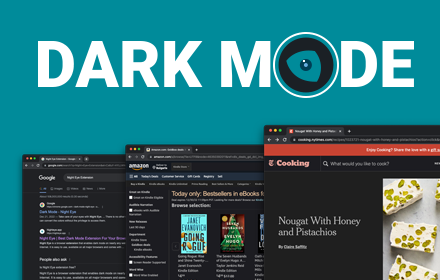
Dark Mode - Night Eye
Dark Mode: Switch to dark reading for night & day browsing. More than dark theme style, it ensures optimal eye protection.
300.0K
★ 4.5

Dark Mode Toggle
Toggle dark/light mode for all web pages
9

Dark Mode
Dark Mode, read at night. Bluelight filter for every website. Relax your eyes at night and day.
20.0K
★ 4.4
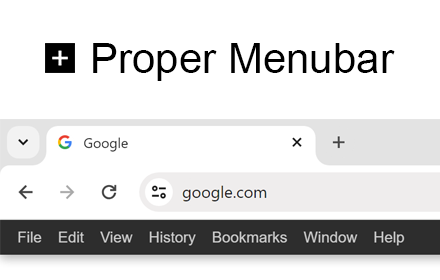
Proper Menubar for Google Chrome
Add the best menu bar to get easy and fast access to all your useful browser options and internet products!
30.0K
★ 3.8
Dim Visual Media
Watch your favourite Netflix show, Twitch Stream, YouTube, Google and other visual media content dimmed
152
★ 5.0
Dark Night Mode
It is a night mode for the entire Internet. It darkens all the websites you visit so that you can browse without straining your eyes
70.0K
★ 4.2

YouTube Dark Mode
Youtube Dark Mode
10.0K
★ 4.4
Data sourced from the Chrome Web Store · last verified Jun 5, 2026.