
LMID
Start your favorite sites faster, with an ID
As of May 2026, LMID has 3 users and a 5.00/5 rating from 1 reviews in the Productivity category.
Usersno change0%
3
3
Ratingno change0%
5.00
1 reviews
Reviewsno change0%
1
Version
2.2.5
Manifest V3
Permissions & access
- Permissions
- storage
- Host access
- None declared
Screenshots
About
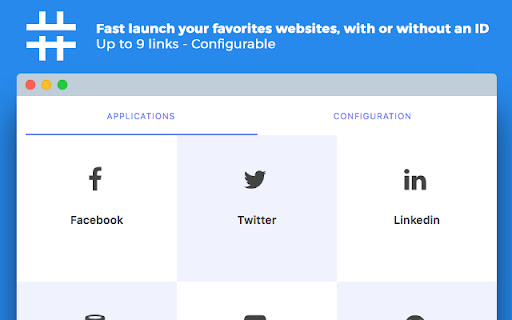
LMID is a Chrome extension to fastly launch your favorites websites with an ID.

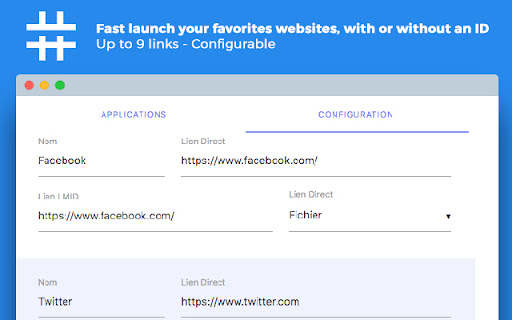
Links are preconfigured with the most know websites (Facebook, Twitter, Linkedin, etc.), but you can change them as you wish. Up to 9 links are configurable.

The best way to use it is to add a shortcut by going to the following page : chrome://extensions (At the bottom of the page, in the Keyboard Shorcuts tab)
Technical
- Version
- 2.2.5
- Manifest
- V3
- Size
- 734KiB
- Min Chrome
- 88
- Languages
- 1
- Featured
- No
Metadata
- ID
- jfejhdbhehbbiejljkjdgaikandkbjko
- Developer ID
- ud1c8930461f52903f01ba082c2050f02
- Developer Email
- [email protected]
- Created
- Jan 29, 2016
- Last Updated (Store)
- Oct 21, 2024
- Last Scraped
- May 28, 2026
- Website
- tomjamon.com
- Support URL
- —
- Privacy Policy
- —
Similar extensions
Alternatives to LMID, ranked by description similarity.

Lindle: Save, Manage Web Links
Say goodbye to scattered links and hello to streamlined productivity. All-in-one web link saver and bookmark manager
146
★ 5.0

Quick Link Launcher
Launch frequently used websites with one click. Create custom shortcuts for faster browsing and productivity.
—

LinkLite
Navigate the web faster with custom URL shortcuts
6
★ 5.0

Quick Links
Add and manage quick links with a clickable button.
224
★ 5.0

Quick Links
Save and quickly access your favorite links.
9
★ 5.0

Hotlink
Chrome extension to quickly open configured URLs
5

GOLINKS
A Chrome extension to create GoLinks.
12
★ 1.0

Links Manager Extension
Save links in one place you need for job applications such as linkedin profile and etc.
21
★ 5.0
Data sourced from the Chrome Web Store · last verified May 28, 2026.