
Sentence Segmenter
This extension will make your text easily readable by separating sentences based on periods.
As of May 2026, Sentence Segmenter has 362 users and a 4.30/5 rating from 10 reviews in the Accessibility category.
Usersdown 3.2 percent−3.2%
362
362
Ratingno change0%
4.30
10 reviews
Reviewsno change0%
10
Version
1.6.8
Manifest V3
History
3 snapshotsTracking since Apr 1, 2026.
View as table
| Date | Users | Rating | Reviews | Version |
|---|---|---|---|---|
| Apr 1, 2026 | 374 | 4.30 | 10 | 1.6.8 |
| Apr 30, 2026 | 376 | 4.30 | 10 | 1.6.8 |
| May 28, 2026 | 360 | 4.30 | 10 | 1.6.8 |
| Now | 362 | 4.30 | 10 | 1.6.8 |
Permissions & access
- Permissions
- storage
- Host access
- http://*/*, https://*/*
Screenshots
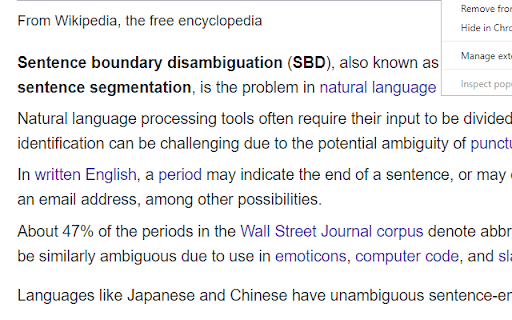
About
This extension can help make text easier to read by putting each sentence of a webpage on a new line (separated based on periods).

You can activate the segmentation by clicking on the top-right icon.

Github:
https://github.com/AhmadHassanAwan/Sentence-Segmentation

If you need to reread, it can be faster to find the beginning of sentences that all start on the left.

Sentence structure can also become clearer.

If you’re skimming, you can abandon a sentence, and quickly find another sentence.

---

**Additional notes**

Segmenting a page is like creating a snapshot.
Certain elements can't be clicked on and expanded anymore, like comment threads.
Expand first if necessary, and then segment.

You can refresh the page to turn off the segmentation effect.

Spacing between sentences is similar to the Microsoft Word setting:
Microsoft Word -> Home -> Paragraph -> Indents and Spacing -> Spacing ->
Line spacing single
Before After 6 pt

To create a shortcut that activates the sentence segmenter, go to the extensions page (chrome://extensions/), and click on Keyboard Shortcuts at the bottom.

---

**Period double-space option**

In addition to replacing "period" "space" with "period" "new-line", you can replace with "period""space""space".

Right-click the icon, and go to "options".

An eye-tracking study found that text was easier to read when periods were followed by two spaces.

https://www.reddit.com/r/science/comments/8fl3p7/an_eyetracking_study_found_that_text_was_easier/

> Although comprehension was not affected by punctuation spacing, the eye movement record suggested that initial processing of the text was facilitated when periods were followed by two spaces, supporting the change made to the APA Manual.

https://link.springer.com/article/10.3758%2Fs13414-018-1527-6
Technical
- Version
- 1.6.8
- Manifest
- V3
- Size
- 38.34KiB
- Min Chrome
- 88
- Languages
- 1
- Featured
- Yes
Metadata
- ID
- jfbhkblbhhigbgdnijncccdndhbflcha
- Developer ID
- uca4845ef515ab4af7337c34fa08cd09b
- Developer Email
- [email protected]
- Created
- Feb 3, 2017
- Last Updated (Store)
- Nov 4, 2022
- Last Scraped
- May 28, 2026
- Website
- —
- Support URL
- —
- Privacy Policy
- —
Similar extensions
Alternatives to Sentence Segmenter, ranked by description similarity.

Text Adjuster
Adjusts on-page text for easier reading.
5

Reader focus
This extension allows users to focus on single sentences when reading text.
4

ADHD-Friendly Text Enhancer
Enhance article readability for ADHD by highlighting lines and boldening letters.
102
★ 3.3

ADHD Reading Helper
Bold key letters + pastel sentences so ADHD readers follow long passages, read more, understand more with less effort.
14
★ 3.0

Bold Reader
Bold Reader
Enhance your online reading experience with half-bolded words!
Bold Reader is designed to make reading text on web…
876
★ 3.0

Line Reader
Horizontal reading ruler with popup settings.
22

More Space Please
add more spaces between characters, words and lines
5

X POST SPACE CUSTOMIZER
Custom Format X/ Twitter posts with spacing and Indenting
1
Data sourced from the Chrome Web Store · last verified May 28, 2026.