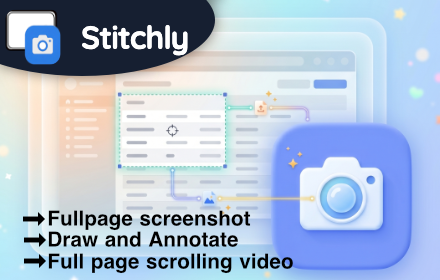
Stitchly — Full Page Screen Capture & Scrolling Screenshot
Capture full-page screenshots locally in your browser and export as PNG, JPEG, or PDF.
As of June 2026, Stitchly — Full Page Screen Capture & Scrolling Screenshot has 27 users and a 5.00/5 rating from 2 reviews in the Developer Tools category.
Usersno change0%
27
27
Ratingno change0%
5.00
2 reviews
Reviewsno change0%
2
Version
1.3.0.0
Manifest V3
90-day change · In the last 90 days this extension 3 version updates, changed permissions.
History
9 snapshotsTracking since Apr 20, 2026.
View as table
| Date | Users | Rating | Reviews | Version |
|---|---|---|---|---|
| Apr 20, 2026 | — | — | — | 1.0.0 |
| Apr 25, 2026 | — | — | — | 1.0.0 |
| May 2, 2026 | 5 | 5.00 | 1 | 1.1.0 |
| May 9, 2026 | 6 | 5.00 | 1 | 1.1.0 |
| May 13, 2026 | 15 | 5.00 | 2 | 1.2.0 |
| May 19, 2026 | 21 | 5.00 | 2 | 1.2.0 |
| May 26, 2026 | 22 | 5.00 | 2 | 1.2.0 |
| Jun 2, 2026 | 25 | 5.00 | 2 | 1.3.0.0 |
| Jun 8, 2026 | 22 | 5.00 | 2 | 1.3.0.0 |
| Now | 27 | 5.00 | 2 | 1.3.0.0 |
Changelog
- May 26, 2026description
STITCHLY — FULL PAGE SCREEN CAPTURE & SCROLLING SCREENSHOT

Stitchly helps you:

• Capture perfect full-page screenshots without gaps or overlapping headers
• Create professional marketing assets with one-click device mockups
• Document bugs and UI flows with smart numbered steps and annotations
• Protect sensitive information using pro-grade privacy blurring

🔒 Screenshot processing is done instantly and stored locally. Your data never leaves your computer, making it 100% safe for storing sensitive information and private browsing.

🏆 Awarded as the premium alternative for high-fidelity screen captures and scrolling screenshots on the modern web.

🚫 No account required, no spyware, and minimal permissions — you're just a couple of clicks away from the ideal screenshot.

Top 7 reasons to install Stitchly:

1️⃣ Capture entire page, visible part of the web page, or just a selection
2️⃣ Apply MacBook, iPhone, and iPad frames with beautiful device mockups
3️⃣ Use Smart Steps to automatically number your UI walkthroughs & tutorials
4️⃣ Export locally to disk as high-quality PDF, PNG, and JPEG
5️⃣ Soft-blur tool to instantly hide private data or messy backgrounds
6️⃣ Advanced scrolling engine that handles sticky headers and dynamic layouts
7️⃣ Smart Stamps: Automatically append Source URL and Timestamps to your captures

---

✨ STITCHLY PRO — AN UPGRADE IS AVAILABLE:

Unlock the ultimate productivity suite directly from the menu:

• Premium Mockups: Frame your work in sleek device hardware (MacBook, iPhone, iPad)
• Scroll Videos: Generate stunning, smoothly scrolled MP4/WebM videos of your captures
• Professional PDF: Intelligent page splitting and formatting for long captures
• Custom Watermarks: Add your logo or custom text to protect your unique work
• Priority Support: Get help from our team whenever you need it
• Theme Support : 3 New themes added!


---

WHY STITCHLY IS DIFFERENT:

Most screenshot tools compromise your privacy by uploading your data to their servers. Stitchly is different. We built a "Privacy-First" engine that processes everything locally in your browser tab.

Whether you're a Developer documenting a bug, a Designer creating a portfolio, or a Marketer researching landing pages, Stitchly provides the "wow" factor your work deserves.

---

YOUR PRIVACY MATTERS:

Stitchly does not track your browsing history or collect your screenshot imagery. We use local processing and IndexedDB so your data is your own. The permissions we request (activeTab, scripting, and storage) are strictly used for the capture and settings process.

Stitchly is built for the modern web — clean, fast, and secure. Visit us at getstitchly.com for more information.

Stitchly 1.2.0

New Features

• Added new Lens zoom tool for pro users.
• Three new themes Added (Digital Matrix, 8 Bit Adventure, Sweetheart)


Bug fixes

• Improved the stability of the screenshot on websites with frames.

----------------------------------------------
Stitchly 1.1.0

New Features

• Added Time Delayed screenshot.
• Select and delete the objects on the canvas visually

Bug fixes

• Unable to delete the area blurred by the tool
• Select Cursor not rendering correctly on the canvas
• Wrong url on the settings page
• Displays error message when taking screenshot on invalid pages.
STITCHLY — FULL PAGE SCREEN CAPTURE & SCROLLING SCREENSHOT

Stitchly helps you:

• Capture perfect full-page screenshots without gaps or overlapping headers
• Create professional marketing assets with one-click device mockups
• Document bugs and UI flows with smart numbered steps and annotations
• Protect sensitive information using pro-grade privacy blurring

🔒 Screenshot processing is done instantly and stored locally. Your data never leaves your computer, making it 100% safe for storing sensitive information and private browsing.

🏆 Awarded as the premium alternative for high-fidelity screen captures and scrolling screenshots on the modern web.

🚫 No account required, no spyware, and minimal permissions — you're just a couple of clicks away from the ideal screenshot.

Top 7 reasons to install Stitchly:

1️⃣ Capture entire page, visible part of the web page, or just a selection
2️⃣ Apply MacBook, iPhone, and iPad frames with beautiful device mockups
3️⃣ Use Smart Steps to automatically number your UI walkthroughs & tutorials
4️⃣ Export locally to disk as high-quality PDF, PNG, and JPEG
5️⃣ Soft-blur tool to instantly hide private data or messy backgrounds
6️⃣ Advanced scrolling engine that handles sticky headers and dynamic layouts
7️⃣ Smart Stamps: Automatically append Source URL and Timestamps to your captures


---

✨ STITCHLY PRO — AN UPGRADE IS AVAILABLE:

Unlock the ultimate productivity suite directly from the menu:

• Premium Mockups: Frame your work in sleek device hardware (MacBook, iPhone, iPad)
• Scroll Videos: Generate stunning, smoothly scrolled MP4/WebM videos of your captures
• Professional PDF: Intelligent page splitting and formatting for long captures
• Custom Watermarks: Add your logo or custom text to protect your unique work
• Priority Support: Get help from our team whenever you need it
• Theme Support : 3 New themes added!


---

WHY STITCHLY IS DIFFERENT:

Most screenshot tools compromise your privacy by uploading your data to their servers. Stitchly is different. We built a "Privacy-First" engine that processes everything locally in your browser tab.

Whether you're a Developer documenting a bug, a Designer creating a portfolio, or a Marketer researching landing pages, Stitchly provides the "wow" factor your work deserves.

---

YOUR PRIVACY MATTERS:

Stitchly does not track your browsing history or collect your screenshot imagery. We use local processing and IndexedDB so your data is your own. The permissions we request (activeTab, scripting, and storage) are strictly used for the capture and settings process.

Stitchly is built for the modern web — clean, fast, and secure. Visit us at getstitchly.com for more information.

Stitchly 1.3.0

New Features

Bug fixes

• Improved the stability of the screenshot on websites with frames.
• Improved the Auto Pro Upgrade.


Stitchly 1.2.0

New Features

• Added new Lens zoom tool for pro users.
• Three new themes Added (Digital Matrix, 8 Bit Adventure, Sweetheart)


Bug fixes

• Improved the stability of the screenshot on websites with frames.

----------------------------------------------
Stitchly 1.1.0

New Features

• Added Time Delayed screenshot.
• Select and delete the objects on the canvas visually

Bug fixes

• Unable to delete the area blurred by the tool
• Select Cursor not rendering correctly on the canvas
• Wrong url on the settings page
• Displays error message when taking screenshot on invalid pages.
- May 26, 2026host_permissions
(empty)
https://extensionpay.com/*
- May 9, 2026description
STITCHLY — FULL PAGE SCREEN CAPTURE & SCROLLING SCREENSHOT

Stitchly helps you:

• Capture perfect full-page screenshots without gaps or overlapping headers
• Create professional marketing assets with one-click device mockups
• Document bugs and UI flows with smart numbered steps and annotations
• Protect sensitive information using pro-grade privacy blurring

🔒 Screenshot processing is done instantly and stored locally. Your data never leaves your computer, making it 100% safe for storing sensitive information and private browsing.

🏆 Awarded as the premium alternative for high-fidelity screen captures and scrolling screenshots on the modern web.

🚫 No account required, no spyware, and minimal permissions — you're just a couple of clicks away from the ideal screenshot.

Top 7 reasons to install Stitchly:

1️⃣ Capture entire page, visible part of the web page, or just a selection
2️⃣ Apply MacBook, iPhone, and iPad frames with beautiful device mockups
3️⃣ Use Smart Steps to automatically number your UI walkthroughs & tutorials
4️⃣ Export locally to disk as high-quality PDF, PNG, and JPEG
5️⃣ Soft-blur tool to instantly hide private data or messy backgrounds
6️⃣ Advanced scrolling engine that handles sticky headers and dynamic layouts
7️⃣ Smart Stamps: Automatically append Source URL and Timestamps to your captures

---

✨ STITCHLY PRO — AN UPGRADE IS AVAILABLE:

Unlock the ultimate productivity suite directly from the menu:

• Premium Mockups: Frame your work in sleek device hardware (MacBook, iPhone, iPad)
• Scroll Videos: Generate stunning, smoothly scrolled MP4/WebM videos of your captures
• Professional PDF: Intelligent page splitting and formatting for long captures
• Custom Watermarks: Add your logo or custom text to protect your unique work
• Priority Support: Get help from our team whenever you need it

---

WHY STITCHLY IS DIFFERENT:

Most screenshot tools compromise your privacy by uploading your data to their servers. Stitchly is different. We built a "Privacy-First" engine that processes everything locally in your browser tab.

Whether you're a Developer documenting a bug, a Designer creating a portfolio, or a Marketer researching landing pages, Stitchly provides the "wow" factor your work deserves.

---

YOUR PRIVACY MATTERS:

Stitchly does not track your browsing history or collect your screenshot imagery. We use local processing and IndexedDB so your data is your own. The permissions we request (activeTab, scripting, and storage) are strictly used for the capture and settings process.

Stitchly is built for the modern web — clean, fast, and secure. Visit us at getstitchly.com for more information.

Stitchly 1.1.0

New Features

• Added Time Delayed screenshot.
• Select and delete the objects on the canvas visually

Bug fixes

• Unable to delete the area blurred by the tool
• Select Cursor not rendering correctly on the canvas
• Wrong url on the settings page
• Displays error message when taking screenshot on invalid pages.
STITCHLY — FULL PAGE SCREEN CAPTURE & SCROLLING SCREENSHOT

Stitchly helps you:

• Capture perfect full-page screenshots without gaps or overlapping headers
• Create professional marketing assets with one-click device mockups
• Document bugs and UI flows with smart numbered steps and annotations
• Protect sensitive information using pro-grade privacy blurring

🔒 Screenshot processing is done instantly and stored locally. Your data never leaves your computer, making it 100% safe for storing sensitive information and private browsing.

🏆 Awarded as the premium alternative for high-fidelity screen captures and scrolling screenshots on the modern web.

🚫 No account required, no spyware, and minimal permissions — you're just a couple of clicks away from the ideal screenshot.

Top 7 reasons to install Stitchly:

1️⃣ Capture entire page, visible part of the web page, or just a selection
2️⃣ Apply MacBook, iPhone, and iPad frames with beautiful device mockups
3️⃣ Use Smart Steps to automatically number your UI walkthroughs & tutorials
4️⃣ Export locally to disk as high-quality PDF, PNG, and JPEG
5️⃣ Soft-blur tool to instantly hide private data or messy backgrounds
6️⃣ Advanced scrolling engine that handles sticky headers and dynamic layouts
7️⃣ Smart Stamps: Automatically append Source URL and Timestamps to your captures

---

✨ STITCHLY PRO — AN UPGRADE IS AVAILABLE:

Unlock the ultimate productivity suite directly from the menu:

• Premium Mockups: Frame your work in sleek device hardware (MacBook, iPhone, iPad)
• Scroll Videos: Generate stunning, smoothly scrolled MP4/WebM videos of your captures
• Professional PDF: Intelligent page splitting and formatting for long captures
• Custom Watermarks: Add your logo or custom text to protect your unique work
• Priority Support: Get help from our team whenever you need it
• Theme Support : 3 New themes added!


---

WHY STITCHLY IS DIFFERENT:

Most screenshot tools compromise your privacy by uploading your data to their servers. Stitchly is different. We built a "Privacy-First" engine that processes everything locally in your browser tab.

Whether you're a Developer documenting a bug, a Designer creating a portfolio, or a Marketer researching landing pages, Stitchly provides the "wow" factor your work deserves.

---

YOUR PRIVACY MATTERS:

Stitchly does not track your browsing history or collect your screenshot imagery. We use local processing and IndexedDB so your data is your own. The permissions we request (activeTab, scripting, and storage) are strictly used for the capture and settings process.

Stitchly is built for the modern web — clean, fast, and secure. Visit us at getstitchly.com for more information.

Stitchly 1.2.0

New Features

• Added new Lens zoom tool for pro users.
• Three new themes Added (Digital Matrix, 8 Bit Adventure, Sweetheart)


Bug fixes

• Improved the stability of the screenshot on websites with frames.

----------------------------------------------
Stitchly 1.1.0

New Features

• Added Time Delayed screenshot.
• Select and delete the objects on the canvas visually

Bug fixes

• Unable to delete the area blurred by the tool
• Select Cursor not rendering correctly on the canvas
• Wrong url on the settings page
• Displays error message when taking screenshot on invalid pages.
- May 9, 2026permissions
activeTab, scripting, storage
activeTab, scripting, storage, alarms
- Apr 25, 2026description
Here is the full, copy-pasteable description for your Chrome Web Store listing. It combines the premium features of Stitchly with the engaging, emoji-rich formatting of top-tier extensions like FireShot.

***

STITCHLY — FULL PAGE SCREEN CAPTURE & SCROLLING SCREENSHOT

Stitchly helps you:

• Capture perfect full-page screenshots without gaps or overlapping headers
• Create professional marketing assets with one-click device mockups
• Document bugs and UI flows with smart numbered steps and annotations
• Protect sensitive information using pro-grade privacy blurring

🔒 Screenshot processing is done instantly and stored locally. Your data never leaves your computer, making it 100% safe for storing sensitive information and private browsing.

🏆 Awarded as the premium alternative for high-fidelity screen captures and scrolling screenshots on the modern web.

🚫 No account required, no spyware, and minimal permissions — you're just a couple of clicks away from the ideal screenshot.

Top 7 reasons to install Stitchly:

1️⃣ Capture entire page, visible part of the web page, or just a selection
2️⃣ Apply MacBook, iPhone, and iPad frames with beautiful device mockups
3️⃣ Use Smart Steps to automatically number your UI walkthroughs & tutorials
4️⃣ Export locally to disk as high-quality PDF, PNG, and JPEG
5️⃣ Soft-blur tool to instantly hide private data or messy backgrounds
6️⃣ Advanced scrolling engine that handles sticky headers and dynamic layouts
7️⃣ Smart Stamps: Automatically append Source URL and Timestamps to your captures

---

✨ STITCHLY PRO — AN UPGRADE IS AVAILABLE:

Unlock the ultimate productivity suite directly from the menu:

• Premium Mockups: Frame your work in sleek device hardware (MacBook, iPhone, iPad)
• Scroll Videos: Generate stunning, smoothly scrolled MP4/WebM videos of your captures
• Professional PDF: Intelligent page splitting and formatting for long captures
• Custom Watermarks: Add your logo or custom text to protect your unique work
• Priority Support: Get help from our team whenever you need it

---

WHY STITCHLY IS DIFFERENT:

Most screenshot tools compromise your privacy by uploading your data to their servers. Stitchly is different. We built a "Privacy-First" engine that processes everything locally in your browser tab.

Whether you're a Developer documenting a bug, a Designer creating a portfolio, or a Marketer researching landing pages, Stitchly provides the "wow" factor your work deserves.

---

YOUR PRIVACY MATTERS:

Stitchly does not track your browsing history or collect your screenshot imagery. We use local processing and IndexedDB so your data is your own. The permissions we request (activeTab, scripting, and storage) are strictly used for the capture and settings process.

Stitchly is built for the modern web — clean, fast, and secure. Visit us at getstitchly.com for more information.
STITCHLY — FULL PAGE SCREEN CAPTURE & SCROLLING SCREENSHOT

Stitchly helps you:

• Capture perfect full-page screenshots without gaps or overlapping headers
• Create professional marketing assets with one-click device mockups
• Document bugs and UI flows with smart numbered steps and annotations
• Protect sensitive information using pro-grade privacy blurring

🔒 Screenshot processing is done instantly and stored locally. Your data never leaves your computer, making it 100% safe for storing sensitive information and private browsing.

🏆 Awarded as the premium alternative for high-fidelity screen captures and scrolling screenshots on the modern web.

🚫 No account required, no spyware, and minimal permissions — you're just a couple of clicks away from the ideal screenshot.

Top 7 reasons to install Stitchly:

1️⃣ Capture entire page, visible part of the web page, or just a selection
2️⃣ Apply MacBook, iPhone, and iPad frames with beautiful device mockups
3️⃣ Use Smart Steps to automatically number your UI walkthroughs & tutorials
4️⃣ Export locally to disk as high-quality PDF, PNG, and JPEG
5️⃣ Soft-blur tool to instantly hide private data or messy backgrounds
6️⃣ Advanced scrolling engine that handles sticky headers and dynamic layouts
7️⃣ Smart Stamps: Automatically append Source URL and Timestamps to your captures

---

✨ STITCHLY PRO — AN UPGRADE IS AVAILABLE:

Unlock the ultimate productivity suite directly from the menu:

• Premium Mockups: Frame your work in sleek device hardware (MacBook, iPhone, iPad)
• Scroll Videos: Generate stunning, smoothly scrolled MP4/WebM videos of your captures
• Professional PDF: Intelligent page splitting and formatting for long captures
• Custom Watermarks: Add your logo or custom text to protect your unique work
• Priority Support: Get help from our team whenever you need it

---

WHY STITCHLY IS DIFFERENT:

Most screenshot tools compromise your privacy by uploading your data to their servers. Stitchly is different. We built a "Privacy-First" engine that processes everything locally in your browser tab.

Whether you're a Developer documenting a bug, a Designer creating a portfolio, or a Marketer researching landing pages, Stitchly provides the "wow" factor your work deserves.

---

YOUR PRIVACY MATTERS:

Stitchly does not track your browsing history or collect your screenshot imagery. We use local processing and IndexedDB so your data is your own. The permissions we request (activeTab, scripting, and storage) are strictly used for the capture and settings process.

Stitchly is built for the modern web — clean, fast, and secure. Visit us at getstitchly.com for more information.

Stitchly 1.1.0

New Features

• Added Time Delayed screenshot.
• Select and delete the objects on the canvas visually

Bug fixes

• Unable to delete the area blurred by the tool
• Select Cursor not rendering correctly on the canvas
• Wrong url on the settings page
• Displays error message when taking screenshot on invalid pages.
Permissions & access
- Permissions
- activeTabscriptingstoragealarms
- Host access
- https://extensionpay.com/*
Screenshots


About
STITCHLY — FULL PAGE SCREEN CAPTURE & SCROLLING SCREENSHOT

Stitchly helps you:

• Capture perfect full-page screenshots without gaps or overlapping headers
• Create professional marketing assets with one-click device mockups
• Document bugs and UI flows with smart numbered steps and annotations
• Protect sensitive information using pro-grade privacy blurring

🔒 Screenshot processing is done instantly and stored locally. Your data never leaves your computer, making it 100% safe for storing sensitive information and private browsing.

🏆 Awarded as the premium alternative for high-fidelity screen captures and scrolling screenshots on the modern web.

🚫 No account required, no spyware, and minimal permissions — you're just a couple of clicks away from the ideal screenshot.

Top 7 reasons to install Stitchly:

1️⃣ Capture entire page, visible part of the web page, or just a selection
2️⃣ Apply MacBook, iPhone, and iPad frames with beautiful device mockups
3️⃣ Use Smart Steps to automatically number your UI walkthroughs & tutorials
4️⃣ Export locally to disk as high-quality PDF, PNG, and JPEG
5️⃣ Soft-blur tool to instantly hide private data or messy backgrounds
6️⃣ Advanced scrolling engine that handles sticky headers and dynamic layouts
7️⃣ Smart Stamps: Automatically append Source URL and Timestamps to your captures


---

✨ STITCHLY PRO — AN UPGRADE IS AVAILABLE:

Unlock the ultimate productivity suite directly from the menu:

• Premium Mockups: Frame your work in sleek device hardware (MacBook, iPhone, iPad)
• Scroll Videos: Generate stunning, smoothly scrolled MP4/WebM videos of your captures
• Professional PDF: Intelligent page splitting and formatting for long captures
• Custom Watermarks: Add your logo or custom text to protect your unique work
• Priority Support: Get help from our team whenever you need it
• Theme Support : 3 New themes added!


---

WHY STITCHLY IS DIFFERENT:

Most screenshot tools compromise your privacy by uploading your data to their servers. Stitchly is different. We built a "Privacy-First" engine that processes everything locally in your browser tab.

Whether you're a Developer documenting a bug, a Designer creating a portfolio, or a Marketer researching landing pages, Stitchly provides the "wow" factor your work deserves.

---

YOUR PRIVACY MATTERS:

Stitchly does not track your browsing history or collect your screenshot imagery. We use local processing and IndexedDB so your data is your own. The permissions we request (activeTab, scripting, and storage) are strictly used for the capture and settings process.

Stitchly is built for the modern web — clean, fast, and secure. Visit us at getstitchly.com for more information.

Stitchly 1.3.0

New Features

Bug fixes

• Improved the stability of the screenshot on websites with frames.
• Improved the Auto Pro Upgrade.


Stitchly 1.2.0

New Features

• Added new Lens zoom tool for pro users.
• Three new themes Added (Digital Matrix, 8 Bit Adventure, Sweetheart)


Bug fixes

• Improved the stability of the screenshot on websites with frames.

----------------------------------------------
Stitchly 1.1.0

New Features

• Added Time Delayed screenshot.
• Select and delete the objects on the canvas visually

Bug fixes

• Unable to delete the area blurred by the tool
• Select Cursor not rendering correctly on the canvas
• Wrong url on the settings page
• Displays error message when taking screenshot on invalid pages.
Technical
- Version
- 1.3.0.0
- Manifest
- V3
- Size
- 191KiB
- Min Chrome
- 88
- Languages
- 1
- Featured
- No
Metadata
- ID
- jeafiepnnfohjhbijngkpgkcniphdpkp
- Developer ID
- u2900cfa3a14f20f606db7e63c59668f0
- Developer Email
- [email protected]
- Created
- Apr 19, 2026
- Last Updated (Store)
- May 22, 2026
- Last Scraped
- Jun 8, 2026
- Website
- getstitchly.com
- Support URL
- —
- Privacy Policy
- https://www.getstitchly.com/privacy.html
Data sourced from the Chrome Web Store · last verified Jun 8, 2026.