
BrowseNotes: Online Note Saver - Save Web Notes While Browsing
Capture and save text from any webpage. One-click notes, highlights, and content. Organize, search, and export easily.
As of June 2026, BrowseNotes: Online Note Saver - Save Web Notes While Browsing has 27 users and a 5.00/5 rating from 4 reviews in the Productivity category.
Usersdown 3.6 percent−3.6%
27
27
Ratingno change0%
5.00
4 reviews
Reviewsno change0%
4
Version
1.1.2
Manifest V3
History
6 snapshotsTracking since Apr 18, 2026.
View as table
| Date | Users | Rating | Reviews | Version |
|---|---|---|---|---|
| Apr 18, 2026 | 28 | 5.00 | 4 | 1.1.2 |
| Apr 28, 2026 | 30 | 5.00 | 4 | 1.1.2 |
| May 8, 2026 | 29 | 5.00 | 4 | 1.1.2 |
| May 15, 2026 | 25 | 5.00 | 4 | 1.1.2 |
| May 24, 2026 | 26 | 5.00 | 4 | 1.1.2 |
| Jun 6, 2026 | 28 | 5.00 | 4 | 1.1.2 |
| Now | 27 | 5.00 | 4 | 1.1.2 |
Permissions & access
- Permissions
- storageactiveTabscriptingcontextMenus
- Host access
- None declared
Screenshots


About
BrowseNotes is a powerful and easy-to-use online notes saver  while browsing, designed for anyone who wants to capture, organize, and manage information directly from the web. Whether you’re researching, studying, or collecting important content, BrowseNotes makes the process fast, smooth, and efficient.

With just a click, you can highlight text, save page details, and store notes locally on your device for quick access anytime. No accounts, no cloud storage — everything stays private and secure on your own browser.

BrowseNotes also works as a smart browser note-taking tool and web notes manager, allowing you to search, edit, delete, and export your notes in TXT or CSV format. This makes it perfect for students, researchers, writers, professionals, and anyone who wants to save important information while browsing.


🚀 Key Features of BrowseNotes:

✓ Online Notes Saver for Chrome – Easily save notes while browsing any website.
✓ Highlight & Capture Text – Select any text on a webpage and save it instantly.
✓ Notes Saver While Browsing – Collect important lines, quotes, research info, and articles.
✓ Local Storage Only – 100% private; your notes never leave your device.
✓ Offline Notes Manager – Access and organize all notes without internet.
✓ Search, Edit & Delete Notes – Quickly manage your saved information.
✓ Export Notes (TXT / CSV) – Share, download, or store your notes anytime.
✓ Minimal, Fast & Lightweight – Works smoothly without slowing down your browser.
✓ Perfect for Students & Researchers – Ideal tool for study, reports, essays, and projects.

🔥 Why BrowseNotes?

BrowseNotes is designed to simplify your browsing experience. Instead of copying and pasting into separate apps, you can save and organize notes directly from the webpage you’re reading. It’s like having a personal online notebook inside your browser.

Students, researchers, professionals, and knowledge workers can use it as a:

• Online notes saver
• Browser note-taking extension
• Research tool for Chrome
• Web content organizer
• Highlight and save tool for browsing
• Everything works offline, instantly, and privately
Technical
- Version
- 1.1.2
- Manifest
- V3
- Size
- 20.92KiB
- Min Chrome
- 88
- Languages
- 1
- Featured
- No
Metadata
- ID
- jddlhlpmkfemeedcebkmcfcmkblaibhd
- Developer ID
- ua0ba0664c7df2552afd77c189a978c09
- Developer Email
- [email protected]
- Created
- Nov 22, 2025
- Last Updated (Store)
- Nov 25, 2025
- Last Scraped
- Jun 6, 2026
- Website
- —
- Support URL
- https://browsenotes.work.gd/
- Privacy Policy
- —
Similar extensions
Alternatives to BrowseNotes: Online Note Saver - Save Web Notes While Browsing, ranked by description similarity.

Markdown Note
Highlight text and save notes.
12

SiteNotes - Your Ultimate Browsing Companion
Take and save notes for any website in a beautiful sidebar
43
★ 5.0

Online Notes
Online Notes is your go-to companion to instantly take quick notes- anytime & anywhere! ⚡
50
★ 3.0

NotesNative
Knowledge organizer that lives in your browser sidebar
16
★ 5.0

Quick Note Saver
Take quick notes while browsing — faster than ever!
42

Page Notes
Store and retrieve meta information for each website.
5
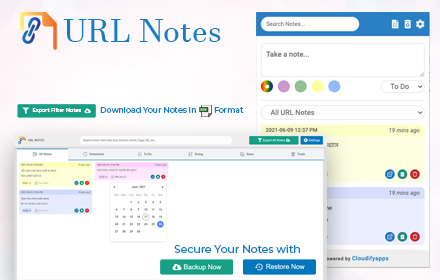
URL Notes: Best Tool to Take, Manage, and Export Notes While Browsing
Stay focused and organized with URL Notes! Effortlessly take, manage, and export notes directly from any webpage, even offline.
656
★ 4.3

Quick Note Grabber
Select text on any webpage and quickly save it as notes with categories
—
Data sourced from the Chrome Web Store · last verified Jun 6, 2026.