
Save image as WEBP
Convert any image to WEBP with one right-click. Fast, free, and private format converter.
As of June 2026, Save image as WEBP has 133 users in the Productivity category.
Usersno change0%
133
133
Ratingno change0%
—
— reviews
Reviewsno change0%
—
Version
2.7.13
Manifest V3
History
8 snapshotsTracking since Apr 30, 2026.
View as table
| Date | Users | Rating | Reviews | Version |
|---|---|---|---|---|
| Apr 30, 2026 | — | — | — | 2.7.13 |
| May 7, 2026 | — | — | — | 2.7.13 |
| May 11, 2026 | 9 | — | — | 2.7.13 |
| May 17, 2026 | 27 | — | — | 2.7.13 |
| May 23, 2026 | 53 | — | — | 2.7.13 |
| May 30, 2026 | 81 | — | — | 2.7.13 |
| Jun 5, 2026 | 95 | — | — | 2.7.13 |
| Jun 14, 2026 | 116 | — | — | 2.7.13 |
| Now | 133 | — | — | 2.7.13 |
Permissions & access
- Permissions
- contextMenusdownloads
- Host access
- <all_urls>
Screenshots

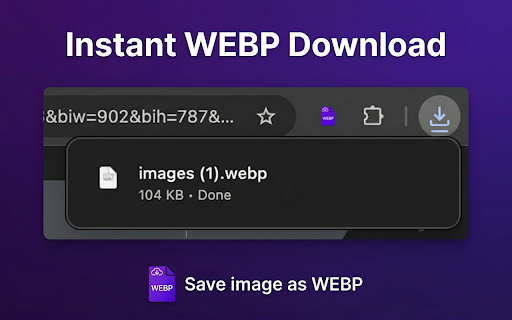

About
Save any image as WEBP in one click. Right-click on any image on any webpage, select "Save image as WEBP," and instantly download a compact, high-quality WEBP file. No extra software, no uploads, no accounts. Just fast, private, local image conversion right in your browser.

WEBP is the modern image format developed by Google — delivering smaller file sizes than JPEG and PNG while maintaining excellent visual quality. With this extension, any image you find on the web is just one right-click away from becoming an optimized WEBP file perfect for web projects, storage optimization, or everyday use.

🎯 WHAT IT DOES

Save image as WEBP adds a single, powerful option to your right-click context menu. When you find any image on the web — a photograph, an illustration, a diagram, a texture — simply right-click it and choose "Save image as WEBP." The extension instantly converts the image to WEBP format and downloads it to your default download folder. No settings, no pop-ups, no learning curve.

✨ KEY FEATURES

One-Click WEBP Conversion — Right-click any image on any webpage and save it as a WEBP file in seconds. One click, one WEBP file.

Universal Format Support — Works with every image format you'll encounter: data URLs, and more. Whatever the source format, you get clean WEBP output every time.

Excellent Compression — WEBP produces files 25-35% smaller than equivalent JPEG and significantly smaller than PNG, while preserving visual quality virtually indistinguishable from the original.

Transparency Support — WEBP supports alpha channel transparency, making it a superior alternative to PNG for transparent backgrounds — at a fraction of the file size.

100% Local Processing — Every image conversion happens entirely inside your browser. Your images are never uploaded to any server. A true offline image converter.

Zero Configuration — Install and start using immediately. No settings pages, no quality sliders. Works perfectly out of the box.

Smart Filename Extraction — The extension extracts the original filename from the image URL, so your downloaded WEBP files have meaningful names instead of random strings.

Lightweight and Fast — Minimal resource usage with no background processes when you're not actively converting.

🔄 HOW IT WORKS

1. Browse the web as you normally do.
2. Find an image you want to save as WEBP.
3. Right-click the image to open the context menu.
4. Click "Save image as WEBP."
5. The WEBP file downloads automatically to your downloads folder.

The entire process completes in seconds. No page reloads, no new tabs, no interruptions. The fastest way to download images in WEBP format from any website.

🔒 PRIVACY FIRST

Your privacy isn't a feature — it's the foundation this extension is built on.

All image conversion is performed locally within your browser. The image data never leaves your machine. No external server calls, no cloud processing, no third-party services.

Save image as WEBP does NOT collect personal data, does NOT track browsing activity, does NOT use analytics or telemetry, does NOT phone home to any server, does NOT require an account, and does NOT store your images anywhere.

Zero data collection. Zero tracking. Zero analytics. Period.

Only minimum permissions are requested: the ability to display a context menu on images and to download files. Nothing more. Image conversion the way it should be — completely private, completely local, completely under your control.

🖼️ WHY WEBP?

WEBP is the modern image format developed by Google, engineered to make the web faster:

Superior Compression — WEBP files are 25-35% smaller than comparable JPEG images and up to 26% smaller than PNG, with no visible quality loss. Faster loading, less bandwidth, more storage space.

Transparency Without the Bloat — Unlike JPEG, WEBP supports alpha transparency. Unlike PNG, WEBP achieves it at dramatically smaller file sizes — often 3-5x smaller.

Both Lossy and Lossless — Use lossy compression for photographs where tiny quality trade-offs yield massive size savings, or lossless when you need pixel-perfect accuracy. One format, maximum flexibility.

Universal Web Standard — WEBP is the de facto standard for web images, recommended by Google PageSpeed Insights and other performance tools.

Animation Support — WEBP handles animated images more efficiently than GIF, with better quality and smaller sizes.

When you convert images to WEBP, you're choosing the format that delivers the best balance of quality, file size, and compatibility for the modern web.

💼 PERFECT FOR

Web Developers — Convert and download images in WEBP format while building websites. WEBP is the recommended format for web performance optimization.

Content Creators and Bloggers — Save images in the most efficient web format for blogs, articles, and portfolios. Smaller WEBP files mean faster page loads.

Graphic Designers — Capture web images in a modern format that balances quality and file size. WEBP's transparency support makes it ideal for design assets.

SEO Professionals — Optimize visual assets for landing pages and campaigns. WEBP images are a known factor in page speed and search rankings.

Students and Researchers — Save diagrams, charts, and visual aids in a compact WEBP format that's easy to store and share.

Anyone Who Saves Images from the Web — If you've ever right-clicked "Save image as," this extension upgrades that with a modern, optimized WEBP file every time.

⚡ ADVANTAGES OVER ONLINE CONVERTERS

Online converter websites require uploading to a remote server, waiting, then downloading. Save image as WEBP eliminates all of that:

No Upload Required — Your images stay on your machine. No privacy risks from third-party servers.

No Limits — No file size restrictions, no daily quotas, no premium tiers. Convert as many images to WEBP as you want, forever.

No Waiting — WEBP conversion starts instantly. No server queues or delays.

No Account Needed — No sign-ups, no subscriptions. Install once, use forever, completely free.

No Watermarks — Clean WEBP files every time. No branding added to your images.

No Ads — A focused image converter that does one thing well. No banners, no pop-ups, no upsells.

Works Offline — The WEBP conversion engine runs in your browser. No internet needed for conversion.

Seamless Workflow — No separate websites, no uploaders. Just right-click and save as WEBP. The web image optimizer that stays out of your way.

🔷 ABOUT

Save image as WEBP is published by PYROCTAL. We build focused, privacy-respecting browser tools that do one thing exceptionally well.

We believe browser extensions should be simple, fast, and respectful of your privacy. No bloat, no data harvesting, no feature creep. Just clean, useful tools that make your browsing experience better.

If you find this extension useful, please consider leaving a rating and a short review. Your feedback helps other users discover this tool.

✅ GET STARTED NOW

Install Save image as WEBP today and start converting images to WEBP format with a single right-click. It's free, it's private, it's fast, and it works on every website.

Your images. Your browser. Your privacy. Converted to WEBP in one click.
Technical
- Version
- 2.7.13
- Manifest
- V3
- Size
- 100KiB
- Min Chrome
- 88
- Languages
- 55
- Featured
- No
Metadata
- ID
- jcfdhconimeaelhlmfpbghjjeimcpkgi
- Developer ID
- uca741986fe98ff52b6bc132d7e4f00f1
- Developer Email
- [email protected]
- Created
- Apr 29, 2026
- Last Updated (Store)
- Apr 29, 2026
- Last Scraped
- Jun 14, 2026
- Website
- —
- Support URL
- —
- Privacy Policy
- —
Data sourced from the Chrome Web Store · last verified Jun 14, 2026.