Manganum: Sidebar with Gmail and Google Calendar
One-click access to your productivity tools, even Google Calendar and Gmail.
As of June 2026, Manganum: Sidebar with Gmail and Google Calendar has 50,000 users and a 4.28/5 rating from 1,172 reviews in the Productivity category.
Usersno change0%
50.0K
50,000
Ratingdown 0.2 percent−0.2%
4.28
1.2K reviews
Reviewsup 0.1 percent+0.1%
1.2K
Version
25.6.15
Manifest V3
History
2 snapshotsTracking since Apr 21, 2026.
View as table
| Date | Users | Rating | Reviews | Version |
|---|---|---|---|---|
| Apr 21, 2026 | 50.0K | 4.29 | 1.2K | 25.6.15 |
| Jun 1, 2026 | 60.0K | 4.28 | 1.2K | 25.6.15 |
| Now | 50.0K | 4.28 | 1.2K | 25.6.15 |
Permissions & access
- Permissions
- storageunlimitedStoragetopSiteshistoryalarmsscriptingcookiescontextMenusfavicontabGroupsbookmarksdeclarativeNetRequestWithHostAccessoffscreensidePaneltabssessionsidlesearch
- Host access
- http://*/*, https://*/*
Screenshots
About
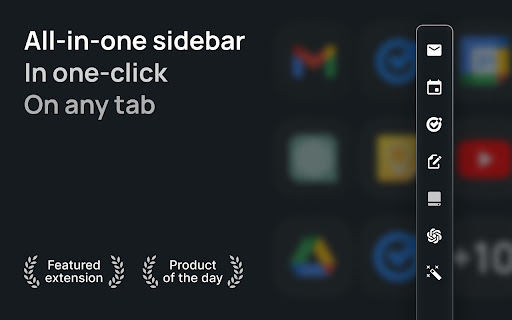
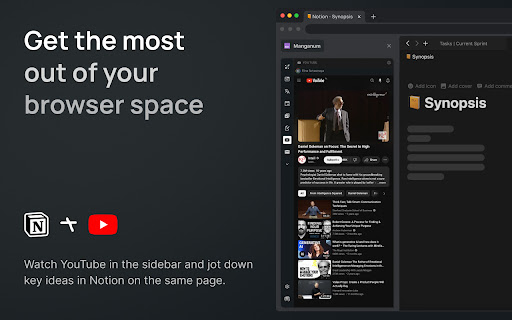
Boost your productivity with Manganum — an all-in-one sidebar for Chrome that integrates Gmail, Google Calendar, Drive, Keep, and more. Access mail, calendar, notes, tasks, and AI tools like ChatGPT with one click on any tab.

Key Features:
— Unified Sidebar: Access Gmail, Google Calendar, Drive, Keep, and more in one click, directly from the sidebar.
— Inbox App: Quick access to your Gmail inbox, allowing you to check emails without fully opening Gmail.
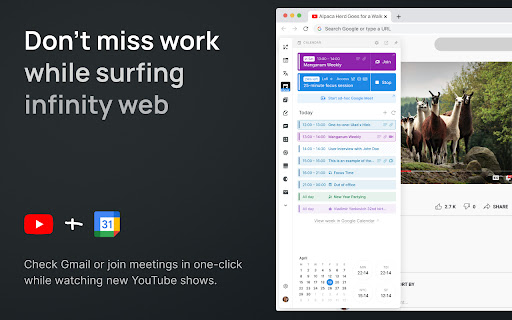
— Calendar App: View your Google Calendar schedule and receive reminders for upcoming events. Join video calls with a single click.
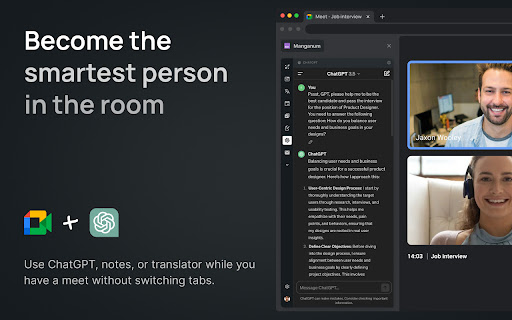
— AI Integration: Get instant access to ChatGPT and Google Bard for AI-powered assistance on any tab.
— Drive Integration: Access your Google Drive files without opening additional tabs.
— Translator: Translate text across more than 100 languages directly in your browser.
— Tasks & Notes: Manage your tasks with Google Tasks or Todoist, and jot down ideas in Google Keep or Manganum Notes.
— Customizable New Tab: Personalize your new tab page with motivational quotes, stunning backgrounds, and practical widgets.
— Sync SMS: Receive SMS from your Android phone directly in the sidebar.
— Games & Tools: Take a break with classic arcade games like Pacman and 2048, or use calculators and other tools.

Customization:
— Dark Mode: Enjoy a darker interface in Inbox, Translator, and Tasks.
— Pin Mode: Keep the sidebar always visible as you switch between tabs.
— Auto-Open: Set your favorite sidebar app to open automatically with each new tab.

Manganum simplifies your digital life by bringing all essential tools into one place. Whether you’re managing emails, scheduling meetings, or using AI, Manganum keeps everything accessible with just one click.

Maximize your efficiency and stay organized with Manganum. Install now and revolutionize your browsing experience with Gmail, Google Calendar, and other essential tools. Click ""Add to Chrome"" to get started!

Created with ❤️.
Technical
- Version
- 25.6.15
- Manifest
- V3
- Size
- 22.14MiB
- Min Chrome
- 88
- Languages
- 54
- Featured
- No
Metadata
- ID
- jbfeongihppeenfnaofmdeikahaefljd
- Developer ID
- u96b0f7ebaebca703b3a66aa79dbbf693
- Developer Email
- [email protected]
- Created
- Oct 30, 2021
- Last Updated (Store)
- Jun 17, 2025
- Last Scraped
- Jun 1, 2026
- Website
- manganum.app
- Support URL
- https://manganum.app/contacts
- Privacy Policy
- https://manganum.app/privacy
Similar extensions
Alternatives to Manganum: Sidebar with Gmail and Google Calendar, ranked by description similarity.

Chrome Tab Manager
Display a list of all open tabs
12

Sidebar for Tabs/Bookmarks
Arc-style sidebar: tabs, bookmarks & reading list + local AI (grouping, cleanup, summary, search), Workspaces. No API key.
444
★ 4.4

Google Chat Utility Belt
Adds the best LLMs links & other useful links inside Gmail header.
2

TabMagic - AI Tab Manager
Effortlessly manage tabs powered with AI summarizer
39
★ 4.7

Browser Boost – Tab Manager, Notes & Productivity Toolkit
All-in-one browser productivity toolkit with tab manager, sticky notes, clipboard history, color picker and wellness reminders.
5
★ 5.0

SIDEKICK
A sidebar with reading list and bookmark functionality.
2

SuperGoogle
Boost your productivity with a powerful sidebar for quick access to your favorite sites, AI assistants, email, maps, and more.
10
★ 5.0

Tab Manager Pro
Professional tab management with suspension, grouping, and session management. Clean, focused, and fast.
—
Data sourced from the Chrome Web Store · last verified Jun 1, 2026.