
FocusToScroll
Allows focusing on scrollable elements in the page using the keyboard
As of June 2026, FocusToScroll has 6 users and a 5.00/5 rating from 1 reviews in the Accessibility category.
Usersup 20.0 percent+20.0%
6
6
Ratingno change0%
5.00
1 reviews
Reviewsno change0%
1
Version
1.0
Manifest V3
History
2 snapshotsTracking since May 3, 2026.
View as table
| Date | Users | Rating | Reviews | Version |
|---|---|---|---|---|
| May 3, 2026 | 5 | 5.00 | 1 | 1.0 |
| Jun 2, 2026 | 4 | 5.00 | 1 | 1.0 |
| Now | 6 | 5.00 | 1 | 1.0 |
Permissions & access
- Permissions
- None declared
- Host access
- None declared
Screenshots
About
I like to use the keyboard and avoid touching the mouse whenever possible. One challenging situation is when I'm on a web page that has multiple scrollable elements, like my Facebook feed. When I press up or down in that situation, Chrome scrolls the entire page rather than the specific element I want to scroll. I can scroll that element by hovering over it with the mouse and using the scrollwheel, but I would like to avoid touching the mouse.

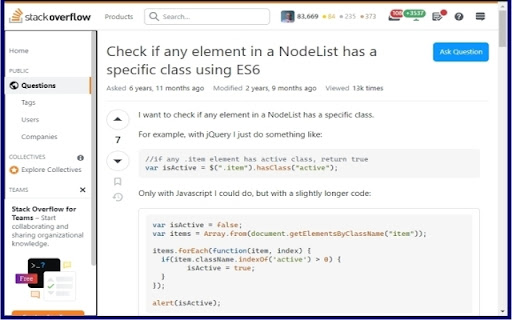
The FocusToScroll extension allows focusing on scrollable elements in the page using the keyboard. Use Ctrl-Alt-S to cycle through scrollable elements. Then press the up and down arrows to scroll (or right and left if you caught a rare horizontal scrolling element.)
Technical
- Version
- 1.0
- Manifest
- V3
- Size
- 68.82KiB
- Min Chrome
- 88
- Languages
- 1
- Featured
- Yes
Metadata
- ID
- jbcpolobfciagbjpodgfpgnifdmcbhgg
- Developer ID
- ub0bdbbfac7700e79dcdc7b7e0f00d415
- Developer Email
- [email protected]
- Created
- Jul 31, 2023
- Last Updated (Store)
- Aug 26, 2023
- Last Scraped
- Jun 2, 2026
- Website
- —
- Support URL
- —
- Privacy Policy
- —
Similar extensions
Alternatives to FocusToScroll, ranked by description similarity.

Foot Scroll
Take control of your web experience with foot-operated scrolling buttons.
—

GDS - Grab Drag Scroller
Grab Page, Drag to Scroll
29

CleanScroll
PageUp/PageDownでスムーズにスクロール。速度はpopupで自由に設定可能!
—

Auto Scroll
Windows-style autoscroll for Chrome/Brave - middle-click to scroll with customizable speed, colors, and controls
91

Reverse AutoScroll
Middle-click autoscroll with reversed direction on regular web pages.
25
★ 5.0

Auto Scroll Extension
Automatically scroll webpages smoothly with one click.
5

Auto Scroll: Effortless Page Navigation Chrome Extension
Enhance browsing by automating page scrolling. Customizable speeds & loop options. Streamline content consumption effortlessly.
10.0K
★ 3.2

Gridhopper
Keyboard spatial navigation overlay: select a 3x3 region, then pick a target. Preserves native Tab flow.
5
★ 5.0
Data sourced from the Chrome Web Store · last verified Jun 2, 2026.