
ClippedNote
Save bookmarks to ClippedNote with one click. Add tags, organize into collections, and find anything instantly.
As of June 2026, ClippedNote has 2 users in the Productivity category.
Usersdown 33.3 percent−33.3%
2
2
Ratingno change0%
—
— reviews
Reviewsno change0%
—
Version
1.0.1
Manifest V3
History
5 snapshotsTracking since Apr 24, 2026.
View as table
| Date | Users | Rating | Reviews | Version |
|---|---|---|---|---|
| Apr 24, 2026 | 3 | — | — | 1.0.1 |
| May 1, 2026 | 2 | — | — | 1.0.1 |
| May 18, 2026 | 3 | — | — | 1.0.1 |
| May 31, 2026 | 2 | — | — | 1.0.1 |
| Jun 6, 2026 | 3 | — | — | 1.0.1 |
| Now | 2 | — | — | 1.0.1 |
Permissions & access
- Permissions
- storageactiveTab
- Host access
- https://clippednote.com/*
Screenshots


About
Description:
ClippedNote is the fastest way to save and organize your bookmarks.

Features:
- One-click bookmark saving
- Automatic metadata extraction (title, description, favicon)
- Add and manage tags
- Organize into collections
- Keyboard shortcut: Ctrl+Shift+B (Cmd+Shift+B on Mac)
- Works on Firefox for Android

How to Use:
1. Create a free account at clippednote.com
2. Go to Settings → Integrations → API Keys
3. Create and copy your API key
4. Click extension icon → Settings → Paste key → Save
5. Start saving bookmarks!

Permissions Explained:
- Storage: Saves your API key locally
- Active Tab: Reads current page URL/title when saving

We respect your privacy - no browsing data is collected.
Technical
- Version
- 1.0.1
- Manifest
- V3
- Size
- 40.96KiB
- Min Chrome
- 88
- Languages
- 1
- Featured
- No
Metadata
- ID
- jalkamkaeieamlnpabnkffbmhcgibagk
- Developer ID
- u032ad2eaf18d57bcb6b80d0d27d93a5e
- Developer Email
- [email protected]
- Created
- Mar 9, 2026
- Last Updated (Store)
- Mar 9, 2026
- Last Scraped
- Jun 6, 2026
- Website
- clippednote.com
- Support URL
- —
- Privacy Policy
- https://clippednote.com/privacy
Similar extensions
Alternatives to ClippedNote, ranked by description similarity.

SmartBookmark Plus
Save, organize & access your favorite pages instantly with password-protected collections
6
★ 5.0

SaveMyBookmarks
Save anything online with one click — pages, images, documents, and emails. Organize it all and access it anywhere.
6
★ 5.0

Nookmark - Local Bookmark Manager
Privacy-first bookmark manager with tags, full-text search, and dark mode. All data stored locally in your browser.
12

Marked - Save Bookmarks
Save bookmarks to Marked with one click from any webpage
4

Clario
Save and organize bookmarks from any tab with a floating button and quick popup
2
★ 5.0
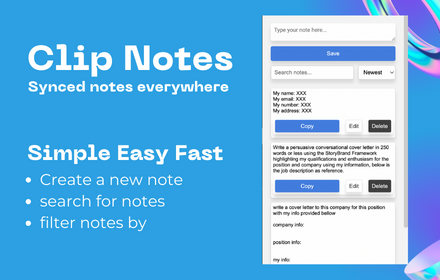
Clip Note
a quick simple in browser productivity notepad, for saving time with repetitive tasks.
129

Tag Bookmark Manager
Tag and organize bookmarks using native Chrome storage — no cloud, no account. Combine folders + tags for powerful search.
30

Clipin
Save bookmarks to your Clipin account with one click. Organize and manage your saved links with AI-powered tagging.
—
Data sourced from the Chrome Web Store · last verified Jun 6, 2026.