
Click-free Browsing
Enables browsing using only mouse movements
As of June 2026, Click-free Browsing has 1,000 users and a 3.43/5 rating from 37 reviews in the Accessibility category.
Usersno change0%
1.0K
1,000
Ratingno change0%
3.43
37 reviews
Reviewsno change0%
37
Version
2.6
Manifest V3
History
2 snapshotsTracking since Apr 23, 2026.
View as table
| Date | Users | Rating | Reviews | Version |
|---|---|---|---|---|
| Apr 23, 2026 | 1.0K | 3.43 | 37 | 2.6 |
| May 13, 2026 | 2.0K | 3.43 | 37 | 2.6 |
| Now | 1.0K | 3.43 | 37 | 2.6 |
Permissions & access
- Permissions
- tabsstorage
- Host access
- None declared
Screenshots
About
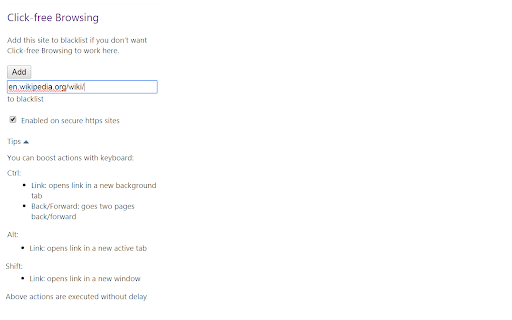
Use mouse effortlessly: Follow links without clicking them and scroll pages without using a wheel. Just place mouse over appearing link or scroll icon, and the thing happens. Browsing the web doesn't have to be as physical an exercise as what you are used to.

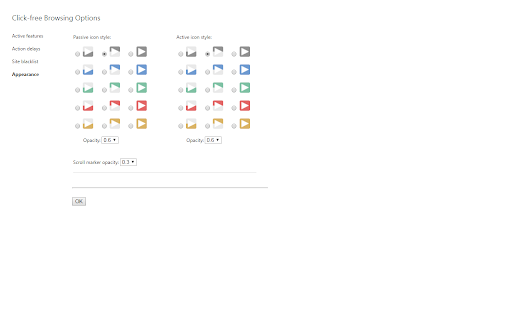
Click-free Browsing adds fixed navigation icons to the right side of a page. By hovering mouse over an icon you can easily scroll the page, or go backward or forward in page history. Following a link, in turn, equals to hovering mouse over an icon next to a link, and the link will be clicked for you. Switching between tabs can also happen click-free.
Technical
- Version
- 2.6
- Manifest
- V3
- Size
- 130KiB
- Min Chrome
- 88
- Languages
- 1
- Featured
- Yes
Metadata
- ID
- ipfpfhnlkoddglhimhdbboidjcfjlkji
- Developer ID
- u7f00f51561135e760151bbea184a4526
- Developer Email
- [email protected]
- Created
- Apr 13, 2012
- Last Updated (Store)
- May 16, 2024
- Last Scraped
- Jun 8, 2026
- Website
- —
- Support URL
- —
- Privacy Policy
- https://sites.google.com/view/cfbprivacypolicy
Similar extensions
Alternatives to Click-free Browsing, ranked by description similarity.

GDS - Grab Drag Scroller
Grab Page, Drag to Scroll
29

DragGlide
Scroll pages by clicking and dragging anywhere - smooth, intuitive navigation by AIO.com.ai
—

Auto Scroll Extension
Automatically scroll webpages smoothly with one click.
5

Void Mouse — Webcam Hands Pointer
Control the browser using hand gestures via webcam (pinch click, finger pointer, scroll).
5
★ 5.0

eyechrome
Navigate websites with your eyes!
5

Mouse Gesture Events
Control your browser faster and easier with gestures using mouse movement.
100.0K
★ 4.0

SpotLink
Lightning-fast link navigation with keyboard. Search any page's links and open them instantly without touching your mouse.
6
★ 5.0

WHEELY: Wheel scroll for Linux
Add ability for Linux to scroll pages by pressing mouse wheel.
227
★ 4.0
Data sourced from the Chrome Web Store · last verified Jun 8, 2026.