
MusicTab
Local MP3 player with iTunes metadata integration. Open a tab to play your music with album covers and artist info.
As of June 2026, MusicTab has 83 users and a 4.50/5 rating from 2 reviews in the Entertainment category.
Usersup 40.7 percent+40.7%
83
83
Ratingno change0%
4.50
2 reviews
Reviewsno change0%
2
Version
1.0
Manifest V3
History
5 snapshotsTracking since Apr 18, 2026.
View as table
| Date | Users | Rating | Reviews | Version |
|---|---|---|---|---|
| Apr 18, 2026 | 59 | 4.50 | 2 | 1.0 |
| Apr 27, 2026 | 54 | 4.50 | 2 | 1.0 |
| May 14, 2026 | 69 | 4.50 | 2 | 1.0 |
| May 27, 2026 | 73 | 4.50 | 2 | 1.0 |
| Jun 8, 2026 | 76 | 4.50 | 2 | 1.0 |
| Now | 83 | 4.50 | 2 | 1.0 |
Permissions & access
- Permissions
- storagetabs
- Host access
- https://itunes.apple.com/*, https://en.wikipedia.org/*, https://*.wikipedia.org/*
Screenshots


About
MusicTab - Your Personal MP3 Player in Every Browser Tab

Transform your Chrome browser into a powerful local music player. Play your MP3 files directly from your computer with a beautiful, modern interface featuring album artwork and artist information.

🎵 KEY FEATURES

• Local MP3 Playback - Play MP3 files directly from your device with full ID3 tag support
• Folder Support - Load entire music folders with one click
• iTunes Metadata Integration - Automatically fetch album covers and track information
• Artist Information - Get artist photos and details from Wikipedia
• Beautiful Themes - Choose from iOS, Windows 11, Neumorphism, and many more professional designs
• Audio Visualizer - Watch your music come to life with stunning visual effects
• Ambiance Mode - Dynamic background effects that sync with your music
• Keyboard Shortcuts - Control playback with Space (play/pause), ← (previous), → (next)
• Responsive Design - Beautiful interface that adapts to your screen

🎧 HOW IT WORKS

1. Click the MusicTab icon in your toolbar
2. Select a folder or individual MP3 files from your computer
3. Enjoy your music with automatic metadata and artwork
4. Explore different themes and visual effects

🔒 PRIVACY FIRST

• All files are processed locally on your device
• No file uploads - your music stays on your computer
• Metadata requests only fetch public information from iTunes API and Wikipedia
• No tracking, no ads, no data collection
• Your privacy is our priority

🎨 PERFECT FOR

• Music lovers who prefer local files over streaming
• Users with large MP3 collections
• Anyone who wants a clean, distraction-free music player
• People looking for an alternative to cloud-based players
• Offline music listening

📌 TECHNICAL DETAILS

• Supports: MP3 files with ID3 tag reading
• Fetches metadata from iTunes API and Wikipedia
• Multiple professional themes included
• Lightweight and fast performance
• Works completely offline (except for metadata fetching)
• No account required

🎨 THEMES INCLUDED

• iOS White - Modern Apple-inspired design
• Windows 11 - Microsoft's fluent design
• Neumorphism - Soft, modern aesthetic
• macOS Dark - Sleek dark mode
• And many more customizable themes!

⌨️ KEYBOARD SHORTCUTS

• Space - Play/Pause
• Left Arrow (←) - Previous track
• Right Arrow (→) - Next track

Start enjoying your local music collection today with MusicTab - the perfect blend of beautiful design and powerful functionality!
Technical
- Version
- 1.0
- Manifest
- V3
- Size
- 62.16KiB
- Min Chrome
- 88
- Languages
- 1
- Featured
- No
Metadata
- ID
- ipehmpfehkipflmibdipocmdndmllcpj
- Developer ID
- ub78337e35f1d1f1f004fc86a44afb15c
- Developer Email
- [email protected]
- Created
- Nov 10, 2025
- Last Updated (Store)
- Nov 10, 2025
- Last Scraped
- Jun 8, 2026
- Website
- —
- Support URL
- —
Similar extensions
Alternatives to MusicTab, ranked by description similarity.

TuneTab
Premium music player with 25+ curated radio stations and professional equalizer
2
★ 5.0

Mi Music
Simple music player - Music app
172
★ 1.0

SongFinder - Music Recognition & Audio Tools
Identify songs playing in your browser and enhance audio with AI-powered tools
2.0K
★ 4.9
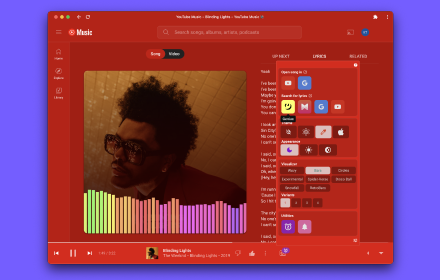
ThemeSong for YouTube Music™ (Enhancer)
Enhancer for YouTube Music™. Dynamic Themes, Visualizers, Side Panel Mini Player, Lyrics, Sleep Timer, Notifications, and more!
40.0K
★ 4.9

Music Non Stop
A generative music engine that plays new music indefinitely with a single click. Optional web preset controls available.
107
★ 5.0

FAFO Local Media 2.9
Ultimate New Tab Media Center. Features: Playlist Manager, Theme Engine, Advanced VFX, Cinema Mode.
6

QuickTune
All your favorite music and streaming apps, just one click away. QuickTune makes listening easier, faster, and smarter.
3
★ 5.0

Spotify on Chrome: A mini Spotify player
Mini Spotify player with global keyboard shortcuts. Stream, browse library, repeat or shuffle, manage queue — all from your browser.
1.0K
★ 3.9
Data sourced from the Chrome Web Store · last verified Jun 8, 2026.