
StylePeekr
A powerful CSS inspection and color analysis tool for web developers
As of June 2026, StylePeekr has 17 users and a 5.00/5 rating from 1 reviews in the Developer Tools category.
Usersdown 19.0 percent−19.0%
17
17
Ratingno change0%
5.00
1 reviews
Reviewsno change0%
1
Version
1.2.0
Manifest V3
History
8 snapshotsTracking since Apr 1, 2026.
View as table
| Date | Users | Rating | Reviews | Version |
|---|---|---|---|---|
| Apr 1, 2026 | 21 | 5.00 | 1 | 1.2.0 |
| Apr 17, 2026 | 23 | 5.00 | 1 | 1.2.0 |
| Apr 24, 2026 | 19 | 5.00 | 1 | 1.2.0 |
| May 8, 2026 | 20 | 5.00 | 1 | 1.2.0 |
| May 12, 2026 | 18 | 5.00 | 1 | 1.2.0 |
| May 18, 2026 | 16 | 5.00 | 1 | 1.2.0 |
| May 24, 2026 | 18 | 5.00 | 1 | 1.2.0 |
| May 31, 2026 | 19 | 5.00 | 1 | 1.2.0 |
| Now | 17 | 5.00 | 1 | 1.2.0 |
Permissions & access
- Permissions
- activeTabscriptingtabs
- Host access
- <all_urls>
Screenshots


About
StylePeekr is a powerful Chrome extension that gives web designers and developers instant access to any website's CSS styles, color schemes, and media assets. Streamline your workflow and boost your productivity with this all-in-one design inspection tool.

With StylePeekr, you can analyze designs, extract color palettes, and download assets from any webpage with just a few clicks - all within a clean, unobtrusive interface that won't interfere with your browsing experience.

Key Features:
• Element Inspector: Easily hover over and select any element to view its complete CSS styles, computed properties, and interactive box model visualization
• Color Palette Extraction: Automatically identify and extract all colors used on a webpage, complete with HEX, RGB, and HSL values, grouped by similarity
• Asset Viewer: Discover and download images, icons, and fonts used on any website with one click
• Individual Asset Downloads: Click any asset to download it instantly, or use the "Download All" feature to save everything in a ZIP archive
• Style Isolation: Our UI is completely isolated from webpage styles, ensuring consistent functionality across all sites
• Computed Styles Analysis: View detailed breakdowns of all applied CSS properties and their computed values
• Developer-Friendly: Perfect tool for web designers, front-end developers, and UI/UX professionals
Technical
- Version
- 1.2.0
- Manifest
- V3
- Size
- 77.35KiB
- Min Chrome
- 88
- Languages
- 1
- Featured
- No
Metadata
- ID
- ipecjgfbomnnfndnjdfakplcbamobacg
- Developer ID
- u725f00f537c8ac29f97ab9c72efa333e
- Developer Email
- [email protected]
- Created
- Apr 2, 2025
- Last Updated (Store)
- Mar 13, 2026
- Last Scraped
- Jun 6, 2026
- Website
- —
- Privacy Policy
- https://lance267.github.io/stylepeekr-privacy-policy/
Similar extensions
Alternatives to StylePeekr, ranked by description similarity.

StyleSniffer
A Chrome extension to extract font families and colors used in the current website.
41
★ 5.0

Web Style Analyzer
Extract the Style, Enhance Your Design!
66

Style Inspector Pro
A powerful Chrome extension for inspecting and extracting styles from web pages with advanced color and font analysis
88
★ 5.0
CSS Peeper
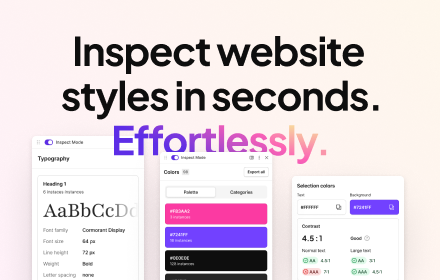
Inspect website styles in seconds. Supercharge your workflow, and save hours of work.
500.0K
★ 4.1

CSS Peek: Element Inspector
Instantly inspect elements and explore CSS properties, XPath, and more. Easily export assets, color palettes, and typography.
367
★ 5.0

CSS Analyzer AI
Revolutionary CSS analyzer with AI-powered: CSS Analyzer, Spaces Agent, Assets Extract, X Color AI, Hover elements & Capture
59

by Crawford Squarespace Code Inspector
A tool that acts as a code inspector, displaying real-time CSS properties.
30

Skipeon Element Inspector
Inspect elements on a webpage and display relevant info including: Tag Name, Color, Background Color, Font Size, Font Type...
19
Data sourced from the Chrome Web Store · last verified Jun 6, 2026.