
Bubuku Dev for WordPress
Development tools for WordPress: color palette, typography and more
As of June 2026, Bubuku Dev for WordPress has 8 users and a 5.00/5 rating from 2 reviews in the Developer Tools category.
Usersdown 20.0 percent−20.0%
8
8
Ratingno change0%
5.00
2 reviews
Reviewsno change0%
2
Version
2.1
Manifest V3
History
3 snapshotsTracking since Apr 18, 2026.
View as table
| Date | Users | Rating | Reviews | Version |
|---|---|---|---|---|
| Apr 18, 2026 | 10 | 5.00 | 2 | 2.1 |
| Apr 27, 2026 | 10 | 5.00 | 2 | 2.1 |
| May 14, 2026 | 10 | 5.00 | 2 | 2.1 |
| Now | 8 | 5.00 | 2 | 2.1 |
Permissions & access
- Permissions
- activeTabscripting
- Host access
- None declared
Screenshots


About
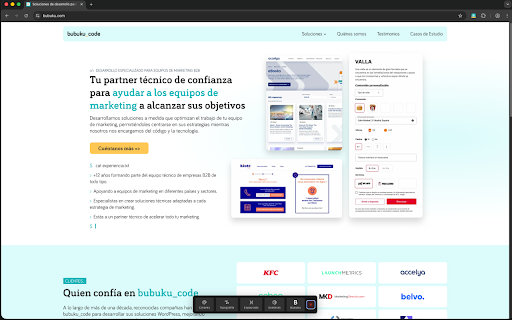
Bubuku Dev for WordPress is a Chrome extension that provides quick access to key information from a WordPress theme directly in your browser.

It allows you to easily inspect design values defined in the theme.json file, such as color palettes, typography, spacing, shadows, and other theme tokens, without digging into the code.

While it is designed with developers in mind, it is also very useful for designers and WordPress users who want to better understand how a theme is structured and work more efficiently.

Its goal is to save time, centralize theme information, and improve the workflow when developing or designing WordPress projects.

Note: This Chrome extension only works with WordPress FSE themes, as the information is extracted directly from the theme.json file.
Technical
- Version
- 2.1
- Manifest
- V3
- Size
- 34.7KiB
- Min Chrome
- 88
- Languages
- 2
- Featured
- No
Metadata
- ID
- ipdpfclidkhdkkpeignhegldgobhpdjb
- Developer ID
- u52b536b8b0653be5edc4d003d98358a5
- Developer Email
- [email protected]
- Created
- Dec 18, 2025
- Last Updated (Store)
- Dec 18, 2025
- Last Scraped
- Jun 2, 2026
- Website
- bubuku.com
- Support URL
- https://www.bubuku.com/contacto/
- Privacy Policy
- https://www.bubuku.com/politica-proteccion-datos/
Similar extensions
Alternatives to Bubuku Dev for WordPress, ranked by description similarity.

Themealyzer
WordPress theme detector extension. Instantly identify which WordPress theme a website is using
3

Web Style Analyzer
Extract the Style, Enhance Your Design!
66

by Crawford Squarespace Code Inspector
A tool that acts as a code inspector, displaying real-time CSS properties.
30

WhatWPTheme - WordPress Detector
Analyze the current WordPress website to detect its theme and active plugins. Only works when you click the extension button.
88
★ 5.0

WordPress Theme Inspector
Exibe o nome da pasta do tema WordPress.
10
★ 5.0

WordPress Theme & Plugin Detector | WPThemeDetector
WPThemeDetector can detect installed/active WordPress Themes and WordPress Plugins list on the website you are currently viewing.
115

WP Detector
Detect WordPress sites, active themes, and installed plugins with a single click
71

WordPress Admin Bar Toggle
Toggle the WordPress admin bar visibility with a single click!
122
★ 5.0
Data sourced from the Chrome Web Store · last verified Jun 2, 2026.