
Image Pin
Chrome Extension to place a sticky image in an active tab
As of June 2026, Image Pin has 209 users and a 2.00/5 rating from 4 reviews in the Workflow & Planning category.
Usersup 7.2 percent+7.2%
209
209
Ratingdown 14.2 percent−14.2%
2.00
4 reviews
Reviewsup 33.3 percent+33.3%
4
Version
1.0
Manifest V3
History
3 snapshotsTracking since Apr 23, 2026.
View as table
| Date | Users | Rating | Reviews | Version |
|---|---|---|---|---|
| Apr 23, 2026 | 195 | 2.33 | 3 | 1.0 |
| May 13, 2026 | 202 | 2.33 | 3 | 1.0 |
| Jun 8, 2026 | 205 | 2.00 | 4 | 1.0 |
| Now | 209 | 2.00 | 4 | 1.0 |
Permissions & access
- Permissions
- storage
- Host access
- None declared
Screenshots
About
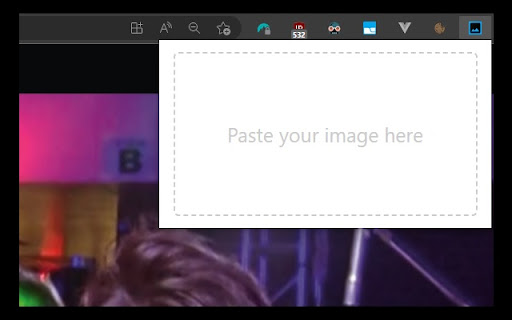
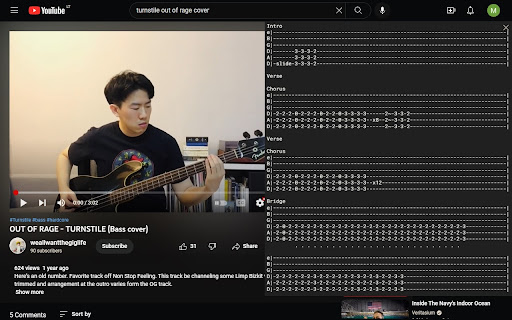
Image Pin allows you to place images over the website you're currently browsing. You can drag, resize and clear the image.

How to use:
- make a screenshot using in-build application in your Operating System or copy and image
- click on Image Pin browser extension icon
- paste your image (Ctrl + V on Windows, Command + V on Mac)

Feature set is currently limited, contact me if you find this useful and would like to see more features. Cheers!
Technical
- Version
- 1.0
- Manifest
- V3
- Size
- 53.82KiB
- Min Chrome
- 88
- Languages
- 1
- Featured
- Yes
Metadata
- ID
- iopfomafdcjjcnoemjbdfckcmlfnbnlo
- Developer ID
- u8403d676dcebd137665c75a1eaf39c67
- Developer Email
- [email protected]
- Created
- Dec 8, 2022
- Last Updated (Store)
- Dec 11, 2022
- Last Scraped
- Jun 8, 2026
- Website
- —
- Support URL
- —
- Privacy Policy
- —
Similar extensions
Alternatives to Image Pin, ranked by description similarity.

Pinny - Pin & Save Web Locations
Effortlessly save and revisit web page locations
21
★ 4.0

Pins - Once pin, never lost
Pins will help you take notes on the fly and easily manage them. This extension helps to pin and use notes from any web page. Just…
45
★ 5.0

Pin (by Anymode)
Shift+Click and grab anything from the web. Bid farewell to haunting tabs in your browser.
3

WebPins - Pin thoughts to the internet
Drop small, map-style pins on any webpage to attach personal notes exactly where your attention was.
5

Easy Capture Tool
Save images from around the web to Invent Value
21
★ 5.0

Snap Marker
Mark, capture, download!
37
★ 5.0

Pinchat — Save & Jump to Any Chat Instantly
Pinchat lets you pin any chat or on-page element and instantly jump back to it — no more endless scrolling.
10

Save to Pinlink
One-click save to pinlink.eu
2
★ 5.0
Data sourced from the Chrome Web Store · last verified Jun 8, 2026.