
DaGrooveCync
Groove with your friends: sync up watching or listening to the same stuff on YouTube, Twitch, MixCloud, and SoundCloud.
As of June 2026, DaGrooveCync has 20 users in the Social & Communication category.
Usersup 11.1 percent+11.1%
20
20
Ratingno change0%
—
— reviews
Reviewsno change0%
—
Version
1.0.1
Manifest V3
History
3 snapshotsTracking since Apr 23, 2026.
View as table
| Date | Users | Rating | Reviews | Version |
|---|---|---|---|---|
| Apr 23, 2026 | 18 | — | — | 1.0.1 |
| May 12, 2026 | 19 | — | — | 1.0.1 |
| Jun 7, 2026 | 15 | — | — | 1.0.1 |
| Now | 20 | — | — | 1.0.1 |
Permissions & access
- Permissions
- scriptingclipboardWritedeclarativeContent
- Host access
- https://*.youtube.com/watch*, https://music.youtube.com/*, https://*.twitch.tv/videos*, https://*.soundcloud.com/*, https://*.mixcloud.com/*
Screenshots
About
Ever want to listen to a mix on the internet with a friend, and keep having to do things like "OK, hit play in 5
4
3" or "What timestamp are you at?"?

Then this plugin is for you!

For YouTube, Twitch, MixCloud, and SoundCloud, a button will show up in the URL bar, which will create a URL and put it in your clipboard. You can then paste this URL to your friend and they will get redirected in such a way that they will sync up with you. Well, give or take a second or two, depending on how long the page takes for them to load.

Note: make sure your clock is synced! If your clock is off, it will affect how well your friends will sync up.
Note 2: Currently MixCloud isn't quite working yet, because they don't support having a timestamp in the URL, but I hope to fix that by serving a page with a widget in the near future.

How it works: when you hit the button, the URL of the currently playing video/audio is extracted, along with the current timestamp. The plugin then calculates a "zero" time by subtracting the current timestamp from the current time according to your clock. That zero time and the URL are encoded into the URL you can share. When someone clicks on the URL, the server will subtract the zero time from the current time, and append to the URL the difference so that the music will start playing at that offset.

# Installing

## From browser marketplaces

### Firefox
https://addons.mozilla.org/firefox/addon/dagroovecync/

### Chrome
https://chrome.google.com/webstore/detail/dagroovecync/inkjphjnkcigofagibfjfnhilnklgemj

## Manually

### Firefox
Download the latest XPI from https://github.com/docwilco/dagroovecync/releases, then go to `about:debugging`, click This Firefox and add as a temporary plugin.

### Chrome
Downloud the latest source from https://github.com/docwilco/dagroovecync/releases, unpack and use "load unpacked" under "manage extensions".

# Building

Throw everything under `extension` into zip file and change the extension from `zip` to `xpi`.

# Credits

Thanks Martijn Bogaard for the icons, motivation and ideas!

# Changelog

## 1.0.1-chrome 2024-02-07

* Adjust things to make Chrome happy
* Fix MixCloud support for real this time

## 1.0.0 2024-01-07

* Update Browser Extension Polyfill
* Update Manifest to V3

## 0.1.12 - 2024-12-05

* Fix MixCloud support
Technical
- Version
- 1.0.1
- Manifest
- V3
- Size
- 320KiB
- Min Chrome
- 88
- Languages
- 1
- Featured
- No
Metadata
- ID
- inkjphjnkcigofagibfjfnhilnklgemj
- Developer ID
- ue65a2fe47ae418ab4ca4a30a25c9c896
- Developer Email
- [email protected]
- Created
- Feb 11, 2021
- Last Updated (Store)
- Feb 8, 2024
- Last Scraped
- Jun 7, 2026
- Website
- —
- Privacy Policy
- https://dgc.drwil.co/privacy
Similar extensions
Alternatives to DaGrooveCync, ranked by description similarity.

NowStreaming - Twitch
Manage your favorite Twitch streamers, get instant notifications when they come online, and much more!
6.0K
★ 4.5

Twitch Live
Twitch TV extension for displaying a user's favorite channels which are currently live.
10.0K
★ 4.3

Twitch Radio Mode
Enables radio mode in Chrome web browser
10.0K
★ 4.0

Creator Dashboard
A customizable dashboard and analysis tools for YouTubers.
791
★ 4.2

YouTube Synchronizer
Extension for YouTube synchronization between different devices in realtime.
842
★ 4.6

Fixvx URL Modifier
Modifies Twitter(X) URLs to start with 'fixv' and copies the modified URL. Allows for easier sharing.
1.0K
★ 5.0
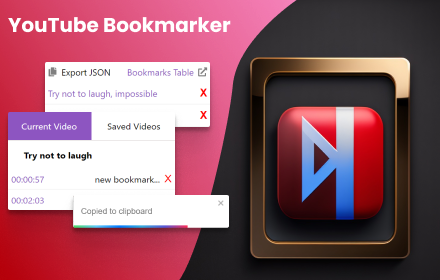
Youtube Bookmarker
A bookmark extension for your videos
1.0K
★ 4.7

Nerimity RPC
Share your playing Spotify music or YouTube video details with users on Nerimity!
270
★ 5.0
Data sourced from the Chrome Web Store · last verified Jun 7, 2026.