
Lurkbait Reminder
Never forget to !fish again in Twitch chat
As of June 2026, Lurkbait Reminder has 5 users in the fun category.
Usersup 66.7 percent+66.7%
5
5
Ratingno change0%
—
— reviews
Reviewsno change0%
—
Version
1.1.3
Manifest V3
90-day change · In the last 90 days this extension 1 version update, changed permissions.
History
9 snapshotsTracking since Apr 17, 2026.
View as table
| Date | Users | Rating | Reviews | Version |
|---|---|---|---|---|
| Apr 17, 2026 | 3 | — | — | 1.1.2 |
| Apr 23, 2026 | 4 | — | — | 1.1.2 |
| Apr 28, 2026 | 2 | — | — | 1.1.2 |
| May 5, 2026 | 3 | — | — | 1.1.2 |
| May 11, 2026 | 4 | — | — | 1.1.2 |
| May 16, 2026 | 5 | — | — | 1.1.2 |
| May 22, 2026 | 4 | — | — | 1.1.2 |
| Jun 1, 2026 | 5 | — | — | 1.1.2 |
| Jun 9, 2026 | 4 | — | — | 1.1.2 |
| Now | 5 | — | — | 1.1.3 |
Changelog
- Jun 9, 2026description
Never forget to !fish again in Twitch chat Lurkbait with a cooldown timer and one-click fishing!

When you're watching a whitelisted Twitch stream, a small widget appears near the chat. Click it to automatically send "!fish" to chat, then watch the countdown timer until you can fish again. (You don't want to be spamming chat, do you???)

FEATURES
• One-click fishing - Sends !fish to Twitch chat instantly
• Cooldown timer - Visual countdown so you know when to fish again
• Adjustable timer - Set your cooldown from 1 to 10 minutes
• Per-channel timers - Each channel tracks its own timer separately
• Easy whitelist - Add any Twitch channel with one click
• Persistent state - Timer survives page refreshes and browser restarts
• Smart positioning - Widget automatically positions above the chat input

HOW TO USE
1. Click the extension icon and add a Twitch channel to your whitelist
2. Visit that channel's stream
3. Click the fishing widget when it appears
4. Wait for the timer, then fish again!

PRIVACY
This extension does not collect, store, or transmit any personal data.

Built for the Twitch Lurkbait fishing community. Happy fishing!

Fish icons created by Freepik - Flaticon
Never forget to !fish again in Twitch chat Lurkbait with a cooldown timer and one-click fishing!

When you're watching a whitelisted Twitch stream, a small widget appears near the chat. Click it to automatically send "!fish" to chat, then let it remind you when you can fish again - either by waiting until the streamer @mentions you back (reply mode, the default), or with a countdown timer. (You don't want to be spamming chat, do you???)

FEATURES
• One-click fishing - Sends !fish to Twitch chat instantly
• Reply mode (default) - Get reminded the moment the streamer @mentions you in chat (spinning indicator while it waits)
• Cooldown timer - Prefer a timer? A visual countdown tells you when to fish again
• Adjustable timer - Set your cooldown from 1 to 10 minutes
• Sound alerts - Optional beep when it's time to fish again; pick a built-in sound or upload your own, with volume and a test button
• Command suffix - Append your own text after !fish (a space is added automatically)
• Per-channel timers - Each channel tracks its own timer separately
• Easy whitelist - Add any Twitch channel with one click
• Persistent state - Timer survives page refreshes and browser restarts
• Smart positioning - Widget automatically positions above the chat input
• Collapsible widget - Minimize it to a small fish/timer button to keep chat clear
• Live-only - Only shows when the stream is live; hides on VODs and when offline
• Global on/off - A master switch to enable or disable the extension anytime

HOW TO USE
1. Open the extension and go to the Channels settings
2. Add the Twitch channel you watch - click "Add Current Tab URL" while on the channel or its chat page, or paste a URL pattern. The widget only appears on channels you've added.
3. When visiting that channel's stream (or chat), click the fishing widget when it appears
4. Wait for the streamer to @ you (or for the countdown in Timer mode), then fish again!

PRIVACY
This extension does not collect, store, or transmit any personal data.

Built for the Twitch Lurkbait fishing community. Happy fishing!

Fish icons created by Freepik - Flaticon


=== What's new in 1.1.3 ===
- Reply Mode (new default): waits until the streamer @mentions you in chat, instead of a fixed timer
- Sound alerts: pick a built-in sound or upload your own, with a volume slider and a test button
- Command suffix: add your own text after !fish
- Redesigned settings: tidy collapsible sections, plus a full settings page
- Fixes and polish: including a fix that could stop fishing from working
- Jun 9, 2026permissions
storage, tabs, alarms
storage, activeTab, alarms
Permissions & access
- Permissions
- storageactiveTabalarms
- Host access
- *://*.twitch.tv/*
Screenshots

About
Never forget to !fish again in Twitch chat Lurkbait with a cooldown timer and one-click fishing!

When you're watching a whitelisted Twitch stream, a small widget appears near the chat. Click it to automatically send "!fish" to chat, then let it remind you when you can fish again - either by waiting until the streamer @mentions you back (reply mode, the default), or with a countdown timer. (You don't want to be spamming chat, do you???)

FEATURES
• One-click fishing - Sends !fish to Twitch chat instantly
• Reply mode (default) - Get reminded the moment the streamer @mentions you in chat (spinning indicator while it waits)
• Cooldown timer - Prefer a timer? A visual countdown tells you when to fish again
• Adjustable timer - Set your cooldown from 1 to 10 minutes
• Sound alerts - Optional beep when it's time to fish again; pick a built-in sound or upload your own, with volume and a test button
• Command suffix - Append your own text after !fish (a space is added automatically)
• Per-channel timers - Each channel tracks its own timer separately
• Easy whitelist - Add any Twitch channel with one click
• Persistent state - Timer survives page refreshes and browser restarts
• Smart positioning - Widget automatically positions above the chat input
• Collapsible widget - Minimize it to a small fish/timer button to keep chat clear
• Live-only - Only shows when the stream is live; hides on VODs and when offline
• Global on/off - A master switch to enable or disable the extension anytime

HOW TO USE
1. Open the extension and go to the Channels settings
2. Add the Twitch channel you watch - click "Add Current Tab URL" while on the channel or its chat page, or paste a URL pattern. The widget only appears on channels you've added.
3. When visiting that channel's stream (or chat), click the fishing widget when it appears
4. Wait for the streamer to @ you (or for the countdown in Timer mode), then fish again!

PRIVACY
This extension does not collect, store, or transmit any personal data.

Built for the Twitch Lurkbait fishing community. Happy fishing!

Fish icons created by Freepik - Flaticon


=== What's new in 1.1.3 ===
- Reply Mode (new default): waits until the streamer @mentions you in chat, instead of a fixed timer
- Sound alerts: pick a built-in sound or upload your own, with a volume slider and a test button
- Command suffix: add your own text after !fish
- Redesigned settings: tidy collapsible sections, plus a full settings page
- Fixes and polish: including a fix that could stop fishing from working
Technical
- Version
- 1.1.3
- Manifest
- V3
- Size
- 701KiB
- Min Chrome
- 88
- Languages
- 1
- Featured
- No
Metadata
- ID
- indempcibadccepcadabjnhdcefelkjd
- Developer ID
- uc065fdfdd0a932fd8b5e6b676c3de0af
- Developer Email
- [email protected]
- Created
- Jan 8, 2026
- Last Updated (Store)
- Jun 7, 2026
- Last Scraped
- Jun 9, 2026
- Website
- —
- Support URL
- —
- Privacy Policy
- —
Similar extensions
Alternatives to Lurkbait Reminder, ranked by description similarity.
Fishtank
Fill your personal aquarium with beautiful digital fish.
9.0K
★ 4.1

FishBubbles | Custom Theme for Chrome
Replace your default new tab with a fun, interactive fish animation that follows your mouse and pops bubbles!
487
★ 4.6
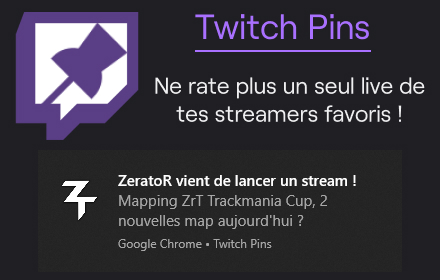
Twitch Pins
L'extension Twitch qui te notifie lorsqu'un de tes streamers favoris est en live, et plus encore !
90
★ 4.7

Twitch Favorite Streamers
Always keep an eye on your favorite streamers. Choose your favorites and sort them!
1.0K
★ 4.4

Idle Fishing
Turn your browsing time into fishing time. Keep scrolling, keep clicking — and wait for the bite.
4

YouNow Koi Addons
Enhanced YouNow features - Auto-chest, Auto-guest, Auto-refresh, Discord bridge, and more
1

Unwanted Twitch
Hide unwanted streams, games, categories, channels and tags on: twitch.tv
20.0K
★ 3.7

Twitch Lurker
Always support your favorite streamer by automatically pulling up their stream when they go live.
20.0K
★ 4.3
Data sourced from the Chrome Web Store · last verified Jun 9, 2026.