
Whisper AI — AI Voice to Text / Speech to Text
Speak to type on any page, AI Voice Typing, AI Speech to Text, AI Speech recognition with floating mic, hotkey, and live transcript.
As of June 2026, Whisper AI — AI Voice to Text / Speech to Text has 46 users in the Workflow & Planning category.
Usersno change0%
46
46
Ratingno change0%
—
— reviews
Reviewsno change0%
—
Version
1.0.0
Manifest V3
History
7 snapshotsTracking since May 3, 2026.
View as table
| Date | Users | Rating | Reviews | Version |
|---|---|---|---|---|
| May 3, 2026 | — | — | — | 1.0.0 |
| May 9, 2026 | — | — | — | 1.0.0 |
| May 14, 2026 | 3 | — | — | 1.0.0 |
| May 20, 2026 | 9 | — | — | 1.0.0 |
| May 26, 2026 | 10 | — | — | 1.0.0 |
| Jun 2, 2026 | 34 | — | — | 1.0.0 |
| Jun 8, 2026 | 57 | — | — | 1.0.0 |
| Now | 46 | — | — | 1.0.0 |
Permissions & access
- Permissions
- storagetabsunlimitedStorageoffscreen
- Host access
- <all_urls>
Screenshots

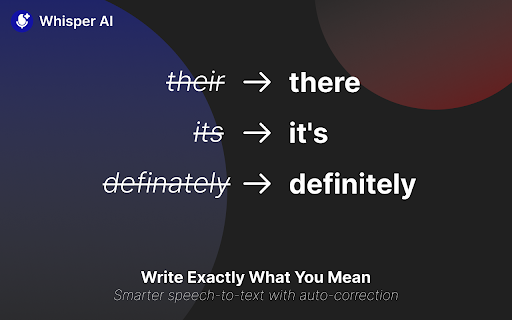


About
Turn your voice into text wherever you’re already working—Gmail, Google Docs, Notion, Slack, forms, and more. A lightweight floating mic appears next to the focused text field, so dictation feels instant and natural.

KEY FEATURES

- Voice-to-text anywhere: Dictate into almost any textbox or editor on the web.
- Hotkey support: Start dictation with a customizable page shortcut. ⌨️
- Floating mic that fits your style: Dot / Edge Sticky / Edge Auto-hide / Minimal.
- Custom voice buttons (prompt-powered): Create one-tap actions like Correct grammar, Write a formal email, Translate to English—or your own workflow prompts.
- Per-site controls: Enable/disable voice typing per website, plus optional Auto Enter per site.

HOW IT WORKS

1. Focus a text field
2. Click the mic (or press your hotkey)
3. Speak
4. Stop to insert text.

PRIVACY & DATA

- Microphone access is used only for dictation you initiate.
- Transcription is performed via cloud transcription when you’re signed in.
- You can manage microphone access anytime in browser settings.
Technical
- Version
- 1.0.0
- Manifest
- V3
- Size
- 797KiB
- Min Chrome
- 88
- Languages
- 9
- Featured
- No
Metadata
- ID
- inafpclobnnmhenacjeobodilhgnllap
- Developer ID
- u56e54760ac72133ba8acfbfe17bbedb7
- Developer Email
- [email protected]
- Created
- May 2, 2026
- Last Updated (Store)
- May 2, 2026
- Last Scraped
- Jun 8, 2026
- Website
- nioleads.com
- Support URL
- —
- Privacy Policy
- https://whisperai.nioleads.com/privacy
Data sourced from the Chrome Web Store · last verified Jun 8, 2026.