
Pin Point Note
A Chrome extension to collect, categorize, and organize your notes or code snippets.
As of May 2026, Pin Point Note has 52 users in the Productivity category.
Usersup 10.6 percent+10.6%
52
52
Ratingno change0%
—
— reviews
Reviewsno change0%
—
Version
2.0
Manifest V3
History
2 snapshotsTracking since Apr 24, 2026.
View as table
| Date | Users | Rating | Reviews | Version |
|---|---|---|---|---|
| Apr 24, 2026 | 47 | — | — | 2.0 |
| May 19, 2026 | 48 | — | — | 2.0 |
| Now | 52 | — | — | 2.0 |
Permissions & access
- Permissions
- storage
- Host access
- None declared
Screenshots


About
Pin Point Note 2.0: Your Ultimate Tool for Effortless Note and Code Snippet Management

Pin Point Note is the perfect solution for developers, writers, students, and anyone who needs to capture, categorize, and organize notes or code snippets efficiently. With version 2.0, we've introduced the ability to add titles to your notes, making it easier than ever to understand and retrieve important information at a glance.

Key Features:
1. Create and Organize Notes with Titles: Add meaningful titles to your notes for better clarity and quick identification.
2. Customizable, Color-Coded Tags: Organize your notes using a variety of customizable, color-coded tags to easily categorize and access your content.
3. Effortless Note Management: Scrollable lists and a user-friendly interface help you manage your notes with ease.
4. Back to Top Button: Navigate your notes effortlessly with a handy "Back to Top" button for quick access.
5. Responsive Design: Optimized for all screen sizes, ensuring a seamless experience on any device.
6. Persistent Storage: Seamlessly integrated with Chrome storage to save your notes across sessions, so your information is always available when you need it.

Why Choose Pin Point Note?
1. Enhanced Productivity: Save time by quickly accessing and reusing your frequently used notes and code snippets.
2. User-Friendly Interface: Lightweight, fast, and designed for efficiency, making it an essential tool for organizing your information.
3. Perfect for Developers and Students: Whether you're managing code snippets, syntax, or important notes, Pin Point Note helps streamline your workflow.

Built by Ashish Ingle
For inquiries, contact: [email protected]

Keywords:
Note-taking, Code snippets, Syntax storage, Productivity tool, Chrome extension, Organize notes, Quick notes, Developer tools, Bookmark manager, Syntax snippets
Technical
- Version
- 2.0
- Manifest
- V3
- Size
- 144KiB
- Min Chrome
- 88
- Languages
- 5
- Featured
- No
Metadata
- ID
- imdaeklbelilpbedhkndikmfpcbmklmm
- Developer ID
- udc80772b542a084b0a036b51b414f628
- Developer Email
- [email protected]
- Created
- Oct 24, 2024
- Last Updated (Store)
- Jan 10, 2025
- Last Scraped
- May 19, 2026
- Website
- —
- Support URL
- https://ashishingle.netlify.app/
Similar extensions
Alternatives to Pin Point Note, ranked by description similarity.

PinNote
Notepad with dark theme, export/import, pinning, search, editing and syncing.
6
★ 5.0

Note Book
A simple and efficient notebook for taking notes.
212
★ 5.0
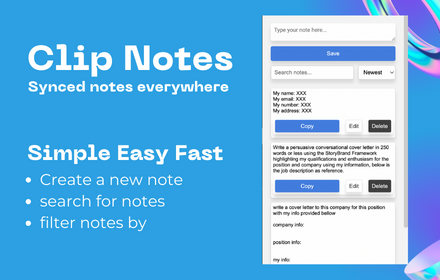
Clip Note
a quick simple in browser productivity notepad, for saving time with repetitive tasks.
129

Quick Notes Taker
Take notes fast with tags, categories, pinning, and archiving. Share, export, and link URLs—all in a sleek, dark-themed popup.
4

NoteThingy
NoteThingy: The Quick, Easy, and Reliable Way to Keep Your Thoughts Organized!
In the whirlwind of the digital age, it's easy to…
14

Quick Notes
Fast browser notes with backup and sync.
2
★ 5.0

Scriblet: Side Note Taker
Rich text & Markdown notes in Chrome side panel. Auto-save, tags, search, images, export PDF/DOCX/TXT.
104
★ 5.0

Quick Note 📝
Quickly jot down your important things!!
7
Data sourced from the Chrome Web Store · last verified May 19, 2026.