
Share by Email
Quickly email the current page using your default mail client or preferred webmail service.
As of June 2026, Share by Email has 55 users in the Functionality & UI category.
Usersup 103.7 percent+103.7%
55
55
Ratingno change0%
—
— reviews
Reviewsno change0%
—
Version
3.1.3
Manifest V3
History
9 snapshotsTracking since Apr 3, 2026.
View as table
| Date | Users | Rating | Reviews | Version |
|---|---|---|---|---|
| Apr 3, 2026 | 27 | — | — | 3.1.3 |
| Apr 17, 2026 | 26 | — | — | 3.1.3 |
| Apr 28, 2026 | 28 | — | — | 3.1.3 |
| May 5, 2026 | 27 | — | — | 3.1.3 |
| May 11, 2026 | 26 | — | — | 3.1.3 |
| May 16, 2026 | 39 | — | — | 3.1.3 |
| May 22, 2026 | 43 | — | — | 3.1.3 |
| May 29, 2026 | 44 | — | — | 3.1.3 |
| Jun 11, 2026 | 48 | — | — | 3.1.3 |
| Now | 55 | — | — | 3.1.3 |
Permissions & access
- Permissions
- tabsstoragecontextMenus
- Host access
- None declared
Screenshots


About
Share by Email lets you instantly email the current webpage — no copying, no pasting. One click opens a new message with the page title and URL prefilled.

Simple, fast, and private — this extension doesn't collect any personal data.

Features:

— Default mail client or webmail (opens in new tab)
— Gmail, Outlook, Fastmail, Yahoo, or custom URL
— Built-in Email Designer for subject, body, CC, and BCC
— Toolbar icon themes: light, dark, or blue
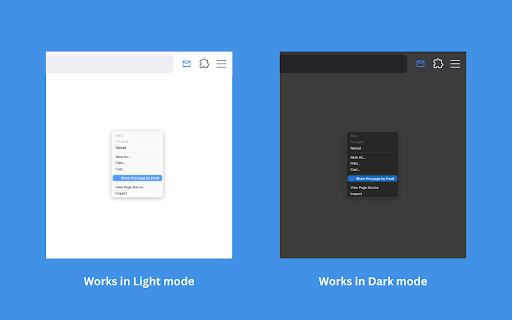
— Right-click any page to share via context menu

Whether you're forwarding articles, sharing links, or just want a faster way to send pages — Share by Email keeps it effortless and integrated into your workflow.
Technical
- Version
- 3.1.3
- Manifest
- V3
- Size
- 31.68KiB
- Min Chrome
- 88
- Languages
- 1
- Featured
- No
Metadata
- ID
- imcimhkellpdjkhlddckhilbccfcedkp
- Developer ID
- u19cf0ebd38c8a2cb6a85fba63362f814
- Developer Email
- [email protected]
- Created
- Jun 25, 2025
- Last Updated (Store)
- Mar 24, 2026
- Last Scraped
- Jun 11, 2026
- Website
- —
- Support URL
- —
- Privacy Policy
- https://contaldi.net/privacy/share-by-email.html
Similar extensions
Alternatives to Share by Email, ranked by description similarity.

Easy Send Link
Click the button to send a link to the current page using your default mailto handler
54
★ 5.0

Quick Email Creator
Quickly compose an email and open it in your default mail app or Gmail with a clean, modern popup interface.
35

mailto NoMore
Prevent default behavior of clicking mailto links and instead copies the email address to the clipboard
6

Quick URL Shortener
Quick URL Shortener: Shorten URLs instantly
—

Read It Later
Save and manage articles to read later
2

Vintage Quick URL Copy
Copy the current tab URL instantly with a single click in a vintage-styled popup.
1

Custom Gmail Buttons
Add customizable buttons to your Gmail compose window
242
★ 5.0

URL Shortener
URL Shortener: Shorten URLs instantly.
—
Data sourced from the Chrome Web Store · last verified Jun 11, 2026.