
AI Video Enhancer | Upscale & Restore Video Quality with AI
Transform low-quality videos into HD/4K content with AI-powered enhancement, noise reduction, stabilization, and smart upscaling.
As of June 2026, AI Video Enhancer | Upscale & Restore Video Quality with AI has 385 users and a 4.00/5 rating from 1 reviews in the Productivity category.
Usersup 36.5 percent+36.5%
385
385
Ratingno change0%
4.00
1 reviews
Reviewsno change0%
1
Version
1.0.1
Manifest V3
History
5 snapshotsTracking since Apr 18, 2026.
View as table
| Date | Users | Rating | Reviews | Version |
|---|---|---|---|---|
| Apr 18, 2026 | 282 | 4.00 | 1 | 1.0.1 |
| Apr 28, 2026 | 295 | 4.00 | 1 | 1.0.1 |
| May 8, 2026 | 320 | 4.00 | 1 | 1.0.1 |
| May 15, 2026 | 330 | 4.00 | 1 | 1.0.1 |
| May 24, 2026 | 345 | 4.00 | 1 | 1.0.1 |
| Now | 385 | 4.00 | 1 | 1.0.1 |
Permissions & access
- Permissions
- storagetabscookiesdownloads
- Host access
- https://veo31video.com/*
Screenshots


About
Enhance and restore your videos with cutting-edge AI technology that intelligently upscales resolution, removes noise, stabilizes shaky footage, and improves overall visual quality - all in your browser. Perfect for content creators, marketers, and anyone looking to breathe new life into old or low-quality videos.

🎯 Key Features
• 📈 Multi-Resolution Upscaling
Choose from three quality tiers: 720p (HD Quality), 1080p (Full HD), or 4K (Ultra HD) to match your exact needs.

• 🎞️ Frame Rate Control
Adjust the output frame rate with an intuitive slider to optimize smoothness and file size for your specific use case.

• 📤 Flexible Input Options
Upload videos directly from your device or provide a video URL for quick processing without downloading.

• ⚡ Fast Processing
AI-powered enhancement engine delivers high-quality results efficiently, with clear cost visibility before processing.

• 👁️ Real-Time Preview
Review your source video before enhancement to ensure you're working with the right content.

• 🔄 Easy Reset
Quickly reset all settings to default values and start fresh with different parameters.

👥 Who It's For
• Content Creators: upgrade older footage and phone videos to professional quality for YouTube, TikTok, and Instagram

• Marketing Teams: enhance promotional videos, product demos, and testimonials for better audience engagement

• E-commerce Sellers: improve product video quality to increase customer confidence and conversions

• Social Media Managers: optimize video content for different platforms with appropriate resolution settings

• Educators: enhance recorded lessons, webinars, and training videos for clearer viewing

• Personal Projects: restore and improve home videos, travel footage, and cherished memories

🚀 Getting Started
1. Click Upload Video or Video URL

2. Choose Upscale (720p / 1080p / 4K) and set Frame Rate

3. Click Generate Video and review the Preview

4. Click Download to save your enhanced video

💡 Best Practices
• Start with the best source possible: Higher quality input videos produce better enhancement results

• Choose resolution wisely: Select 1080p for most uses; reserve 4K for projects requiring maximum detail

• Match frame rate to content type: 30 FPS works well for most content; use 60 FPS for sports or action footage

• Preview before processing: Always check your uploaded video to confirm it's the correct file

⚙️ Technical Details
• Supported Input Methods: Direct file upload or video URL

• Output Resolutions: 720p, 1080p, 4K

• Frame Rate Range: Adjustable via slider (standard range covers most common needs)

• Processing Time: Varies based on video length and selected resolution

• Credit System: Transparent cost display before generation

🔐 Privacy & Security
We respect your privacy. Your prompts and uploads are processed only to generate videos. Projects are saved to your account per your settings and can be deleted anytime. See our website privacy policy for details.

📚 Support & Resources
If you have questions or need help, contact support with details and screenshots for faster assistance.
Technical
- Version
- 1.0.1
- Manifest
- V3
- Size
- 237KiB
- Min Chrome
- 88
- Languages
- 1
- Featured
- No
Metadata
- ID
- ijkbpbjdlhemangaejlibgeikjdebbem
- Developer ID
- ud9a575d295b95e189fd766a08deabbef
- Developer Email
- [email protected]
- Created
- Oct 20, 2025
- Last Updated (Store)
- Dec 10, 2025
- Last Scraped
- Jun 3, 2026
- Website
- veo31video.com
- Support URL
- https://veo31video.com
- Privacy Policy
- https://veo31video.com/privacy
Similar extensions
Alternatives to AI Video Enhancer | Upscale & Restore Video Quality with AI, ranked by description similarity.

AI Image Upscaler - Enhance images to 4K Quality Instantly
Upscale low-resolution images to 4K with AI. One-click enhancement for sharper details, reduced noise, and crystal-clear results.
73
★ 1.0

AI Video Resizer - Resize Videos for Social Media Efficiently
Resize videos instantly for TikTok, YouTube Shorts, and Instagram Reels. AI-powered aspect ratio conversion with perfect framing.
24
★ 5.0

Photo Enhancer
Use Photo Enhancer to upscale image resolution. This image upscaler enhance photo with AI.
445
★ 5.0

AVCLabs AI Video and Image Enhancer
AVCLabs Extension: A Powerful AI Suite for Video and Image Enhancement
273
★ 4.6
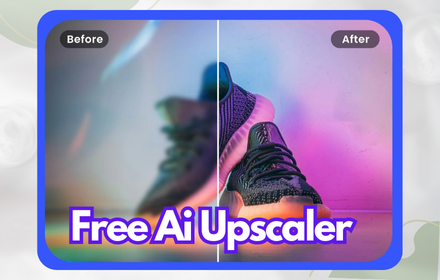
Ai Image Upscaler enhancer: blurry to 4k Photo and High Quality Picture
The best AI image upscaler and enhancer transforms low-resolution photos into 4K instantly. Get 5 free upscales!
689
★ 2.6

Video Watermark Remover - Remove watermark from video
Remove watermarks from videos using AI. Detects and erases logos and text overlays to preserve natural video quality.
416
★ 5.0

Image Upscaler
Image Upscaler: AI-powered photo upscaling for pixel-perfect visuals. Enhance images with stunning detail and clarity.
8.0K
★ 4.1

OpenAI Sora2 Ultimate Toolbox
All-in-one Sora2 video solution with one-click download, AI watermark removal and enhancement. Improve Sora2 easily.
309
★ 5.0
Data sourced from the Chrome Web Store · last verified Jun 3, 2026.