
DomGuard
Restrict Gmail and Google logins to trusted domains only. Unauthorized emails are blocked with alerts Message.
As of June 2026, DomGuard has — users in the Privacy & Security category.
Usersno change0%
—
—
Ratingno change0%
—
— reviews
Reviewsno change0%
—
Version
1.1.1
Manifest V3
History
2 snapshotsTracking since Apr 21, 2026.
Not enough history yet for this metric — the chart fills in as we collect more snapshots.
View as table
| Date | Users | Rating | Reviews | Version |
|---|---|---|---|---|
| Apr 21, 2026 | — | — | — | 1.1.1 |
| May 6, 2026 | — | — | — | 1.1.1 |
| Now | — | — | — | 1.1.1 |
Permissions & access
- Permissions
- storagetabsscripting
- Host access
- https://accounts.google.com/*, https://mail.google.com/*, https://www.google.com/*, https://drive.google.com/*, https://docs.google.com/*, https://sheets.google.com/*, https://slides.google.com/*, https://forms.google.com/*, https://sites.google.com/*, https://calendar.google.com/*, https://chat.google.com/*, https://meet.google.com/*, https://classroom.google.com/*, https://keep.google.com/*, https://contacts.google.com/*, https://photos.google.com/*, https://books.google.com/*, https://gemini.google.com/*, https://console.cloud.google.com/*, https://play.google.com/*, https://wallet.google.com/*, https://ads.google.com/*, https://news.google.com/*, https://translate.google.com/*, https://myaccount.google.com/*, https://takeout.google.com/*, https://pay.google.com/*, https://shopping.google.com/*, https://maps.google.com/*, https://earth.google.com/*, https://one.google.com/*, https://tv.youtube.com/*, https://support.google.com/*, https://www.youtube.com/*, https://accounts.youtube.com/*, https://*.googleusercontent.com/*
Screenshots


About
DOMGUARD

Secure Login Enforcement for Chrome

DomGuard is a powerful Chrome extension designed for organizations that need to control and secure browser-based login activity. It enforces strict access policies by allowing only approved email domains and protecting extension access with TOTP (Time-based One-Time Password) authentication.

KEY FEATURES

- Domain Whitelisting: Restrict logins to specific, trusted email domains (e.g., yourcompany.com).
- TOTP-Secured Extension Access: The extension is protected by time-based one-time password authentication.
- Block Unauthorized Emails: Automatically blocks login attempts from unapproved or personal domains.
- Secure Setup Flow: Email registration, QR scanning, and domain management are all TOTP-protected.
- Works Across All Sites: Login restrictions apply wherever email-based sign-ins are detected.
- Privacy-First: All data is stored locally. No cloud storage, no tracking, no data transmission.

WHO IT'S FOR

- Organizations enforcing secure login policies
- IT and security teams managing domain-level access in browsers
- Admins eliminating personal account use on managed devices

HOW IT WORKS

1. Install DomGuard from the Chrome Web Store.
2. Open the extension (TOTP required).
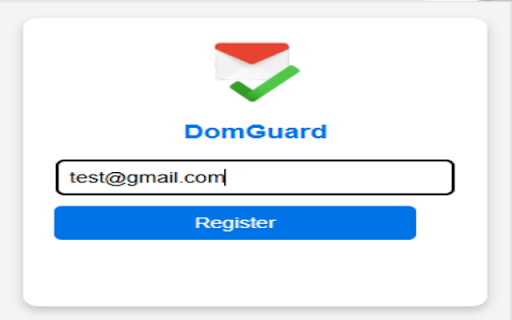
3. Register your email and scan the QR code using an authenticator app (e.g., Google Authenticator, Authy).
4. Enter your valid TOTP code to activate the extension.
5. Add approved domains (e.g., yourcompany.com).

Once active:

- Only users from authorized domains can log in
- Login attempts from unauthorized domains are blocked
- Access to the extension remains TOTP-secured

SECURE. LOCAL. PRIVATE.

DomGuard operates entirely within your browser. It does not transmit or collect personal data. All information is securely stored on the local device.

For more details, please visit our privacy policy on the developer's website.
Technical
- Version
- 1.1.1
- Manifest
- V3
- Size
- 85.8KiB
- Min Chrome
- 88
- Languages
- 1
- Featured
- No
Metadata
- ID
- ijijpelocaliejaakiajjbnjfkhoacag
- Developer ID
- u772e92e5dacbeec8aa8af372704588d5
- Developer Email
- [email protected]
- Created
- Jul 8, 2025
- Last Updated (Store)
- Jul 11, 2025
- Last Scraped
- Jun 1, 2026
- Website
- —
- Support URL
- https://github.com/Aenigma-Lab
- Privacy Policy
- https://aenigma-lab.github.io/domguard/privacy.html
Similar extensions
Alternatives to DomGuard, ranked by description similarity.

2FA Authenticator Guard
Free 2FA on Browser! Multi-layered encryption secures data. Replaces Google Authenticator, no phone needed. Ultimate security focus.
10.0K
★ 3.8

Guardio Protection for Chrome
Experience a cleaner, safer web.
600.0K
★ 4.5

PasswordGuard
Secure password manager with password generation, auto-fill, and encrypted storage by Andromiks
15

SmartGuard
An extension that alerts users when entering sensitive information.
4

ChromeLock | Browser Password Lock Extension - ChromeLock.net
Lock your browser with one click. Protect your privacy and data with password protection, auto-lock, and keyboard shortcuts.
5.0K
★ 4.8

GoTrust DLP
Data Loss Prevention browser extension with client-side WASM scanning
36

Browser Profiles Authentication - Secure Profile Lock
Password protection for all Browser Profiles
199
★ 2.0

GhostGuard by Ghostly Solutions
Advanced phishing detection and automatic link security analysis
394
★ 5.0
Data sourced from the Chrome Web Store · last verified Jun 1, 2026.