
Print All Tabs Automatically (with Counter)
Prints all tabs to pdf/printer automatically with auto-close and tab counter.
As of May 2026, Print All Tabs Automatically (with Counter) has 591 users and a 3.00/5 rating from 2 reviews in the Productivity category.
Usersup 26.3 percent+26.3%
591
591
Ratingdown 40.0 percent−40.0%
3.00
2 reviews
Reviewsup 100.0 percent+100.0%
2
Version
2.0
Manifest V3
History
5 snapshotsTracking since Apr 1, 2026.
View as table
| Date | Users | Rating | Reviews | Version |
|---|---|---|---|---|
| Apr 1, 2026 | 468 | 5.00 | 1 | 2.0 |
| Apr 21, 2026 | 490 | 5.00 | 1 | 2.0 |
| May 6, 2026 | 539 | 5.00 | 1 | 2.0 |
| May 18, 2026 | 566 | 3.00 | 2 | 2.0 |
| May 31, 2026 | 599 | 3.00 | 2 | 2.0 |
| Now | 591 | 3.00 | 2 | 2.0 |
Permissions & access
- Permissions
- tabsscripting
- Host access
- <all_urls>
Screenshots

About
Print All Tabs to Printer (with Tab Counter) — Quick-Print All Your Selected tabs with Chrome's Kiosk mode!

This extension makes it easy to print all your open Chrome tabs — PDF or Paper — or just the select tabs — in just a few clicks.

🔹 What It Does:
Print all or selected tabs with one button.

Add a delay or auto-close each tab after printing.

Shows how many tabs are currently open, so you can count your files.

⚠️ Before You Start:
Make sure Chrome's Print Preview looks correct:

✅ Set up your default printer with margin/zoom in Chrome's print preview.

✅ Re-Launch Chrome with --kiosk-printing in shortcut properties (add --kiosk if needed).

💡 Tip: Right-click your Chrome shortcut → Properties → add --kiosk-printing to the target line.
Technical
- Version
- 2.0
- Manifest
- V3
- Size
- 515KiB
- Min Chrome
- 88
- Languages
- 1
- Featured
- No
Metadata
- ID
- ihppbciagpldkbplaaooffdclnogdcea
- Developer ID
- u5ac4bec94d086885b4b8991f7a2325ad
- Developer Email
- [email protected]
- Created
- Jun 29, 2025
- Last Updated (Store)
- Jun 29, 2025
- Last Scraped
- May 31, 2026
- Website
- —
- Support URL
- —
Similar extensions
Alternatives to Print All Tabs Automatically (with Counter), ranked by description similarity.

Multiple Tab to PDF Printer
This extension prints multiple open tabs to PDFs. Select tabs with Ctrl+click or use checkboxes in the UI for a seamless workflow.
5.0K
★ 3.9
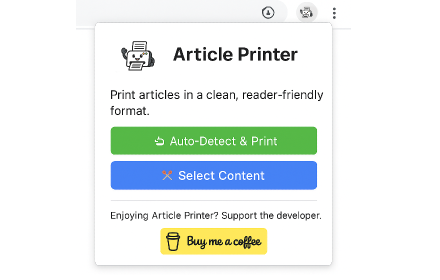
Article Printer
A Chrome extension to print articles in a clean, reader-friendly format
43

Print for Google Chrome
Print the current page with a single click. Quickly print website content, articles, photos, and more.
100.0K
★ 3.7

HP Print Service Plugin
Upload, edit, and print PDF files in a new tab.
623
★ 3.0

Auto Open Print Dialog
Detects if a Chrome browser tab contains a URL to a PDF file (or any printable document extension which can be listed under…
1.0K
★ 2.0

Copy Tabs URLs
Copy selected tab URLs with a keyboard shortcut
2

One Click Page to PDF
Export the current tab as a PDF and download it with one click.
162

Web to PDF
Save a full website as a PDF, preserving its design.
76
Data sourced from the Chrome Web Store · last verified May 31, 2026.