
Zotly
A floating notepad for every webpage with local sync
As of June 2026, Zotly has — users in the Productivity category.
Usersno change0%
—
—
Ratingno change0%
—
— reviews
Reviewsno change0%
—
Version
1.1.2
Manifest V3
90-day change · In the last 90 days this extension 2 version updates.
History
3 snapshotsTracking since May 1, 2026.
Not enough history yet for this metric — the chart fills in as we collect more snapshots.
View as table
| Date | Users | Rating | Reviews | Version |
|---|---|---|---|---|
| May 1, 2026 | — | — | — | 1.0.0 |
| May 7, 2026 | — | — | — | 1.0.0 |
| May 12, 2026 | — | — | — | 1.1.1 |
| Now | — | — | — | 1.1.2 |
Changelog
- May 7, 2026description
# Zotly

A floating notepad that lives on every webpage. Write in markdown, manage multiple notes, and auto-sync to Obsidian.

## Features

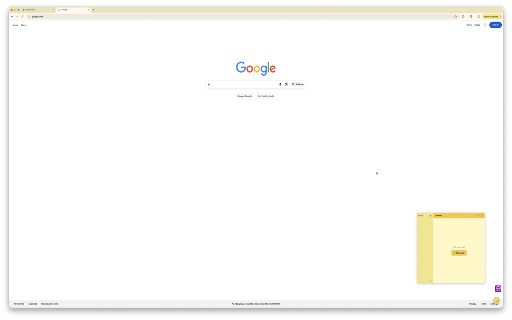
- 📝 **Floating notepad** — Draggable sticky note widget on every page
- 📋 **Multiple notes** — Sidebar to create, switch, and delete notes
- ✍️ **Markdown editing** — Inline formatting with toolbar (bold, italic, headings, code, lists, links)
- 🔄 **Obsidian sync** — Auto-sync notes to your Obsidian vault via Local REST API
- ↕️ **Resizable** — Drag the corner to resize, or expand to full screen
- 💾 **Auto-save** — Notes save automatically as you type
- 🔗 **Cross-tab sync** — Edits in one tab appear instantly in all others
# Zotly

A floating notepad that lives on every webpage. Write in markdown, manage multiple notes, and auto-sync to Obsidian.

# Changelog

## v1.1.0 — 2026-05-01

### Features
- Configurable vault folder (defaults to `zotly_notes`)
- Auto-import of existing `.md` files from the vault folder
- Settings screen accessible via 🔧 icon in the sidebar
- Resizable panel from both top-left and bottom-right corners
- Minimize button to collapse back to the floating button
- Empty state with prompt to create first note

## v1.0.0 — 2026-04-29
- Floating notepad widget on every webpage with draggable FAB
- Multiple notes with sidebar to create, switch, and delete
- Markdown editing via TinyMDE with inline formatting toolbar
- Obsidian two-way sync via Local REST API plugin
- Resizable panel from bottom-right corner
- Expand to full screen mode
- Auto-save with 1-second debounce
- Cross-tab sync via `chrome.storage` change listener
- Draggable FAB and panel with position persistence


## Features

- 📝 **Floating notepad** — Draggable sticky note widget on every page
- 📋 **Multiple notes** — Sidebar to create, switch, and delete notes
- ✍️ **Markdown editing** — Inline formatting with toolbar (bold, italic, headings, code, lists, links)
- 🔄 **Obsidian sync** — Auto-sync notes to your Obsidian vault via Local REST API
- ↕️ **Resizable** — Drag the corner to resize, or expand to full screen
- 💾 **Auto-save** — Notes save automatically as you type
- 🔗 **Cross-tab sync** — Edits in one tab appear instantly in all others
Permissions & access
- Permissions
- storage
- Host access
- http://127.0.0.1:27123/*, http://127.0.0.1:27124/*, http://127.0.0.1:27125/*, https://127.0.0.1:27123/*, https://127.0.0.1:27124/*, https://127.0.0.1:27125/*
Screenshots


About
# Zotly

A floating notepad that lives on every webpage. Write in markdown, manage multiple notes, and auto-sync to Obsidian.

# Changelog

## v1.1.0 — 2026-05-01

### Features
- Configurable vault folder (defaults to `zotly_notes`)
- Auto-import of existing `.md` files from the vault folder
- Settings screen accessible via 🔧 icon in the sidebar
- Resizable panel from both top-left and bottom-right corners
- Minimize button to collapse back to the floating button
- Empty state with prompt to create first note

## v1.0.0 — 2026-04-29
- Floating notepad widget on every webpage with draggable FAB
- Multiple notes with sidebar to create, switch, and delete
- Markdown editing via TinyMDE with inline formatting toolbar
- Obsidian two-way sync via Local REST API plugin
- Resizable panel from bottom-right corner
- Expand to full screen mode
- Auto-save with 1-second debounce
- Cross-tab sync via `chrome.storage` change listener
- Draggable FAB and panel with position persistence


## Features

- 📝 **Floating notepad** — Draggable sticky note widget on every page
- 📋 **Multiple notes** — Sidebar to create, switch, and delete notes
- ✍️ **Markdown editing** — Inline formatting with toolbar (bold, italic, headings, code, lists, links)
- 🔄 **Obsidian sync** — Auto-sync notes to your Obsidian vault via Local REST API
- ↕️ **Resizable** — Drag the corner to resize, or expand to full screen
- 💾 **Auto-save** — Notes save automatically as you type
- 🔗 **Cross-tab sync** — Edits in one tab appear instantly in all others
Technical
- Version
- 1.1.2
- Manifest
- V3
- Size
- 524KiB
- Min Chrome
- 88
- Languages
- 1
- Featured
- No
Metadata
- ID
- ihgmpjmbmafepaldgccfmglphbjmipea
- Developer ID
- ufcb3c5ea6e9270993eeb15c41449c83e
- Developer Email
- [email protected]
- Created
- Apr 30, 2026
- Last Updated (Store)
- May 9, 2026
- Last Scraped
- Jun 6, 2026
- Website
- —
- Support URL
- —
- Privacy Policy
- —
Data sourced from the Chrome Web Store · last verified Jun 6, 2026.