
Dex
The AI copilot for your browser
As of June 2026, Dex has 2,000 users and a 4.31/5 rating from 35 reviews in the Productivity category.
Usersdown 77.8 percent−77.8%
2.0K
2,000
Ratingdown 0.5 percent−0.5%
4.31
35 reviews
Reviewsdown 2.8 percent−2.8%
35
Version
3.64
Manifest V3
90-day change · In the last 90 days this extension lost 7.0K users, 9 version updates, changed permissions.
History
12 snapshotsTracking since Apr 5, 2026.
View as table
| Date | Users | Rating | Reviews | Version |
|---|---|---|---|---|
| Apr 5, 2026 | 9.0K | 4.33 | 36 | 3.42 |
| Apr 16, 2026 | 9.0K | 4.31 | 35 | 3.42 |
| Apr 22, 2026 | 10.0K | 4.31 | 35 | 3.50 |
| Apr 27, 2026 | 10.0K | 4.31 | 35 | 3.54 |
| May 2, 2026 | 10.0K | 4.31 | 35 | 3.55 |
| May 7, 2026 | 10.0K | 4.31 | 35 | 3.56 |
| May 11, 2026 | 7.0K | 4.31 | 35 | 3.57 |
| May 14, 2026 | 7.0K | 4.31 | 35 | 3.58 |
| May 18, 2026 | 8.0K | 4.31 | 35 | 3.58 |
| May 23, 2026 | 7.0K | 4.31 | 35 | 3.59 |
| May 28, 2026 | 7.0K | 4.31 | 35 | 3.60 |
| Jun 22, 2026 | 9.0K | 4.31 | 35 | 3.60 |
| Now | 2.0K | 4.31 | 35 | 3.64 |
Changelog
- Jun 22, 2026permissions
storage, tabs, webNavigation, history, sidePanel, activeTab, alarms, scripting, tabGroups, debugger, notifications, system.display, declarativeNetRequestWithHostAccess, offscreen, unlimitedStorage, downloads, nativeMessaging, clipboardRead, clipboardWrite
storage, tabs, webNavigation, history, sidePanel, activeTab, alarms, scripting, tabGroups, debugger, notifications, system.display, declarativeNetRequestWithHostAccess, unlimitedStorage, downloads, nativeMessaging, clipboardRead, clipboardWrite
- Apr 16, 2026description
Dex is your digital coworker that understands your intent and takes action on your behalf. It's an AI-native browser workspace that functions as your "second brain" within Chrome.

Capabilities
• Action-Oriented: Automates repetitive tasks, manages cross-tab workflows, and organizes your digital workspace so you can focus on high-value work
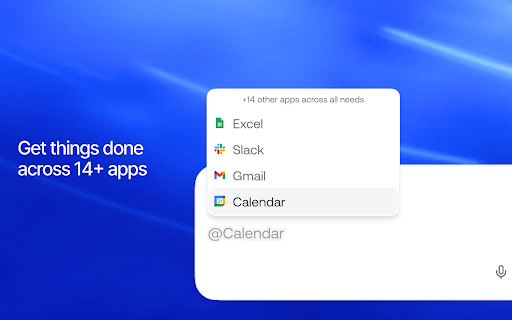
• Context-Aware: Dex uses long-term multimodal memory to learn your preferences, proactively surface context, and execute tasks across 14+ apps without you ever switching tabs
• Productivity-Focused: Achieve 'Tab Zero' with Dex. This AI extension proactively drafts emails, schedules meetings by checking availability, and scrapes data into spreadsheets, acting as an intelligent layer over your entire browser

Key Features
• Cross-App Automation: Execute multi-step workflows across different platforms (e.g., Slack, Linear, and Calendar) directly from your current tab.
• Proactive Assistance: Predicts and executes next steps, such as pre-drafting email responses with relevant context or creating calendar invites as soon as scheduling needs appear.
• Adaptive Memory: Learns from every interaction to personalize suggestions and remembers context from past research to eliminate manual searching.
• Intelligent Organization: Automatically organizes AI-generated notes and to-do lists, helping you maintain focus without manual data entry.
Dex is your AI coworker that lives in Chrome. It learns your workspace, remembers your context, and takes action across your tabs - so you spend less time switching tools and more time doing real work.

WHAT'S NEW
- Cross-app agents: run multi-step workflows across Slack, Gmail, Calendar, Linear, and more — from a single prompt
- Proactive suggestions: Dex predicts your next move and surfaces actions before you ask
- Browser memory [beta]: Opt in to let Dex remember useful details from your browsing to provide better responses and suggestions (see below)

WHAT DEX CAN DO
- Automate repetitive tasks: draft emails, schedule meetings, update CRMs, build lead lists — all from your sidebar
- Work across tabs and apps: execute workflows that span multiple apps without switching windows
- Remember your context: Dex learns from every interaction so you never have to re-explain your workflow
- Organize your work: AI-generated notes, to-dos, and summaries that stay organized automatically
- Scrape and structure data: pull info from web pages into spreadsheets with a single prompt

YOU'RE IN CONTROL
Dex is private by design. You choose what Dex can see and do:

- Browser memory is opt-in — off by default, only activates when you turn it on (Settings > Memory)
- View your memories: see everything Dex remembers in Knowledge > Memories
- Delete memories: remove individual memories or clear everything at any time
- Block sites: prevent specific sites from being used for memory in your privacy settings
- Block any site from Dex entirely with one click
- Incognito: Dex does not save chat history or access memory in incognito mode

BROWSER MEMORY [BETA, OPT IN]
Browser memory lets Dex remember useful details from your web browsing — so it can pick up where you left off, skip questions you've already answered, and give you responses that actually fit your workflow. No more re-explaining context every time you open the sidebar. You can opt in during setup or in Settings > Memory or Settings > Proactive Suggestions.

As you browse, web content and browser activity is summarized on our servers and used to build memories that make Dex smarter over time — like remembering your tech stack, your team's naming conventions, or the project you've been researching all week.

GETTING STARTED
1. Install Dex from the Chrome Web Store
2. Sign in with Google
3. Press Cmd+J (Mac) or Alt+J (Windows) to open the sidebar
4. Describe what you need — Dex handles the rest
5. Connect your apps (Gmail, Calendar, Slack, etc.) for cross-app workflows

DATA PRIVACY DISCLOSURE
When you opt in to browser memory, Dex processes page URLs, titles, content, and browser activity to build personalized context and suggestions. This data is sent to our servers and processed, and we apply privacy filters. You can view, edit, or delete your memories anytime in Knowledge > Memories. In incognito mode, Dex does not save chat history or access memory.

Terms of Service: https://www.joindex.com/terms
Privacy Policy: https://www.joindex.com/privacy
Permissions & access
- Permissions
- storagetabswebNavigationhistorysidePanelactiveTabalarmsscriptingtabGroupsdebuggernotificationssystem.displaydeclarativeNetRequestWithHostAccessunlimitedStoragedownloadsnativeMessagingclipboardReadclipboardWrite
- Host access
- <all_urls>
Screenshots



About
Dex is your AI coworker that lives in Chrome. It learns your workspace, remembers your context, and takes action across your tabs - so you spend less time switching tools and more time doing real work.

WHAT'S NEW
- Cross-app agents: run multi-step workflows across Slack, Gmail, Calendar, Linear, and more — from a single prompt
- Proactive suggestions: Dex predicts your next move and surfaces actions before you ask
- Browser memory [beta]: Opt in to let Dex remember useful details from your browsing to provide better responses and suggestions (see below)

WHAT DEX CAN DO
- Automate repetitive tasks: draft emails, schedule meetings, update CRMs, build lead lists — all from your sidebar
- Work across tabs and apps: execute workflows that span multiple apps without switching windows
- Remember your context: Dex learns from every interaction so you never have to re-explain your workflow
- Organize your work: AI-generated notes, to-dos, and summaries that stay organized automatically
- Scrape and structure data: pull info from web pages into spreadsheets with a single prompt

YOU'RE IN CONTROL
Dex is private by design. You choose what Dex can see and do:

- Browser memory is opt-in — off by default, only activates when you turn it on (Settings > Memory)
- View your memories: see everything Dex remembers in Knowledge > Memories
- Delete memories: remove individual memories or clear everything at any time
- Block sites: prevent specific sites from being used for memory in your privacy settings
- Block any site from Dex entirely with one click
- Incognito: Dex does not save chat history or access memory in incognito mode

BROWSER MEMORY [BETA, OPT IN]
Browser memory lets Dex remember useful details from your web browsing — so it can pick up where you left off, skip questions you've already answered, and give you responses that actually fit your workflow. No more re-explaining context every time you open the sidebar. You can opt in during setup or in Settings > Memory or Settings > Proactive Suggestions.

As you browse, web content and browser activity is summarized on our servers and used to build memories that make Dex smarter over time — like remembering your tech stack, your team's naming conventions, or the project you've been researching all week.

GETTING STARTED
1. Install Dex from the Chrome Web Store
2. Sign in with Google
3. Press Cmd+J (Mac) or Alt+J (Windows) to open the sidebar
4. Describe what you need — Dex handles the rest
5. Connect your apps (Gmail, Calendar, Slack, etc.) for cross-app workflows

DATA PRIVACY DISCLOSURE
When you opt in to browser memory, Dex processes page URLs, titles, content, and browser activity to build personalized context and suggestions. This data is sent to our servers and processed, and we apply privacy filters. You can view, edit, or delete your memories anytime in Knowledge > Memories. In incognito mode, Dex does not save chat history or access memory.

Terms of Service: https://www.joindex.com/terms
Privacy Policy: https://www.joindex.com/privacy
Technical
- Version
- 3.64
- Manifest
- V3
- Size
- 17.99MiB
- Min Chrome
- 88
- Languages
- 1
- Featured
- No
Metadata
- ID
- ignaljemchdlmoimaliinmonecgbdnkk
- Developer ID
- ub534b1138f2ddb2fc83859d3ec672f71
- Developer Email
- [email protected]
- Created
- Apr 28, 2025
- Last Updated (Store)
- Jun 21, 2026
- Last Scraped
- Jun 22, 2026
- Website
- joindex.com
- Support URL
- —
- Privacy Policy
- https://www.joindex.com/privacy-2
Similar extensions
Alternatives to Dex, ranked by description similarity.

Dextego (Beta)
Dextego assistant for LinkedIn
66
★ 5.0

1Kleek AI Assistant
A Chrome extension that'll improve your productivity using AI.
2

Odin AI - Agentic Automation
This extension gives users the ability to use Odin AI directly in their browser and have direct context of the page they are on.
63
★ 5.0

DexBoost
Boost your trading efficiency on DexScreener. Instantly view token avatars and quick-jump to GMGN and other trading platforms.
3

AbacusAI
AbacusAI Extension
10.0K
★ 3.9

Dashworks
Dash AI is your company's knowledge assistant.
2.0K
★ 5.0

Expando
Type shortcuts like -ty and get full text replies. Save, sync, and manage your own templates.
1

Delight
Multi-agent AI assistant to boost your productivity. Access 25+ models, automate tasks and enhance writing with specialized tools.
5
Data sourced from the Chrome Web Store · last verified Jun 22, 2026.