
Google Workspace Quick Launcher: Instant Access & Create for Docs & More
Quick access to create new Google Docs, Sheets, Presentations, Forms, or access Google Drive and other Google services
As of May 2026, Google Workspace Quick Launcher: Instant Access & Create for Docs & More has 337 users and a 5.00/5 rating from 1 reviews in the Productivity category.
Usersup 13.5 percent+13.5%
337
337
Ratingno change0%
5.00
1 reviews
Reviewsno change0%
1
Version
1.7
Manifest V3
History
2 snapshotsTracking since Apr 29, 2026.
View as table
| Date | Users | Rating | Reviews | Version |
|---|---|---|---|---|
| Apr 29, 2026 | 297 | 5.00 | 1 | 1.7 |
| May 25, 2026 | 328 | 5.00 | 1 | 1.7 |
| Now | 337 | 5.00 | 1 | 1.7 |
Permissions & access
- Permissions
- storageactiveTabcommands
- Host access
- https://*.google.com/*
Screenshots


About
Google Workspace Quick Launcher: Instant Access & Quick Create for Google Services

Supercharge your productivity with the ultimate gateway to your favorite Google Workspace tools. Whether you’re launching from the popup, using a dedicated keyboard shortcut, or activating a global hotkey from the settings page, you'll get immediate access to Docs, Sheets, Slides, Drive, Forms, Calendar, Drawings, Keep, Gmail, and Google Meet.

Key Features:

• Quick Create Functionality: For Docs, Sheets, Slides, Drawings and Forms, our extension emphasizes rapid creation—instantly generate a new document, spreadsheet, presentation, drawing, or form with just one click. Capture ideas and kick off projects in seconds!

• Dual-Action Buttons: Not only can you quickly create new files, but you can also open your full dashboard to manage existing documents seamlessly.

• Customizable Popup Interface: Personalize your popup by selecting only the Google services you use and arranging them in your preferred order—tailoring your workspace to your exact needs.

• Versatile Keyboard Shortcuts: Enjoy quick, hassle-free access with keyboard shortcuts, including a global hotkey option that lets you open your chosen service anywhere.

Privacy and Commitment:

Built with a privacy-first approach, this ad-free extension collects no data, tracks no activity, and never sells your information. It’s free software, maintained and improved thanks to the support of the community and user donations—because your privacy and productivity matter most.
Please note that while our promise is to remain ad-free, our ability to do so depends on ongoing contributions. Without sufficient donations, we might have to introduce ads — but even then, your privacy always comes first.


Transform your workflow and experience the power of instant access and quick creation. Install now and streamline your Google Workspace like never before!

This extension is not affiliated with or endorsed by Google Inc.
Technical
- Version
- 1.7
- Manifest
- V3
- Size
- 43.28KiB
- Min Chrome
- 88
- Languages
- 1
- Featured
- No
Metadata
- ID
- iglbimbbgacaopnglhhapmmhihiplmnd
- Developer ID
- u493970e758a4c9bd57fd2c6303134394
- Developer Email
- [email protected]
- Created
- Mar 17, 2025
- Last Updated (Store)
- Mar 19, 2025
- Last Scraped
- May 25, 2026
- Website
- —
- Support URL
- —
- Privacy Policy
- —
Similar extensions
Alternatives to Google Workspace Quick Launcher: Instant Access & Create for Docs & More, ranked by description similarity.

Quick Create Google Workspace
Quickly access your favorite Google Workspace apps like Docs, Sheets, Slides, and more. Save time and boost your productivity!🚀
20.0K
★ 5.0

Google Docs Create by VStat
Create Google Docs, Sheets, Presentations, Drawings, or Forms. Configure account settings. Open Google Drive and Keep.
10
★ 5.0

QuickCreate: Easily start something new across all your apps
Access new document, sheet, chat, and task creation across your favorite SaaS apps with a single click. Customize your shortcuts.
—
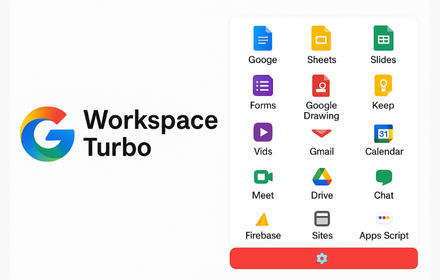
Workspace Turbo
Create Google Workspace files fast. Smooth popup + configurable options.
377

Create google doc for chrome
Use this extension to easily create Google Docs, Presentations, Drawings, and more right from your browser
6

Google Docs Quick Create
Instantly create Google Docs, Sheets, Slides, or Forms from your browser bar with one-click convenience.
640
★ 5.0

Create Google Doc
Easily create Google Doc from your browser bar. Paste without formatting into new Google Docs with just one click!
30.0K
★ 4.9

Google Docs Quick Links
Quick access to Google Docs, Forms, Slides, and Sheets with one-click links.
4
Data sourced from the Chrome Web Store · last verified May 25, 2026.