
Super Highlighter
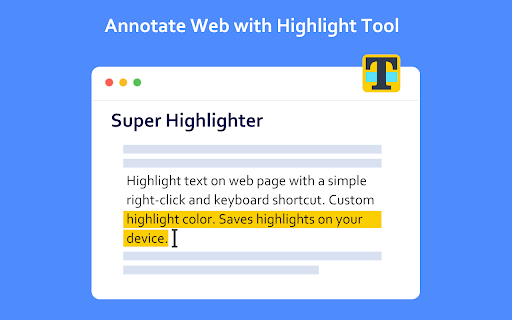
Highlight text on web page with a simple right-click and keyboard shortcut. Custom highlight color. Saves highlights on your device.
As of May 2026, Super Highlighter has 3,000 users and a 4.10/5 rating from 21 reviews in the Workflow & Planning category.
Usersdown 25.0 percent−25.0%
3.0K
3,000
Ratingno change0%
4.10
21 reviews
Reviewsno change0%
21
Version
1.2.2
Manifest V3
90-day change · In the last 90 days this extension lost 1.0K users.
History
1 snapshotsTracking since May 25, 2026.
View as table
| Date | Users | Rating | Reviews | Version |
|---|---|---|---|---|
| May 25, 2026 | 4.0K | 4.10 | 21 | 1.2.2 |
| Now | 3.0K | 4.10 | 21 | 1.2.2 |
Permissions & access
- Permissions
- contextMenusscriptingstorage
- Host access
- <all_urls>
Screenshots
About
Highlight text on websites with a simple right-click or keyboard shortcut. Saves highlights on your device.

Easiest way to highlight text on any webpage! Simply select text, then right click it to select the "Highlight" option. Alternatively, use the default keyboard shortcut 'Alt+H'.

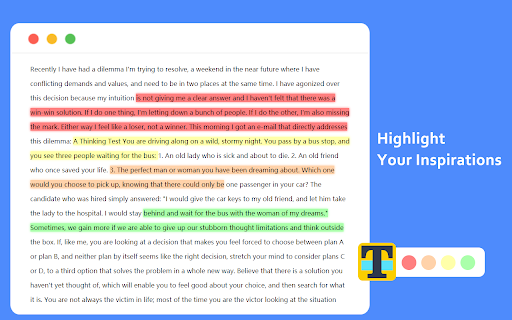
You can customize the colors of the highlighter, and you can switch these colors through shortcut keys.

You can customize shortcut keys and use all functions without mouse.

All highlighted texts are saved so that your highlights are not lost when exiting a page! Simply re-opening that page will bring back all the highlights.
Technical
- Version
- 1.2.2
- Manifest
- V3
- Size
- 93.35KiB
- Min Chrome
- 88
- Languages
- 2
- Featured
- No
Metadata
- ID
- ifnlkhhhhklpmjjbdpnpenpgbndniedg
- Developer ID
- u468d17551c012cd0744814aba8e9923b
- Developer Email
- [email protected]
- Created
- Aug 24, 2021
- Last Updated (Store)
- May 23, 2024
- Last Scraped
- May 25, 2026
- Website
- —
- Support URL
- —
Similar extensions
Alternatives to Super Highlighter, ranked by description similarity.

Highlighter
Highlight text on websites with a simple right-click or keyboard shortcut. Saves highlights on your device.
100.0K
★ 3.7

Web Highlighter Pro: Smart Folders, Notes & Research Assistant
Save & organize web content with multi-color highlighting, smart folders & beautiful notes. Create, organize with ease!
54
★ 5.0

Site Memory
Save text highlights and automatically recall them when revisiting sites
1

Web Highlighter – Highlight Text, Save Notes & AI Study Tool
Highlight text on any webpage, save notes, AI flashcards & summaries. Free annotation & research tool. Liner & Weava alternative.
811
★ 4.6

Luma Highlighter
A powerful text highlighter for every website with customizable colors, folders, and export/import functionality.
—
★ 5.0

Site Specific Search Shortcut
Search selected text on target site with a preset hotkey.
1

GRE Words Highlighter
Scans and highlights the GRE words in a webpage on demand. Contains over 2000 words from three popular lists
459
★ 4.7

Super Simple Highlighter
Make permanent, private highlights on any web page.
200.0K
★ 3.9
Data sourced from the Chrome Web Store · last verified May 25, 2026.