
URL Query Param Field Defaults Chrome Extension
A Chrome extension that reads URL query parameters and applies them as CSS selectors to set values on the page.
As of June 2026, URL Query Param Field Defaults Chrome Extension has 2 users in the Developer Tools category.
Usersdown 33.3 percent−33.3%
2
2
Ratingno change0%
—
— reviews
Reviewsno change0%
—
Version
1.0
Manifest V3
History
3 snapshotsTracking since Apr 20, 2026.
View as table
| Date | Users | Rating | Reviews | Version |
|---|---|---|---|---|
| Apr 20, 2026 | 3 | — | — | 1.0 |
| May 14, 2026 | 2 | — | — | 1.0 |
| Jun 8, 2026 | 3 | — | — | 1.0 |
| Now | 2 | — | — | 1.0 |
Permissions & access
- Permissions
- activeTabcontextMenusscripting
- Host access
- None declared
Screenshots

About
URL Query Param Field Defaults Chrome Extension

URL Query Param Field Defaults Chrome Extension automatically sets values for input fields and textareas on any webpage based on the query parameters in the URL. Each query parameter key is treated as a CSS selector, and its value is applied to the matching element(s) on the page.

- Supports dynamic and single-page applications (SPA).
- Works for all input and textarea fields.
- Popup UI lets you restrict the extension to specific domains or URL patterns.
- Right-click context menu lets you add the current field value to the URL as a query parameter.
- No configuration required—just add query parameters to the URL and the extension does the rest.


Examples

1. Set an input field value by name

URL:
https://example.com?input[name=email][email protected]

Result:
- The input field with `name="email"` will be set to `[email protected]`.

2. Set a textarea value by ID

URL:
https://example.com?textarea#bio=Hello%20World

Result:
- The textarea with `id="bio"` will be set to `Hello World`.

3. Set multiple fields at once

URL:
https://example.com?input[name=email][email protected]&input[name=username]=alice&textarea#bio=Hello%20World

Result:
- The input field with `name="email"` will be set to `[email protected]`.
- The input field with `name="username"` will be set to `alice`.
- The textarea with `id="bio"` will be set to `Hello World`.

4. Use a class selector

URL:
https://example.com?input.my-class=Some%20Value

Result:
All input fields with class `my-class` will be set to `Some Value`.

5. Use the popup to restrict domains

- Open the extension popup and add allowed domains or URL patterns.
- Only pages matching those patterns will be affected by the extension.

6. Use the context menu to add a field value to the URL

- Right-click any input or textarea and choose "Set this value in the URL" to add its value as a query parameter for future visits.

Source code for this extension is here: https://github.com/paulb896/url-query-param-field-defaults-chrome-extension.
Technical
- Version
- 1.0
- Manifest
- V3
- Size
- 81.43KiB
- Min Chrome
- 88
- Languages
- 1
- Featured
- No
Metadata
- ID
- ieimhpkglejhieklbngakkkbagonmdno
- Developer ID
- ua7f14d00bc8c0e5ca8c5c4dc927be540
- Developer Email
- [email protected]
- Created
- Sep 9, 2025
- Last Updated (Store)
- Sep 9, 2025
- Last Scraped
- Jun 8, 2026
- Website
- —
- Privacy Policy
- —
Similar extensions
Alternatives to URL Query Param Field Defaults Chrome Extension, ranked by description similarity.

Params Editor
Edit URL query parameters with smart input types
329
★ 5.0

SETGET
Easy way to set default query params
3
★ 5.0

URL Param Editor
URL parameter modification tool - easily edit URL parameters and switch between environments
85
★ 5.0

Query Params Manager
View, add, edit, and remove URL query parameters with a clean UI. A developer tool for quick URL manipulation.
68
★ 5.0
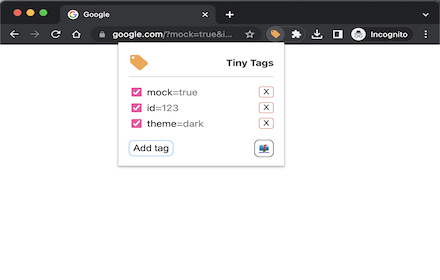
Tiny Tags: instant query params
Tiny Tags is a Chrome extension that simplifies the process of adding query parameters to your URLs.
244
★ 5.0

Search API Query String Parser
View and edit long URL search query string with relative ease
359
★ 5.0

URL Query Parameter Appender
Automatically append query parameters to URLs based on hostname
105

Request Header/Query Param Override MV3
A chrome extension for overriding external http request headers and query parameters
523
Data sourced from the Chrome Web Store · last verified Jun 8, 2026.