
DevTextus: Streamline text, code, and data effortlessly.
DevTextus simplifies complex tasks with intuitive tools that save time and enhance accuracy.
As of June 2026, DevTextus: Streamline text, code, and data effortlessly. has 10 users in the Developer Tools category.
Usersup 25.0 percent+25.0%
10
10
Ratingno change0%
—
— reviews
Reviewsno change0%
—
Version
1.0.0
Manifest V3
History
3 snapshotsTracking since Apr 20, 2026.
View as table
| Date | Users | Rating | Reviews | Version |
|---|---|---|---|---|
| Apr 20, 2026 | 8 | — | — | 1.0.0 |
| May 4, 2026 | 7 | — | — | 1.0.0 |
| Jun 3, 2026 | 8 | — | — | 1.0.0 |
| Now | 10 | — | — | 1.0.0 |
Permissions & access
- Permissions
- storagetabsidentity
- Host access
- None declared
Screenshots
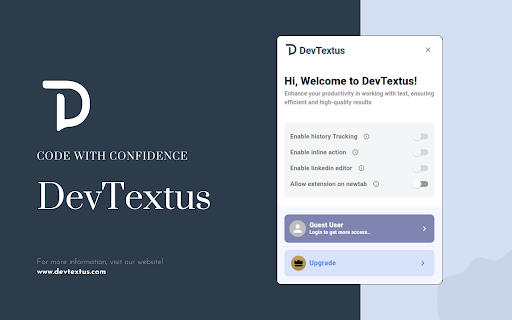


About
🚀 Simplify Complex Tasks & Boost Productivity with DevTextus DevTextus is your all-in-one Chrome extension designed for developers, testers, data professionals, content creators, and beyond. With an intuitive, easy-to-use interface and a comprehensive toolkit, turns tedious, repetitive tasks into seamless, efficient workflows—so you can focus on what matters most. Website: www.devtextus.com 🔑 Key Features 🧠 AI-Powered Text Tools Enhance your content creation and data handling with smart, AI-driven features: • Text Summarizer: Instantly condense lengthy content into clear, digestible summaries. • Key Point Extractor: Highlight the most important information from any text. • Translation Assistant: Effortlessly translate text across multiple languages. • Smart Text Rewriter: Rephrase content while preserving original meaning for clarity and tone. • Q&A Generator: Automatically produce relevant questions and answers for quizzes, FAQs, and educational content. 📄 PDF Tools Manage your PDF files with ease: • Extract pages from PDF files • Compress PDFs to reduce file size • Merge multiple PDFs into a single document • Split PDFs into separate files • Organize pages: reorder, delete, or duplicate pages • Add page numbers to your PDFs • Rotate individual or multiple pages • Remove specific pages from a document • Crop pages to adjust margins and content area • Add watermarks to your PDFs for branding or confidentiality 🖼️ Image Format Conversion Convert between popular image formats including PNG, JPG, GIF, and MP4 for optimized web and app use. 🌐 Website & Server Insights Monitor and troubleshoot with real-time tools: • Ping Tool: Instantly check website status, server details, IP addresses, and response times. 📝 Text Utilities Work smarter with text: • String Utilities: Convert text to uppercase, lowercase, capitalize, reverse, or count characters and words. • Text Comparisons: Highlight differences between two versions of text side by side. • Text Splitting: Divide text using custom delimiters for structured data processing. 🔍 Data Validation & Escaping Keep your data clean and secure: • Escape Special Characters: For safe use in HTML, XML, JSON, CSV, and SQL. • Validation Tools: Check the accuracy of XML, JSON, YAML, URLs, IP addresses, and SQL queries. 💻 Code Utilities Optimize and clean up your code effortlessly: • Minify Code: Compress JS, CSS, C++, Java, Python, and Go files. • Beautify Code: Instantly format messy or minified code for readability. • Code Compilers: Convert code into optimized, executable formats. 🔐 Encoding & Decoding Securely convert data: • Encode text to Base64, binary, or URL-safe formats. • Decode encoded data back to readable text instantly. 📲 QR Code Generator Create custom QR codes for: • URLs • Contact details • Calendar events • WiFi credentials • Geolocation points 🔄 File & Data Conversions Seamlessly transform between formats: • CSV ↔ JSON, JSON ↔ XML, Markdown ↔ HTML, HEX ↔ RGB, and more. 🔢 Random Data Generators Generate randomized, test-ready data: • Fake emails, SSNs, VINs, UUIDs, IPs, MAC addresses, passwords, and Lorem Ipsum text. 🎨 Perfect For: • 👨💻 Developers: Debug, convert, and enhance your code. • 🛠️ QA/Test Engineers: Validate data and automate checks. • 📊 Data Analysts: Process, compare, and analyze structured data. • ✍️ Content Creators: Summarize, rephrase, and translate content. • 🎨 Designers: Convert color codes and generate sample data for prototypes. • And more... 📦 What’s Included? DevTextus offers flexible plans to match your needs—from casual use to enterprise-grade solutions. 🔹 Launch Plan — Free Get started with essential tools at no cost. • Basic access to core features • AI Token Limit: 1,000 tokens/month • Limited characters per API call • Small file size support • LinkedIn Editor: Basic tools Ideal for casual users and early testing. 🔹 Grow Plan — Paid Unlock extended features for growing needs. • Includes all Free Plan features • AI Token Limit: 1 million tokens/month • Increased character limit per call • Accepts medium-sized files • LinkedIn Editor: Plus unlocked • Result retention: 2 days • Send results via email: max 2 users • History tracking: Enabled • Inline actions: Enabled Best for professionals and growing teams. 🔹 Scale Plan — Paid Experience full access with top-tier features. • Includes all Plus Plan features • AI Token Limit: 5 million tokens/month • Maximum character limit per call • Supports large file uploads • LinkedIn Editor: Full advanced • Result retention: 7 days • Send results via email: max 10 users • History tracking: Enabled • Inline actions: Advanced and enabled Perfect for power users and enterprise needs. 🔹 Enterprise Plan — Contact Sales Tailored solutions & SLAs for large teams. • Includes all Scale features • Unlimited AI Token Limit • Integrations kit & SSO • Dedicated account manager • SLA & 24/7 priority support Contact Sales for a personalized quote. 🔥 Why Choose DevTextus? ✔️ All-in-One Productivity Toolkit: Everything you need, all in one place. ✔️ User-Friendly Interface: Intuitive, clean, and efficient. ✔️ Secure & Private: Your data stays local—never sold, never shared. ✔️ Regular Updates: Continuous improvements and new features. ✔️ Seamless Integration: Works across Chrome and popular web apps. ✨ More Features Coming Soon! We’re constantly improving DevTextus with new tools and enhancements based on your feedback. Stay tuned for even more AI-powered features, data utilities, and integrations to supercharge your workflow. 🎯 Get Started with DevTextus Today! Simplify your workflow, save time, and increase accuracy with the ultimate productivity toolkit for your browser. [Download DevTextus now] and experience streamlined, smarter work.
Technical
- Version
- 1.0.0
- Manifest
- V3
- Size
- 2.63MiB
- Min Chrome
- 88
- Languages
- 1
- Featured
- No
Metadata
- ID
- ieeinlmbakckbegofoaimlnnojjimhlm
- Developer ID
- ub5ac8240459e247211cf48dc1f526f64
- Developer Email
- [email protected]
- Created
- Feb 26, 2025
- Last Updated (Store)
- May 1, 2025
- Last Scraped
- Jun 3, 2026
- Website
- devtextus.com
- Support URL
- https://www.devtextus.com/contact-us
- Privacy Policy
- https://www.devtextus.com/privacy-policy
Similar extensions
Alternatives to DevTextus: Streamline text, code, and data effortlessly., ranked by description similarity.

DevTools Utilities - Text & Code Helper
Boost your productivity essential developer tools for text transformation, encoding/decoding, JSON formatting, and data manipulation
32
★ 5.0

DevTools
40+ developer tools: JSON formatter, Base64/URL encoder, hash generator, JWT debugger, regex tester, and more
78
★ 1.0

Admin Tools by Cloud Captains
130+ developer and admin utilities in your browser, with AI Assistant powered by Chrome Gemini Nano. Offline and private.
166
★ 5.0

Dev Tools - Web Dev Tools Suite
Essential web dev tools: code formatter, minifier, base64 encoder, regex, color picker, JSON syntax validator, QR generator & more.
161
★ 5.0

Discover Web Tools
Simplify web dev: format code, convert files, generate CSS, optimize, and more.
58
★ 5.0

DailyDevTools
Developer utilities at your fingertips. JSON formatter, CURL converter, Base64, URL encoder, JWT decoder - all offline.
5

QA Helper
Testing utilities for QA professionals - GUID generator, regex tester, text generator, and text comparison tools
11
★ 5.0

Web Developer Helper Suite
Measure, Annotate, Extract web data & Optimize local projects for AI/LLM context generation.
18
Data sourced from the Chrome Web Store · last verified Jun 3, 2026.