
MarkItDown Companion
Sync markdown files from MarkItDown, track AI token usage, and export chats from Claude, ChatGPT, Gemini, DeepSeek & Grok.
As of July 2026, MarkItDown Companion has — users in the Developer Tools category.
Usersno change0%
—
—
Ratingno change0%
—
— reviews
Reviewsno change0%
—
Version
2.4.0
Manifest V3
History
1 snapshotsTracking since Jul 4, 2026.
Not enough history yet for this metric — the chart fills in as we collect more snapshots.
View as table
| Date | Users | Rating | Reviews | Version |
|---|---|---|---|---|
| Jul 4, 2026 | — | — | — | 2.4.0 |
| Now | — | — | — | 2.4.0 |
Permissions & access
- Permissions
- storagetabsdownloadsoffscreen
- Host access
- https://claude.ai/*, https://chatgpt.com/*, https://gemini.google.com/*, https://chat.deepseek.com/*, https://grok.com/*, https://*.googleusercontent.com/*, https://*.gstatic.com/*, https://*.ggpht.com/*, https://*.openai.com/*, https://*.oaidalleapiprodscus.blob.core.windows.net/*, https://*.shutterstock.com/*, https://*.unsplash.com/*, https://*.cloudfront.net/*, https://*.amazonaws.com/*, https://*.anthropic.com/*
Screenshots


About
MarkItDown Companion is the official browser extension for the MarkItDown web application, designed to bridge your AI conversations with your markdown workflow.

Key Features:
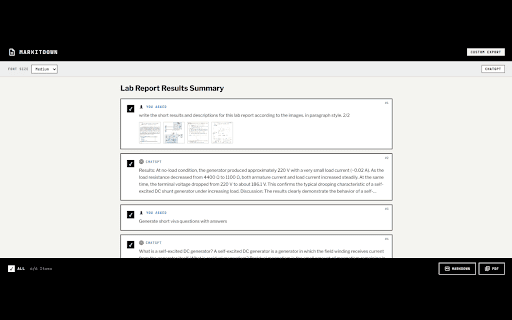
- Seamlessly export your entire chat history from Claude, ChatGPT, and Gemini into clean, perfectly formatted Markdown or high-quality PDFs.
- Live token tracking indicators for AI platforms so you know exactly when you're hitting context limits.
- Save extracted snippets and markdown files directly to your MarkItDown instance with a single click.
- Automatic context snapshots to easily hand off long conversations to fresh AI sessions.

How to Use:
1. Install the extension and visit Claude, ChatGPT, or Gemini.
2. A small token tracker badge and an "Export" floating menu will appear in the UI.
3. Click Export to download the conversation as Markdown/PDF, or select "Save to Extension" to queue it.
4. Visit markitdown.neosparkx.com to sync your queued files directly into your workspace.

Privacy & Permissions:
This extension operates entirely locally. It does not use external APIs or analytics, and your chat data never leaves your device unless you explicitly sync it to your own MarkItDown workspace.

Support & Feedback:
If you encounter any issues, please reach out to [email protected].
Technical
- Version
- 2.4.0
- Manifest
- V3
- Size
- 1.11MiB
- Min Chrome
- 88
- Languages
- 1
- Featured
- No
Metadata
- ID
- ieefjgpkigjbojkmgffpkhcglampfgcp
- Developer ID
- u856d1105b0e71f8a324657ad8c0d45b1
- Developer Email
- [email protected]
- Created
- Jul 3, 2026
- Last Updated (Store)
- Jul 3, 2026
- Last Scraped
- Jul 4, 2026
- Website
- —
- Support URL
- https://neosparkx.com/
- Privacy Policy
- https://markitdown.neosparkx.com/privacy
Data sourced from the Chrome Web Store · last verified Jul 4, 2026.