
Web Paint
Draw shapes, lines, and add text to live web pages and take screenshot.
As of June 2026, Web Paint has 84 users and a 5.00/5 rating from 1 reviews in the Developer Tools category.
Usersup 82.6 percent+82.6%
84
84
Ratingno change0%
5.00
1 reviews
Reviewsno change0%
1
Version
1.4.09
Manifest V3
History
5 snapshotsTracking since Apr 20, 2026.
View as table
| Date | Users | Rating | Reviews | Version |
|---|---|---|---|---|
| Apr 20, 2026 | 46 | 5.00 | 1 | 1.4.09 |
| May 4, 2026 | 49 | 5.00 | 1 | 1.4.09 |
| May 14, 2026 | 56 | 5.00 | 1 | 1.4.09 |
| May 27, 2026 | 68 | 5.00 | 1 | 1.4.09 |
| Jun 8, 2026 | 78 | 5.00 | 1 | 1.4.09 |
| Now | 84 | 5.00 | 1 | 1.4.09 |
Permissions & access
- Permissions
- tabsstorageactiveTabscripting
- Host access
- <all_urls>
Screenshots

About
Drawing Tool Features
Pencil Tool – Draw freeform lines using your selected line width and color.

Eyedropper Tool – Pick a color from anywhere on the webpage or from your drawings to use.

Text Tool – Add text to the webpage using the chosen color and transparency.

Line Tool – Draw straight lines with your selected width, color, and transparency.

Arrow Tool – Draw straight lines ending with an arrow, using the selected width, color, and transparency.

Quadratic Curve Tool – Draw smooth quadratic curves with your chosen line settings.

Bezier Curve Tool – Create custom Bezier curves using the selected line width, color, and transparency.

Polygon Tool – Draw polygons with adjustable line width, color, and transparency.

Ellipse Tool – Draw ellipses or circles with your selected settings.

Paint Bucket Tool – Fill an area with the selected color and transparency.

Color Picker – Choose the color for text and drawing tools.

Transparency Slider – Adjust the transparency of lines and text.
(Drag left to decrease transparency, right to increase)

Line Width Slider – Change the line thickness.
(Drag left to make lines thinner, right to make them thicker)

Rectangle Tool – Draw rectangles with your chosen line width, color, and transparency.

Cursor Tool – Interact with webpage elements.

Eraser Tool – Remove parts of your drawing.

Screenshot Tool – Capture a screenshot of the current webpage including your drawings.

Exit Button – Clear all drawings and disable the tools.

How to Start
Click the extension icon in the top-right corner of your browser to activate the tools.

Recent Updates
Version 1.4.2

Added a new tab page with drawing tools.

Version 1.4.0

New popup design

Blank new tab for sketch drawing

Minor bug fixes
Technical
- Version
- 1.4.09
- Manifest
- V3
- Size
- 676KiB
- Min Chrome
- 88
- Languages
- 37
- Featured
- No
Metadata
- ID
- icpaffkpolggagolcnlenehpedbgdmje
- Developer ID
- u6b55af86299496e3233f8c49d4c86bfb
- Developer Email
- [email protected]
- Created
- Jul 21, 2025
- Last Updated (Store)
- Jul 22, 2025
- Last Scraped
- Jun 8, 2026
- Website
- w3technic.com
- Support URL
- https://w3technic.com/contact
- Privacy Policy
- https://w3technic.com/privacy-policy
Similar extensions
Alternatives to Web Paint, ranked by description similarity.

Web paint tool - Drawww
Draw shapes, lines, add text to live web pages. Annotate online, take screenshot, download PNG, share with friends. Page marker
81
★ 5.0

PenShot -> Draw + Inspect + Screenshot + Share
Draw, annotate, and capture screenshots on any website with shapes, element scanning, font inspector, and Lorem Ipsum replacement.
15

Annotate Web
Use annotate web to annotate websites and draw on a page as a marker or highlight important parts of the page.
1.0K
★ 4.6

WebCanvas Studio
Draw, highlight, and annotate any webpage with pen, shapes, text. Undo, redo, save. by AIO.com.ai
2

MgPentool
A premium pen tool for designers and developers to draw vector paths on any webpage.
9
★ 5.0
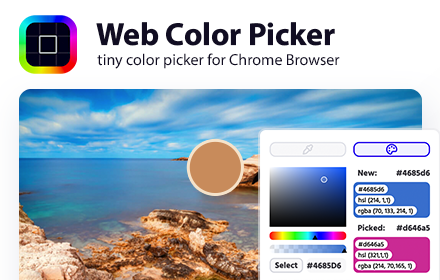
Web Color Picker - online color grabber
Grab colors from web pages. Color picker, color history. Live smart color picker tool in HEX, RGBA. Eyedropper colorpick for free
30.0K
★ 4.0

DevTools Suite
A collection of useful tools for developers and designers.
1.0K
★ 5.0

Designer's Little Helper
Developer & designer toolkit: Grid, CSS Inspector, Color Picker, Contrast Checker, Responsive Testing & more.
20
Data sourced from the Chrome Web Store · last verified Jun 8, 2026.