
Skeleton Text Overlay
Click on any text element to apply a professional skeleton loading effect
As of June 2026, Skeleton Text Overlay has — users in the Developer Tools category.
Usersno change0%
—
—
Ratingno change0%
—
— reviews
Reviewsno change0%
—
Version
1.0
Manifest V3
History
3 snapshotsTracking since Apr 18, 2026.
View as table
| Date | Users | Rating | Reviews | Version |
|---|---|---|---|---|
| Apr 18, 2026 | 1 | — | — | 1.0 |
| Apr 28, 2026 | 2 | — | — | 1.0 |
| May 8, 2026 | 2 | — | — | 1.0 |
| Now | — | — | — | 1.0 |
Permissions & access
- Permissions
- activeTab
- Host access
- None declared
Screenshots

About
This simple app allow you to hide text for take screenshots.
Technical
- Version
- 1.0
- Manifest
- V3
- Size
- 23.1KiB
- Min Chrome
- 88
- Languages
- 1
- Featured
- No
Metadata
- ID
- ibhliiidpglgmmheboheadhcmpdodcek
- Developer ID
- u95587a542715e555ad245e78f7a27428
- Developer Email
- [email protected]
- Created
- Nov 10, 2025
- Last Updated (Store)
- Nov 10, 2025
- Last Scraped
- Jun 9, 2026
- Website
- 13node.com
- Support URL
- https://13node.com/en/offices/
- Privacy Policy
- https://13node.com/politica-privacidad/
Similar extensions
Alternatives to Skeleton Text Overlay, ranked by description similarity.

Page Text Modifier
Select any element on the page and alter its text.
4

Quick Screenshot Lite
Take instant screenshots (full page or visible area) with one click. Lightweight and 100% local.
43

Quick Screenshot + Annotate
Capture → Annotate → Copy/Download in 5 seconds. No login. No uploads. Everything stays in your browser.
3

Snap Magic
Snap Magic - Snap, Edit, Share: Your Social Media Screenshot Companion
25

Capture Screenshot
Simple & powerful screenshot tool — visible, full page, select area, and snap.
116
★ 5.0

Screenshot Editor
Capture screenshots and edit with professional annotation tools: highlight, arrows, text, and blur.
30
★ 5.0
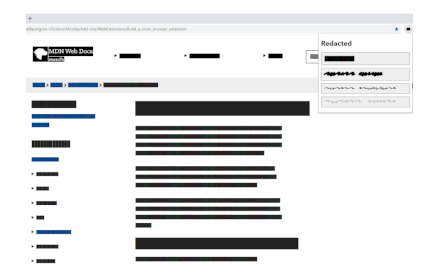
Redacted
Redact text on a page before taking a screenshot of it.
402
★ 5.0

Screenshot with URL - Full Page Screenshot
Capture full page, visible & selected area screenshots with URL bar & hidden Bookmarks, record screen with inbuilt editor.
7.0K
★ 4.9
Data sourced from the Chrome Web Store · last verified Jun 9, 2026.