Save The Tabs
Save The Tabs - Save and restore all open tabs from the toolbar popup!
As of May 2026, Save The Tabs has 49 users and a 5.00/5 rating from 10 reviews in the Workflow & Planning category.
Usersdown 9.3 percent−9.3%
49
49
Ratingno change0%
5.00
10 reviews
Reviewsno change0%
10
Version
0.1
Manifest V3
History
3 snapshotsTracking since Apr 1, 2026.
View as table
| Date | Users | Rating | Reviews | Version |
|---|---|---|---|---|
| Apr 1, 2026 | 54 | 5.00 | 10 | 0.1 |
| Apr 30, 2026 | 51 | 5.00 | 10 | 0.1 |
| May 27, 2026 | 52 | 5.00 | 10 | 0.1 |
| Now | 49 | 5.00 | 10 | 0.1 |
Permissions & access
- Permissions
- tabsstorage
- Host access
- None declared
Screenshots
About
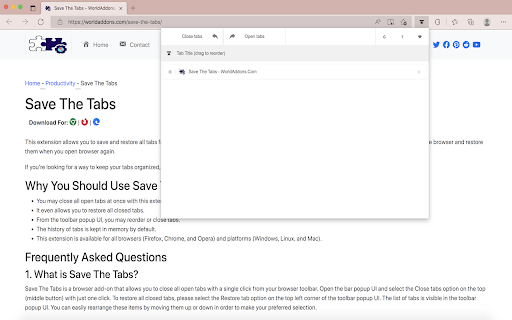
"Save The Tabs" is a browser add-on that allows you to save and shut all tabs with a single click from your browser's toolbar

To remove a tab, simply open the toolbar popup UI and click on the - Close tabs - button on the top-left corner. Please click on the Open tabs - button on the top toolbar to re-open all closed tabs. Within the toolbar popup UI, you will see a list of tabs as well as a list of opened tabs (drag & drop). The items in this list may be easily rearranged (drag & drop). All existing open tabs will be automatically resized to match your new order.

Aside from that, you may click on the close button in the toolbar pop-up to close a single tab (and remove it from the list). The precise change will be shown for all open tabs in your browser when you make any modifications in the toolbar popup UI; vice versa, once you alter any settings on the open tabs, the toolbar popup will reflect these changes.
Technical
- Version
- 0.1
- Manifest
- V3
- Size
- 58.13KiB
- Min Chrome
- 88
- Languages
- 1
- Featured
- No
Metadata
- ID
- ibfbpkkkccodmhkkpamenigjibohapdf
- Developer ID
- u856f7a278c96a3295b6814bda7dd5d58
- Developer Email
- [email protected]
- Created
- May 26, 2022
- Last Updated (Store)
- May 26, 2022
- Last Scraped
- May 27, 2026
- Website
- —
- Support URL
- https://worldaddons.com/contact/
- Privacy Policy
- https://worldaddons.com/privacy-policy/
Similar extensions
Alternatives to Save The Tabs, ranked by description similarity.

Save my Tabs
Save all tabs at once.
20.0K
★ 4.0

Close Duplicate Tabs
Close all duplicate tabs
20.0K
★ 4.1

Close Tabs & Restore
Close tabs to the left or right, remove duplicates, and restore last closed tabs. A simple and smart tab manager.
8
★ 5.0

Save My Tabs
Save and restore tabs from a session under named folders.
—
Session Saver
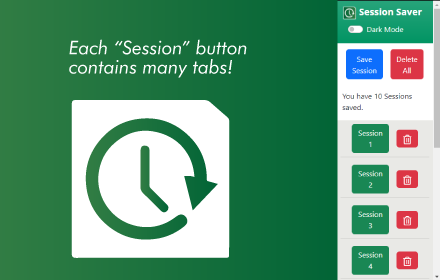
Save a list of all the tabs you currently have open in your window so you can open them later.
29

Keep Tabs
Saves your tabs/windows. Organizes saved items by date saved. Offers functionality to view, rename, and remove saved items.
54

Keep Tabs
Saves your tabs/windows. Organizes saved items by date saved. Offers functionality to view, rename, and remove saved items.
39

Close All Tabs for Website
Adds a context menu option to close all tabs belonging to the current Website. Or Group them into a tab group.
9
★ 5.0
Data sourced from the Chrome Web Store · last verified May 27, 2026.