
CapCut For PC,Windows and Mac (Easy Edit)
Enhance your CapCut experience with additional features.
As of May 2026, CapCut For PC,Windows and Mac (Easy Edit) has 3,000 users and a 1.44/5 rating from 9 reviews in the art category.
Usersup 50.0 percent+50.0%
3.0K
3,000
Ratingdown 52.0 percent−52.0%
1.44
9 reviews
Reviewsup 350.0 percent+350.0%
9
Version
1.1
Manifest V3
90-day change · In the last 90 days this extension gained 1.0K users.
History
2 snapshotsTracking since Apr 1, 2026.
View as table
| Date | Users | Rating | Reviews | Version |
|---|---|---|---|---|
| Apr 1, 2026 | 2.0K | 3.00 | 2 | 1.1 |
| Apr 30, 2026 | 2.0K | 1.57 | 7 | 1.1 |
| Now | 3.0K | 1.44 | 9 | 1.1 |
Permissions & access
- Permissions
- None declared
- Host access
- None declared
Screenshots

About
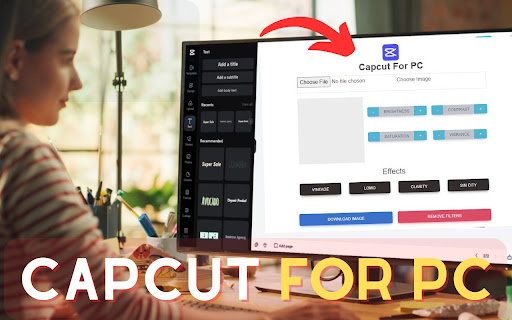
Our "Capcut for PC, Windows and Mac: Easily edit images with our simple extension. Upload, apply effects, and revert changes effortlessly. Download your edited image with a click. Enjoy the convenience of intuitive features for seamless editing.

✅ This is my extension features:


1) You can upload an image and edit it.

2) Here you can edit the background, contrast, saturation, vibrance, vintage, lomo, clarity, and Sin City, etc of the image.

3) Download Image: Click here to download the edited image.

4) Remove Filters: From here, you can revert the edited image to its previous state.

3) Easy To use

4) Simple Extension


✅ How To Use Capcut on PC?


Step 1: Start by adding this extension to your Chrome browser by clicking "Add to Chrome."

Step 2: Next, click on the Extension icon.

Step 3: You will see three tabs:

"Choose File"

"Effects"

"Remove Filters"

"Download Image"

Step 4: In the first tab, you can upload an image. In the second tab, edit the background, contrast, saturation, vibrance, vintage, lomo, clarity, and Sin City, etc of the image. Download Image: Click here to retrieve the edited image. Remove Filters: Here, you can revert the edited image back to its original state.

Step 5: Enjoy a safer browsing experience!


✅ Disclaimer:


Please note that "Capcut for PC, Windows, and Mac" Chrome Extension is an independent product and is not associated, affiliated, or endorsed by the Capcut Android app or its developers. We respect intellectual property rights and make no claim to any copyrights associated with the Capcut Android app.
Technical
- Version
- 1.1
- Manifest
- V3
- Size
- 80.44KiB
- Min Chrome
- 88
- Languages
- 1
- Featured
- No
Metadata
- ID
- iakmndnmkhlcbmeckabdkkamopjlomjh
- Developer ID
- ud35f607f347c69d1554188ccbc932b2f
- Developer Email
- [email protected]
- Created
- Mar 17, 2024
- Last Updated (Store)
- Mar 17, 2024
- Last Scraped
- May 27, 2026
- Website
- capcutforpcnew.blogspot.com
Similar extensions
Alternatives to CapCut For PC,Windows and Mac (Easy Edit), ranked by description similarity.

LightCut For PC,Window,Mac (Free Use)
You Can edit Video
1.0K
★ 5.0

Download PicsArt For PC, Windows and Mac
Get PicsArt For PC, Windows and Mac extension to brings you awesome image editor with single click
956
★ 1.0

BeFunky Extension
Instantly edit web page images and screenshots with BeFunky Photo Editor
8.0K
★ 4.0

Airbrush for PC, Windows & Mac - Free Download
Explore Airbrush for PC Windows and Mac Chrome Extension: Draw, paint, and save artwork easily with vibrant colors.
134

Remove background
Remove background from image easily with our convenient background remover tool. Select or upload your image in the browser.
40.0K
★ 4.7

PerfectSnap - Transform Your Screenshot into a Masterpiece
Capture, Edit, and Share Stunning Screenshots with Ease.
How It Works
1. Capture: Use the extension to take a screenshot…
20
★ 5.0

Final Cut Pro Windows - 100% Free Download
Final cut pro windows Extension Help you cut your images easily
163

Fast Photo Cropper: No Servers, Just Privacy
Crop photos in any aspect ratio, privately.
44
Data sourced from the Chrome Web Store · last verified May 27, 2026.