
Omit
Block distracting websites and stay focused with Omit
As of June 2026, Omit has 4 users and a 5.00/5 rating from 1 reviews in the Well Being category.
Usersno change0%
4
4
Ratingno change0%
5.00
1 reviews
Reviewsno change0%
1
Version
1.0.0
Manifest V3
History
7 snapshotsTracking since Apr 1, 2026.
View as table
| Date | Users | Rating | Reviews | Version |
|---|---|---|---|---|
| Apr 1, 2026 | 4 | 5.00 | 1 | 1.0.0 |
| Apr 8, 2026 | 3 | 5.00 | 1 | 1.0.0 |
| Apr 19, 2026 | 6 | 5.00 | 1 | 1.0.0 |
| Apr 29, 2026 | 7 | 5.00 | 1 | 1.0.0 |
| May 17, 2026 | 6 | 5.00 | 1 | 1.0.0 |
| May 26, 2026 | 5 | 5.00 | 1 | 1.0.0 |
| Jun 4, 2026 | 8 | 5.00 | 1 | 1.0.0 |
| Now | 4 | 5.00 | 1 | 1.0.0 |
Permissions & access
- Permissions
- storagetabsdeclarativeNetRequestalarmsnotificationswebNavigation
- Host access
- <all_urls>
Screenshots


About
Omit is a productivity and focus assistant designed to help users block distractions, manage focus sessions, and use their time more effectively.

Short Description
Block distracting websites, manage focus sessions, and reclaim your time with Omit. It is a simple and effective way to stay productive.

Long Description
Omit helps you take control of your time by reducing digital distractions and supporting deep focus. It is suitable for work, study, or anyone who wants to limit unnecessary screen time and stay on task.

Key Features

Website Blocking
Omit allows you to block distracting websites in different ways. Focus Mode temporarily blocks selected websites during a focus session. Always Block permanently restricts access to selected sites to support long-term productivity habits. Custom block lists let you choose and manage the exact websites you want to block through the Omit dashboard.

Focus Timer and Sessions
You can set focus durations that match your workflow, such as Pomodoro-style sessions or longer deep work periods. A visual countdown helps you stay committed to your current task.

Sync Between Extension and App
Omit synchronizes blocked websites and focus sessions between the browser extension and the web application. Changes are applied in real time so your blocking rules remain active and consistent.

Why Choose Omit

Omit is simple and easy to use, with a clean interface that requires minimal setup. It is effective in reducing distractions by adding a small but meaningful barrier to time-wasting behavior. It is also lightweight and runs efficiently without slowing down your browser.

Getting Started

Install the Omit browser extension.
Open the dashboard and add websites to your block list.
Sync the extension with the web app.
Start a focus session and work without distractions.
Technical
- Version
- 1.0.0
- Manifest
- V3
- Size
- 19.76KiB
- Min Chrome
- 88
- Languages
- 1
- Featured
- No
Metadata
- ID
- iahoepdnmnalidkdnnoonepclimpodcj
- Developer ID
- u1b7e9387f90b925f443ba4049df89875
- Developer Email
- [email protected]
- Created
- Jan 9, 2026
- Last Updated (Store)
- Jan 9, 2026
- Last Scraped
- Jun 4, 2026
- Website
- —
- Support URL
- —
- Privacy Policy
- https://www.omit.software/privacy
Similar extensions
Alternatives to Omit, ranked by description similarity.

FocusFlow Pomodoro
Pomodoro timer with website blocking and reminders
—

Focus Mode
Block distracting websites during work hours
—

Block Me - Website Blocker
Block distracting websites like Facebook,YouTube and more. Customize your block list and manage your browsing experience.
5
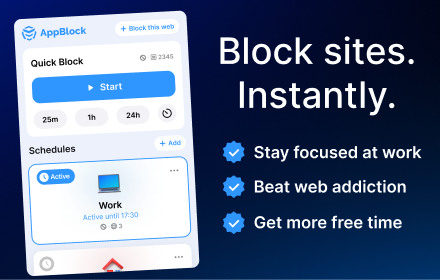
AppBlock - Block sites & Stay focused
Block distracting webs and stay focused on your work.
50.0K
★ 4.7

ClearMind – Website Blocker & Focus Timer & Shorts Blocker
Stay focused and productive. Block distracting websites, set focus timers, and take control of your browsing habits.
2

Focus Blocker Pro
Boost your productivity by limiting time on distracting websites.
—

Block Webs
Block distracting websites with one click
2

Focus Mode
Block distracting websites to stay focused.
8
★ 4.5
Data sourced from the Chrome Web Store · last verified Jun 4, 2026.