
MemoryPlugin - Long-Term Memory for AI Chats
Stop repeating important details in every new AI chat with shared memory across your chats on ChatGPT, Claude, Gemini, and more.
As of June 2026, MemoryPlugin - Long-Term Memory for AI Chats has 1,000 users and a 4.57/5 rating from 7 reviews in the Productivity category.
Usersno change0%
1.0K
1,000
Ratingno change0%
4.57
7 reviews
Reviewsno change0%
7
Version
3.1.3
Manifest V3
90-day change · In the last 90 days this extension 2 version updates.
History
2 snapshotsTracking since Apr 1, 2026.
View as table
| Date | Users | Rating | Reviews | Version |
|---|---|---|---|---|
| Apr 1, 2026 | 1.0K | 4.57 | 7 | 3.1.1 |
| Apr 19, 2026 | 1.0K | 4.57 | 7 | 3.1.2 |
| Now | 1.0K | 4.57 | 7 | 3.1.3 |
Permissions & access
- Permissions
- storagecookiesscriptingalarmswebRequest
- Host access
- http://*/*, https://*/*, https://*.memoryplugin.com/*, <all_urls>
Screenshots


About
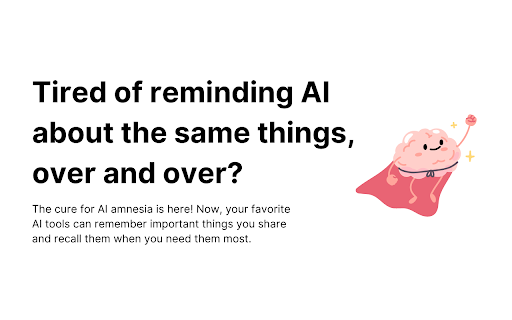
Research shows that most modern knowledge workers spend hours every week doing repetitive tasks, which includes reminding your AI about important details in every new chat. Not only does this impact our productivity, but it can be frustrating   too.

Tired of reminding AI about the same things, over and over? Well, no more!

The cure for AI amnesia is here! Now, your favorite AI tools can remember important things about you and recall them when you need them most.

MemoryPlugin for Chrome adds long term memory (the ability to remember across chats) to your chats with ChatGPT, Claude, Gemini, and LibreChat! This allows your favorite AI tools to remember and recall important information, making your experience more personalised and useful over time. New chats are no longer a blank slate with MemoryPlugin!

Supported Platforms
ChatGPT web app (and mobile app via our Custom GPT, https://chatgpt.com/g/g-pPRwrR7LI-memoryplugin)
Claude web app
Gemini web app
LibreChat web app
TypingMind web app (via a dedicated TypingMind plugin, available from our dashboard once you create a new account: https://www.memoryplugin.com)

Your memory is shared across all the supported platforms, so you are not locked into any one AI tool and can freely use the best tool for the job.

You are in full control of your memories. From our dashboard, you can add new memories or permanently delete old ones. All your data is encrypted and secured. We only store the minimum amount of data necessary to provide long term memory for your AI chats. We only store short snippets and summaries, and we never store your full chats.

How to use MemoryPlugin for Chrome
To use our browser extension, install the extension and log in to your account on https://www.memoryplugin.com. When you open any of the supported platforms, you will see a button that will allow you to inject your memories into the chat in one click. The AI can also instruct the extension to add new memories seamlessly.  All this processing happens on your device, and you will be able to see what the AI has stored.

MemoryPlugin is not affiliated with any of the supported tools. All brand marks are properties of their respective owners.
Technical
- Version
- 3.1.3
- Manifest
- V3
- Size
- 600KiB
- Min Chrome
- 88
- Languages
- 1
- Featured
- No
Metadata
- ID
- iaelpdacgkkhecjoojjgkhiengnbjacd
- Developer ID
- u5027742911e0d252fa29cfb0fcd315eb
- Developer Email
- [email protected]
- Created
- Aug 21, 2024
- Last Updated (Store)
- Apr 10, 2026
- Last Scraped
- Jun 9, 2026
- Website
- memoryplugin.com
- Support URL
- —
- Privacy Policy
- https://www.memoryplugin.com/privacy-policy
Similar extensions
Alternatives to MemoryPlugin - Long-Term Memory for AI Chats, ranked by description similarity.

MaxMemory - Long-term memory for ChatGPT
Stop re-explaining your projects to ChatGPT. MaxMemory remembers what matters.
459
★ 4.7
Memdex — Auto-Save AI Chats, Recall Anywhere
Save AI conversations across ChatGPT, Claude & Gemini. Get relevant context back when you need it — automatically.
421

Memoria - AI Memory Companion
Build a unified context profile once for ChatGPT, Claude, and Gemini. Get personalized responses that truly understand you.
7

AI Chat Recall
Save, organize, and revisit your AI chat conversations (ChatGPT, Claude, Grok, etc.) with folders, favorites, and quick navigation.
19
★ 5.0

OpenMemory
🧠 OpenMemory keeps your conversations in sync. 🔄 No more repeating yourself—just seamless AI collaboration! ✨
6.0K
★ 3.1

XTrace: Sync AI Memories
One-click backup for all your AI chat history. One place for all your ChatGPT, Claude and Gemini memories.
157
★ 5.0

AI2GO.chat - AI Chat New Tab
The Best AI chat platforms all in one place: GPT, Claude, Gemini, Grok, Copilot and more!
57
★ 3.0

The Memory Mate
The Memory Mate — Chrome Extension
Never lose a valuable AI answer again!
The Memory Mate is your personal AI memory assistant for…
8
★ 5.0
Data sourced from the Chrome Web Store · last verified Jun 9, 2026.