
Picsee - collect and organize image
This extension makes easy to collect images or videos and save full-page screenshots from website
As of May 2026, Picsee - collect and organize image has 1,000 users and a 3.00/5 rating from 2 reviews in the Workflow & Planning category.
Usersno change0%
1.0K
1,000
Ratingno change0%
3.00
2 reviews
Reviewsno change0%
2
Version
1.0.4
Manifest V3
Permissions & access
- Permissions
- activeTabcontextMenusstoragetabs
- Host access
- http://*/*, https://*/*
Screenshots


About
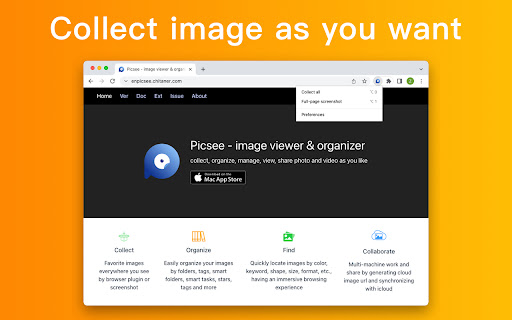
Save web page images as you want to Picsee.

#1. Drag & Drop
Drag & drop the image you see on web page to collect and save to Picsee App.

#2. Shortcut key
Move mouse hover on the image you see on web page pressing "option + 2" to collect and save to Picsee App.

#3. Batch-saving
After filter with image dimension, save all images oon the web page, avoid to collect and save one by one.

#4. Full-page screenshot
Auto scroll to screenshot entire web page as a long image to collect and save to Picsee App.

Browser Extension must used with Picsee App, please install it on your macOS firstly.

---------------------------------------------------------------------------------

It supports to collect and save images on most web page, including Pinterest, Behance, Dribble, Artstation, 500px etc.

We will continue to optimize collecting and saving images, you can email to tell us your idea, [email protected]

---------------------------------------------------------------------------------
Your privacy is very important to us, this extension don't collect any personal information, for more detailed privacy terms, please check: https://picsee.chitaner.com/blog/privacy.html
Technical
- Version
- 1.0.4
- Manifest
- V3
- Size
- 750KiB
- Min Chrome
- 88
- Languages
- 2
- Featured
- No
Metadata
- ID
- hpjohcjliapkpjgbdfeggfldnnpaabjk
- Developer ID
- ua45baa96739429b9f9bfb0a99dfe8745
- Developer Email
- [email protected]
- Created
- Feb 24, 2022
- Last Updated (Store)
- Mar 11, 2022
- Last Scraped
- May 27, 2026
- Website
- —
- Support URL
- https://picsee.chitaner.com
- Privacy Policy
- —
Similar extensions
Alternatives to Picsee - collect and organize image, ranked by description similarity.

Eagle for Chrome
This extension makes it easy to save images and save screenshots to Eagle App.
400.0K
★ 4.4

Simple Screen Capture: Full Page Screenshot
Simple Screen Capture is a handy Chrome Extension that allows you to effortlessly capture full page screenshots with just a click.
5.0K
★ 4.3

Visual Web Clipper for Miro & Figma
The visual web clipper for designers. Capture screenshots, build moodboards, and drag them directly into Miro, Figma, or Notion.
188
★ 3.0

Easy Capture Tool
Save images from around the web to Invent Value
21
★ 5.0

Recorder & Screenshot | Sitespedia - Screen Video Recorder & Screenshot
Take screenshots entirely or partially of websites, annotate them, and manage them in a centralized place.
6

Full Page Screenshot
Capture full-page screenshots of any webpage
687
★ 1.0

Snapify - One Click Screen Capture Tool
Capture full page screenshots, visible area, Selective area and more. Save, copy, and share with delay timer support.
113
★ 5.0

Easy Screenshot
Capture full-page screenshots instantly. Manually select any part of the page to capture exactly what you need.
4
Data sourced from the Chrome Web Store · last verified May 27, 2026.