
Urlyth
Site-anchored notes, screenshots, and voice memos with pinning and local backup.
As of June 2026, Urlyth has — users and a 5.00/5 rating from 1 reviews in the Productivity category.
Usersno change0%
—
—
Ratingno change0%
5.00
1 reviews
Reviewsno change0%
1
Version
1.0.0
Manifest V3
History
4 snapshotsTracking since Apr 1, 2026.
View as table
| Date | Users | Rating | Reviews | Version |
|---|---|---|---|---|
| Apr 1, 2026 | 1 | 5.00 | 1 | 1.0.0 |
| Apr 16, 2026 | — | 5.00 | 1 | 1.0.0 |
| Apr 27, 2026 | 1 | 5.00 | 1 | 1.0.0 |
| May 4, 2026 | 1 | 5.00 | 1 | 1.0.0 |
| Now | — | 5.00 | 1 | 1.0.0 |
Permissions & access
- Permissions
- sidePanelstoragetabsactiveTabunlimitedStorage
- Host access
- <all_urls>, https://extensionpay.com/*
Screenshots


About
Urlyth: Site-Anchored Notes & Memos
Stop losing your thoughts in a sea of browser tabs.

Urlyth is a lightweight, persistent companion that stays with you as you browse. Instead of keeping 50 tabs open as "reminders" or cluttering your desk with sticky notes, Urlyth lets you pin notes, screenshots, and voice memos directly to the website you’re currently visiting.

When you return to that URL, your notes are right there waiting for you.

What can you do with Urlyth?

📍 URL-Specific Notes: Write down ideas or "to-dos" that only appear when you're on a specific page.

🌐 Site-Wide Reminders: Set notes that follow you across an entire domain (perfect for project management or research).

📸 Visual Snaps: Take instant screenshots and anchor them to the page for visual reference.

🎙️ Voice Memos: Too tired to type? Record a quick voice note and play it back later.

🔒 100% Private: Your data stays in your browser. We don't use cloud servers, so your notes are for your eyes only.

💾 Local Backups: Easily export your data to a JSON file for safekeeping or to move it to another device.

Why Urlyth?

Most note-taking apps require you to leave your browser or switch contexts. Urlyth lives in your Chrome Side Panel, meaning it stays open while you work without covering up your content. It’s built for researchers, developers, students, and anyone who lives in a browser.

Declutter your mind. Organize your web. Try Urlyth.
Technical
- Version
- 1.0.0
- Manifest
- V3
- Size
- 30.32KiB
- Min Chrome
- 88
- Languages
- 1
- Featured
- No
Metadata
- ID
- hohhodojpmnjolihlhklkeleiaelajne
- Developer ID
- u04bb42b8bfe0d022d0773c1f51dda414
- Developer Email
- [email protected]
- Created
- Feb 21, 2026
- Last Updated (Store)
- Feb 24, 2026
- Last Scraped
- Jun 5, 2026
- Website
- weblaro.com
- Support URL
- https://weblaro.com/contact
- Privacy Policy
- https://weblaro.com/privacy
Similar extensions
Alternatives to Urlyth, ranked by description similarity.

AB Sticky Notes
Create, manage, and sync sticky notes directly on webpages
—

Posty Note It
Add sticky notes to any webpage to remind yourself of stuff. Privacy policy: https://snappyseotools.com/privacy-policy/
27
★ 5.0

Webstickie
Your Personal Website Notes — Always at Your Fingertips
—

Sticky Tab Notes
Sticky Tab Notes – Quick notes that stay with each tab. Jot it down now, see it again when you return
20
★ 5.0
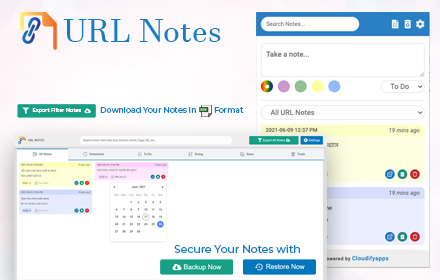
URL Notes: Best Tool to Take, Manage, and Export Notes While Browsing
Stay focused and organized with URL Notes! Effortlessly take, manage, and export notes directly from any webpage, even offline.
656
★ 4.3

NeuroNotes - Smart Sticky Notes
Intelligence in every note. Smart sticky notes with themes, animated patterns, voice, and image capture.
7

Sticky notes
Add sticky notes to your favorite web pages.
4

Auronote
A modern new tab experience with search and audio note-taking capabilities
145
Data sourced from the Chrome Web Store · last verified Jun 5, 2026.