
TopScroll
Click on the left border of any page for scroll to the top.
As of June 2026, TopScroll has 2,000 users and a 4.84/5 rating from 116 reviews in the Functionality & UI category.
Usersno change0%
2.0K
2,000
Ratingdown 0.8 percent−0.8%
4.84
116 reviews
Reviewsup 0.9 percent+0.9%
116
Version
1.9.0
Manifest V3
History
1 snapshotsTracking since Apr 23, 2026.
View as table
| Date | Users | Rating | Reviews | Version |
|---|---|---|---|---|
| Apr 23, 2026 | 2.0K | 4.88 | 115 | 1.9.0 |
| Now | 2.0K | 4.84 | 116 | 1.9.0 |
Permissions & access
- Permissions
- storagescripting
- Host access
- <all_urls>
Screenshots


About
★ Click on the left border of any page for scroll to the top. Just pull the cursor to the left screen edge, click — and you're there!
★ Click again — and you're back where stopped reading.
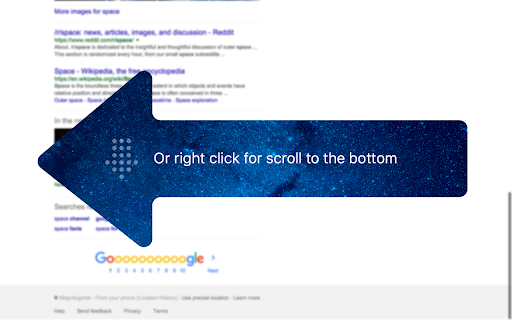
★ Or right click for scroll to the bottom.

There are already a number of Chrome extensions which can add the "scroll up" buttons in all possible places cluttering the precious screen space. With TopScroll you won't need such buttons and will be able to do rapid scrolling since moving the mouse to the left and clicking is the easiest thing to do.

If you use the browser not in fullscreen mode, you may want to increase clickable area width in the extension options.

It does not affect the appearance of web pages.
It may not work on some sites with tricky page layouts. If you found a popular website where the extension doesn't work — feel free to shoot a bug report here or on GitHub.
Repository: https://github.com/sv3k/topscroll
Change log: https://github.com/sv3k/topscroll/releases
Technical
- Version
- 1.9.0
- Manifest
- V3
- Size
- 102KiB
- Min Chrome
- 88
- Languages
- 2
- Featured
- No
Metadata
- ID
- hnninpkmflibadgihijdmlilikhdgajj
- Developer ID
- u7ebd37b98126feb8c561842be2d28c6e
- Developer Email
- [email protected]
- Created
- Dec 20, 2012
- Last Updated (Store)
- Sep 20, 2024
- Last Scraped
- Jun 7, 2026
- Website
- —
- Support URL
- https://github.com/sv3k/topscroll/issues
- Privacy Policy
- —
Similar extensions
Alternatives to TopScroll, ranked by description similarity.

Scroll to Top Bottom
Scroll to Top Bottom: Quick scroll to ends.
8
★ 1.0

Quick Scroll
Scroll to the top of the page on single click and to the bottom on double click.
192
★ 5.0

Scroll To Top
Adds a button to scroll to the top of the page.
Simple and elegant.
2.0K
★ 4.7

Better Scroll To Top/Bottom
Adds buttons to scroll to the top and bottom of the page
182
★ 4.7

Top and Bottom scroll buttons
Adds scroll to Top and Bottom buttons on all sites
7.0K
★ 4.5

Tab Wheel Scroll
Switch tabs with Alt + mouse wheel or right-click + mouse wheel.
10.0K
★ 2.5

ScrollAnywhere
Drag scrollbar with your middle mouse button anywhere on the page. Supports also "grab and drag" style.
40.0K
★ 4.8

Scrollbar Anywhere
Click and drag anywhere to scroll the page.
10.0K
★ 4.3
Data sourced from the Chrome Web Store · last verified Jun 7, 2026.