
Retro Life: Progress & New Tab
A beautiful, retro-styled new tab page to visualize your life progress,manage your daily tasks, manage shortcuts, and stay focused
As of June 2026, Retro Life: Progress & New Tab has 48 users and a 5.00/5 rating from 4 reviews in the Productivity category.
Usersno change0%
48
48
Ratingno change0%
5.00
4 reviews
Reviewsno change0%
4
Version
1.1.1
Manifest V3
History
7 snapshotsTracking since Apr 1, 2026.
View as table
| Date | Users | Rating | Reviews | Version |
|---|---|---|---|---|
| Apr 1, 2026 | 48 | 5.00 | 4 | 1.1.1 |
| Apr 17, 2026 | 53 | 5.00 | 4 | 1.1.1 |
| Apr 26, 2026 | 48 | 5.00 | 4 | 1.1.1 |
| May 7, 2026 | 46 | 5.00 | 4 | 1.1.1 |
| May 13, 2026 | 48 | 5.00 | 4 | 1.1.1 |
| Jun 1, 2026 | 44 | 5.00 | 4 | 1.1.1 |
| Jun 9, 2026 | 45 | 5.00 | 4 | 1.1.1 |
| Now | 48 | 5.00 | 4 | 1.1.1 |
Permissions & access
- Permissions
- storagesearch
- Host access
- None declared
Screenshots


About
Retro Life transforms your new tab page into a unique, retro-styled dashboard designed to help you value your time. With a clean pixel-art aesthetic, it provides a daily reminder of your progress through life, year, month and day.Manage your daily tasks as "Quests".

🌟 Key Features
⏳ Temporal Status (Life Progress)
Visualize your journey through time with experience bar and a dynamic Solar Eclipse. Switch between separate cycles to see your progress:

🌑 Solar Eclipse Visualization: The central visual element where the shadow moves across the sun, representing the percentage of time passed in your current cycle (Day, Month, Year, or Life). As time runs out, the eclipse completes.
   LIFE: Your overall life progress.
  YEAR: How much of the current year has passed.
  MONTH: Progress through the current month.
   DAY: Track the day from current time to midnight.

📜 Quest Log (Task Manager)
Gamify your daily tasks. The Quest Log allows you to:
    Add daily "Quests" (tasks).
    Mark quests as completed.
    Clear completed quests to keep your log clean.
    Minimalist interface that creates a satisfying "quest completion" feel.

🎒 Inventory Dock (Shortcuts)
Keep your most important links in your Inventory. Add shortcuts to your favorite websites for quick access, visualized as inventory slots.

🎨 Retro Themes
Customize your dashboard with a variety of iconic retro themes:
   🌌 Cosmic(Default)
   🕹️ Gameboy (Classic Green)
   🌆 Vaporwave (Neon Pink/Cyan)
   🚨 Red Alert (Tactical Red)
   🔸 Amber (Vintage Terminal)
     ...and more!

🧩 Other Tools
     Google Apps Tray: Quick access to common Google services (Gmail, Drive, Calendar, etc.).
     Web Search : Minimalist search bar to jump straight to the web.

🛠️ Usage
   Onboarding: The first time you open a new tab, you'll be asked to input your birth date. This  is required to calculate your "Life Level" and experience points.
   Settings: Click the theme dropdown at the bottom to change the visual style.
Reset: Need to change your birth date or clear data? Click the RESET button in the footer.

🔒 Privacy
  Retro Life respects your privacy.
 This extension does not collect, transmit, or sell any user data. All settings, including  birthdate and shortcuts, are stored locally on your device using Chrome's local storage API.
Technical
- Version
- 1.1.1
- Manifest
- V3
- Size
- 35.69KiB
- Min Chrome
- 88
- Languages
- 1
- Featured
- No
Metadata
- ID
- hnmomhmpnkijiddpokloiihjffnfajin
- Developer ID
- u9aa5040af43923359602c7bc2af0e69e
- Developer Email
- [email protected]
- Created
- Dec 11, 2025
- Last Updated (Store)
- Jan 15, 2026
- Last Scraped
- Jun 9, 2026
- Website
- —
- Support URL
- —
Similar extensions
Alternatives to Retro Life: Progress & New Tab, ranked by description similarity.

Life in Weeks
Replace your new tab with a visualisation of your life in weeks.
8

Day Progress
A live look at how much of the current day is left, with custom local wallpapers.
15
★ 5.0

生命倒计时
一款提醒人们珍惜时间、珍爱生命的浏览器插件
14

Dashy New Tab Dashboard and Side Panel
New Tab Dashboard and Side Panel that integrates widgets and productivity tools.
20.0K
★ 4.7
Retro Sunset
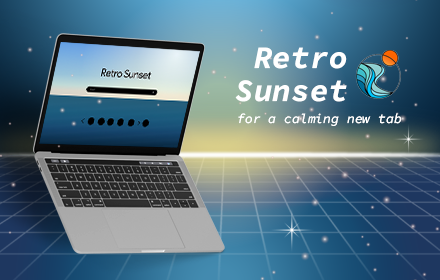
Retro Sunset extension will help you keep track of the time while enjoying a soothing new tab design.
82
★ 4.8

Be Someone – Life Tracker
Visual life calendar that helps you become who you want to be. See your remaining weeks and stay focused on what matters.
2

Ora - New Tab: Habit Tracker & Time Progress
A new tab page that tracks your habits and shows time progress
36
★ 5.0

Motivate
Your personal motivation dashboard - track habits, goals, and progress every time you open a new tab
2
★ 5.0
Data sourced from the Chrome Web Store · last verified Jun 9, 2026.